Are you interested in using the Open edX platform to teach your courses? Enrolling learners in your Open edX courses is an essential step in the process. In this guide, we’ll explore how to enroll learners in Open edX courses, step by step.
Step 1: Create a Course
Before you can enroll learners in your Open edX course, you need to create a course. To create a course, you’ll need to log in to your Open edX account and follow the instructions provided by the platform.
Step 2: Add Course Content
Once you’ve created your course, you’ll need to add course content. This content can include text, images, videos, quizzes, and other resources that you want to share with your learners. Make sure that your content is engaging and interactive, as this will help keep your learners interested and motivated.
Step 3: Set Up Enrollments
Now that you’ve created your course and added content, it’s time to set up enrollments. There are several ways that you can enroll learners in your Open edX course:
- Self-enrollment: You can allow learners to enroll themselves in your course by providing a link to the course enrollment page. This is a great option if you want to make your course widely available and accessible to anyone who’s interested.
- Group enrollment: You can create groups of learners and enroll them all at once. This is a good option if you’re teaching a course to a specific group of people, such as employees at a company or students in a school.
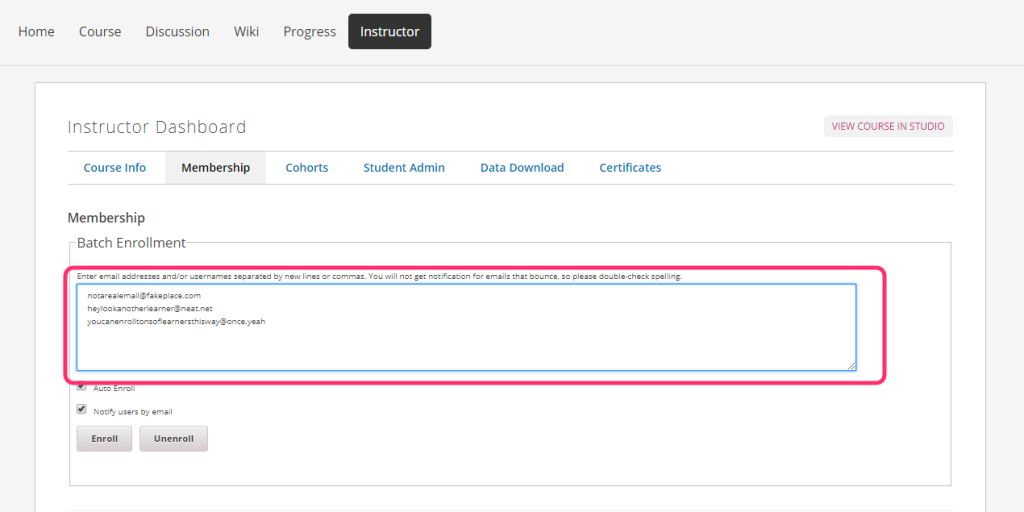
- Manual enrollment: You can manually enroll learners in your course by entering their email addresses or usernames. This is a good option if you want to have more control over who is allowed to take your course.
Step 4: Promote Your Course
Once you’ve set up enrollments, it’s time to start promoting your course. There are several ways that you can promote your Open edX course:
- Social media: Share your course on social media platforms like Twitter, Facebook, and LinkedIn. This is a great way to reach a wider audience and get more learners interested in your course.
- Email marketing: Send out emails to your mailing list promoting your course. This is a good option if you have an existing audience that you want to reach.
- Paid advertising: Consider running paid ads on social media platforms or search engines to promote your course. This can be an effective way to reach a targeted audience and get more enrollments.
Step 5: Monitor Enrollment and Engagement
Once your course is up and running, it’s important to monitor enrollment and engagement. Keep track of how many learners are enrolling in your course and how engaged they are with your content. This will help you identify areas where you can improve your course and make it more engaging for learners.
In conclusion, enrolling learners in Open edX courses is a simple process that can be done in just a few steps. By following these steps and promoting your course effectively, you can attract more learners and create a successful online course. Good luck!
