Introduction
Many business owners invest heavily in content creation, keyword research, and visual design, yet their pages struggle to rank on search engine results pages. Often, the root cause is not poor content quality or a lack of backlinks, but rather a disorganized website structure for SEO. When a website lacks a logical hierarchy, search engine bots waste time crawling dead ends, and users become frustrated trying to find what they need.
Website architecture determines how information is organized, connected, and presented to both visitors and search engines. Poor organization leads to orphaned pages, high bounce rates, and missed conversion opportunities. By establishing a clear, intentional website structure, you ensure that search engines can easily crawl your site while providing human visitors with a frictionless browsing experience.
In this comprehensive guide, you will learn how website architecture, internal linking, URL organization, and content hierarchy work together to drive long-term organic growth.
What Is Website Structure?
Website structure refers to the conceptual blueprint of how pages on a website are organized, categorized, and linked together. Think of it like the floor plan of a building. Just as a physical building needs clear hallways, accessible doors, and logical room layouts so occupants can move freely, a website needs an organized framework of categories, subcategories, and individual pages.
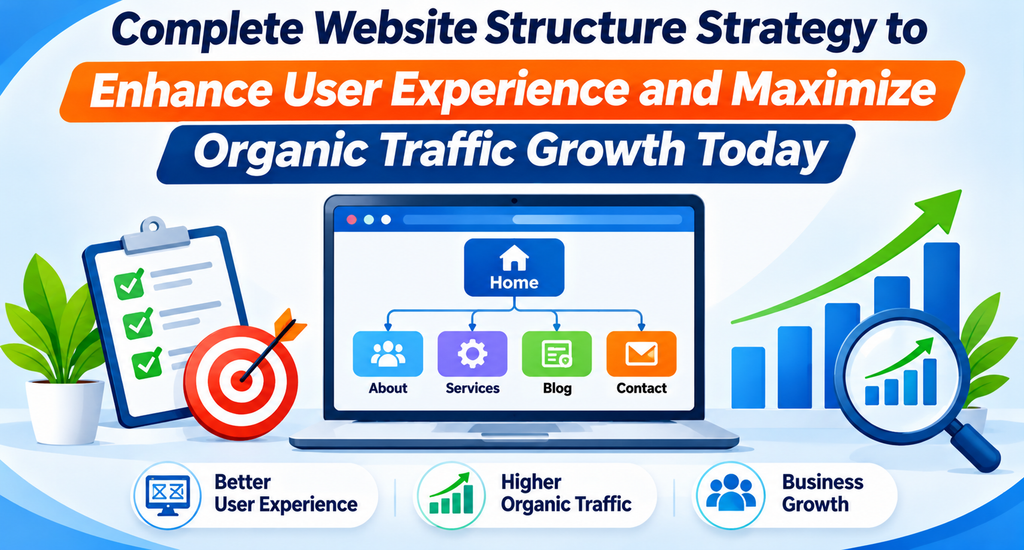
A well-designed website structure establishes a clear hierarchy starting from the homepage, branching down into broad category pages, and finally leading users to specific product or blog pages. This organization dictates how information flows across the domain.
Why Website Structure Matters for SEO Growth
Your website structure directly impacts how search engines perceive, crawl, and rank your content. Without a solid foundation, even the most well-written articles can remain buried and unindexed.
When search engine crawlers land on your domain, they follow links to discover new pages. If your architecture is tangled or overly deep, crawlers may abandon their journey before reaching your most important content. Furthermore, a clean structure distributes “link equity”—the SEO value passed through hyperlinks—evenly across your pages, helping secondary pages rank alongside your homepage.
Understanding Website Architecture and Its Components
Website architecture is the combination of technical organization and user experience design. It encompasses several core layers:
- The Global Navigation: Primary menus that guide users across major site sections.
- The Category Hierarchy: Logical groupings that cluster related topics or products together.
- The Interlinking Network: Contextual pathways that connect related articles and landing pages.
- The URL Framework: Clean, descriptive paths that reflect the site’s logical tree.
Understanding these components allows developers and content managers to build sites that scale gracefully as new pages are added over time.
How Search Engines Crawl and Index Website Pages
Search engines use automated programs called crawlers or spiders to discover content across the web. These crawlers start from known URLs—such as your sitemap and homepage—and follow links to explore other pages.
- Crawling: The process of discovering and downloading pages from your website.
- Rendering: Executing code and scripts to understand what the page looks like to human visitors.
- Indexing: Storing the processed pages in a massive database so they can appear in relevant search queries.
If your website architecture is flawed, crawlers may encounter blocks, infinite loops, or orphan pages (pages with no incoming internal links), leaving valuable content unindexed.
Different Types of Website Structures
Websites generally adopt one of several structural models depending on their size and purpose:
Flat Website Structure
In a flat structure, most pages can be reached within two to three clicks from the homepage. This minimizes crawl depth and distributes link equity efficiently, making it ideal for blogs and small business websites.
Hierarchical Website Structure
This is the most common model, resembling a traditional organizational tree. The homepage sits at the top, branching into broad categories, subcategories, and individual leaf pages. It works exceptionally well for large sites and e-commerce stores.
Siled Website Structure
Siling groups closely related content together while strictly separating distinct topics. For example, a digital marketing agency might create separate silos for SEO services, PPC management, and social media marketing to reinforce topical authority.
Planning a Logical Website Hierarchy
A logical hierarchy prevents user confusion and search engine misinterpretation. Start by mapping out your primary offerings or content categories before writing code.
As a rule of thumb, aim for a shallow hierarchy where no important page requires more than three or four clicks to reach from the homepage. This ensures that crawl depth remains low and user engagement stays high.
Organizing Website Pages and Categories
Effective categorization relies on clarity and mutual exclusivity. Categories should cover distinct topics without overlapping confusingly.
For example, if you run a home improvement site, mixing DIY guides into a product category page creates architectural clutter. Keep informational resources in a dedicated blog section and commercial offerings within service or product categories.
Creating SEO-Friendly URL Structures
Your URLs should act as readable roadmaps for both humans and search engines. A clean URL structure uses lowercase letters, hyphens to separate words, and descriptive keywords rather than arbitrary identification numbers.
- Poor URL:
[https://example.com/p?id=4821](https://example.com/p?id=4821) - SEO-Friendly URL:
[https://example.com/services/web-development](https://example.com/services/web-development)
Keeping URLs concise and aligned with your site hierarchy reinforces topical relevance.
Building Effective Internal Linking Strategies
Internal links connect one page of your website to another page on the same domain. They serve two vital functions: they help users navigate deeper into your content, and they give search engine crawlers pathways to discover new pages.
When building an internal linking strategy, use descriptive anchor text that naturally incorporates relevant keywords. Link from high-authority pages—like your homepage or cornerstone guides—to newer or deeper pages that need a visibility boost.
Navigation Menus and User Experience
Your main navigation menu is the most prominent signpost on your website. It should be intuitive, uncluttered, and reflective of your core categories.
Avoid cramming dozens of links into a single dropdown menu. Instead, use clear top-level categories with well-organized submenus that guide visitors smoothly toward their desired destinations.
Breadcrumb Navigation and Its SEO Benefits
Breadcrumbs are secondary navigation trails typically displayed near the top of a page (e.g., Home > Services > Web Design).
They provide significant benefits:
- User Experience: Visitors can instantly see where they are in the site hierarchy and jump back to higher-level categories with a single click.
- SEO Clarity: Search engines use breadcrumbs to understand site structure and may display them directly in search result snippets, improving click-through rates.
Creating Topic Clusters and Content Silos
Topic clusters represent a modern approach to content organization. They consist of a comprehensive “pillar page” that covers a broad topic in depth, surrounded by several “cluster pages” that explore specific subtopics in detail.
Every cluster page links back to the pillar page, and the pillar page links out to each cluster page. This interconnected network signals strong topical authority to search engines.
Mobile-Friendly Website Architecture
With the majority of web traffic originating from mobile devices, your website architecture must adapt seamlessly to smaller screens.
A mobile-friendly structure ensures that navigation menus remain accessible (often via collapsible hamburger menus), touch targets are appropriately spaced, and page layouts do not force users to pinch and zoom to find core content categories.
Website Structure for E-commerce Platforms
E-commerce websites present unique structural challenges due to large inventories and numerous product variations. An effective e-commerce architecture relies on robust category and subcategory filtering.
Implementing clear faceted navigation, clean product categorization, and related-product cross-links prevents inventory bloat and ensures that product pages remain easily discoverable by search engine crawlers.
Common Website Structure Mistakes to Avoid
- Orphan Pages: Publishing pages that have no internal links pointing to them.
- Excessive Click Depth: Burying important content five or six clicks away from the homepage.
- Duplicate Content: Creating multiple URLs for the exact same page content without proper canonicalization.
- Overstuffed Menus: Crowding navigation bars with dozens of unrelated links.
- Broken Internal Links: Leaving dead links that lead to 404 error pages.
Maintaining and Improving Website Architecture Over Time
Websites naturally grow and evolve, which can lead to structural decay if left unmonitored. Conduct periodic site audits to identify broken links, review category performance, and ensure that new content fits neatly into your existing hierarchy without creating clutter.
How to Create an SEO-Friendly Website Structure Step by Step
Identify Website Goals and Target Audience
- Purpose: Align your website’s organizational framework with specific business objectives and user needs.
- Practical Implementation: Define whether your primary goal is lead generation, e-commerce sales, or informational publishing, and map out your target audience’s search habits.
- Benefits: Prevents building unnecessary pages and keeps your site focused on user conversion.
- Common Mistakes: Designing a site based on internal company departments rather than customer search behavior.
Conduct Keyword and Topic Research
- Purpose: Uncover the terminology your audience uses to find your products, services, or content.
- Practical Implementation: Group keywords into thematic buckets that will eventually form your core categories and subcategories.
- Benefits: Ensures your architecture matches real-world search demand.
- Common Mistakes: Targeting overly broad keywords without mapping them to specific landing pages.
Create a Logical Website Hierarchy
- Purpose: Establish a clear top-down flow of information from the homepage to deep content pages.
- Practical Implementation: Sketch out a tree diagram showing how the homepage leads to primary categories, subcategories, and individual pages.
- Benefits: Reduces crawl depth and keeps navigation intuitive.
- Common Mistakes: Creating a disorganized web of unlinked pages.
Plan SEO-Friendly URLs
- Purpose: Design clean, descriptive web addresses that reflect your site hierarchy.
- Practical Implementation: Use lowercase words separated by hyphens, incorporating primary keywords naturally into the slug.
- Benefits: Improves user trust and helps search engines understand page context.
- Common Mistakes: Using dynamic parameters or lengthy, confusing URL strings.
Build a Strong Internal Linking System
- Purpose: Connect related pages to distribute link equity and guide user exploration.
- Practical Implementation: Add contextual links within articles pointing to relevant category or product pages using descriptive anchor text.
- Benefits: Enhances crawlability and boosts secondary page rankings.
- Common Mistakes: Over-optimizing anchor text or linking randomly without contextual relevance.
Optimize Navigation and Breadcrumbs
- Purpose: Help visitors move effortlessly between different sections of your website.
- Practical Implementation: Implement clean global navigation menus and structured breadcrumb trails across all subpages.
- Benefits: Lowers bounce rates and enhances search snippet presentation.
- Common Mistakes: Hiding primary navigation elements behind complex or broken dropdowns.
Create Topic Clusters
- Purpose: Establish topical authority through interconnected pillar and cluster pages.
- Practical Implementation: Write an in-depth pillar guide on a broad topic and link it to and from several specific supporting articles.
- Benefits: Signals deep subject-matter expertise to search engine algorithms.
- Common Mistakes: Publishing isolated articles without interconnecting links.
Optimize Technical SEO Elements
- Purpose: Ensure search engines can discover, crawl, and index your pages without technical barriers.
- Practical Implementation: Configure XML sitemaps, maintain a clean robots.txt file, implement proper canonical tags, and fix redirect chains.
- Benefits: Prevents indexing errors and wasted crawl budget.
- Common Mistakes: Ignoring crawl errors and broken internal links.
Test Website Usability and Performance
- Purpose: Verify that your site architecture provides a fast, frictionless experience on all devices.
- Practical Implementation: Run mobile responsiveness checks, page speed audits, and click-depth analyses.
- Benefits: Improves user engagement metrics and mobile search rankings.
- Common Mistakes: Testing only on desktop environments.
Monitor and Improve Website Structure
- Purpose: Keep your website architecture scalable and optimized as your content library grows.
- Practical Implementation: Schedule quarterly audits using crawling tools to check for orphan pages, broken links, and structural bloat.
- Benefits: Preserves long-term SEO health and ranking stability.
- Common Mistakes: Setting up the architecture once and never reviewing it again.
Important SEO Elements of Website Architecture
Website Hierarchy
- Purpose: Organizes information logically from broad topics to specific details.
- SEO Relevance: Facilitates efficient crawler discovery and distributes link equity.
- Practical Implementation: Use a tree-like structure limiting depth to three clicks from the homepage.
URL Structure
- Purpose: Provides readable web addresses for users and bots.
- SEO Relevance: Reinforces page context and improves click-through confidence.
- Practical Implementation: Use clean slugs containing relevant keywords separated by hyphens.
Internal Linking
- Purpose: Connects related pages within the same domain.
- SEO Relevance: Passes link equity and establishes topical relationships.
- Practical Implementation: Link contextually using descriptive anchor text between related articles and categories.
XML Sitemap
- Purpose: Provides a roadmap of all important pages on your website for search engines.
- SEO Relevance: Ensures rapid discovery and indexing of new or updated content.
- Practical Implementation: Generate an up-to-date sitemap and submit it via search console tools.
Robots.txt
- Purpose: Directs search engine crawlers on which pages to access or ignore.
- SEO Relevance: Preserves crawl budget by blocking low-value utility pages.
- Practical Implementation: Carefully configure directives to prevent accidental blocking of important indexable pages.
Breadcrumb Navigation
- Purpose: Displays hierarchical location trails on individual pages.
- SEO Relevance: Enhances user navigation and generates rich snippets in search results.
- Practical Implementation: Add schema markup to breadcrumb trails for enhanced search engine interpretation.
Canonical URLs
- Purpose: Specifies the master version of a page when duplicate or similar content exists.
- SEO Relevance: Prevents keyword cannibalization and duplicate content penalties.
- Practical Implementation: Include self-referencing canonical tags on all unique pages.
Crawl Depth
- Purpose: Measures the number of clicks required to reach a page from the homepage.
- SEO Relevance: Shallow crawl depths ensure search engines discover and index pages faster.
- Practical Implementation: Keep important commercial and resource pages within three clicks of the root domain.
Mobile Responsiveness
- Purpose: Ensures layouts adapt correctly to smartphone and tablet screens.
- SEO Relevance: Essential for mobile-first indexing and high user engagement metrics.
- Practical Implementation: Utilize responsive design frameworks and scalable typography.
Page Loading Performance
- Purpose: Measures how quickly page elements render on user devices.
- SEO Relevance: Serves as a direct ranking factor and reduces bounce rates.
- Practical Implementation: Optimize images, leverage browser caching, and streamline code scripts.
Structured Data
- Purpose: Adds machine-readable code to help search engines understand page content.
- SEO Relevance: Unlocks rich results and enhances organic visibility.
- Practical Implementation: Implement Schema.org markup relevant to your business type or content.
Website Structure Comparison Tables
| Feature | Flat Website Structure | Hierarchical Website Structure |
| Crawl Depth | Very shallow (1–2 clicks) | Moderate (2–4 clicks) |
| Best Suited For | Small blogs, portfolios | Large sites, e-commerce stores |
| Link Equity Distribution | Highly efficient across all pages | Flows downward through categories |
| Scalability | Can become cluttered over time | Highly scalable with deep categories |
| Feature | Good Website Architecture | Poor Website Architecture |
| Crawlability | Smooth and error-free | Blocked by dead ends and loops |
| User Experience | Intuitive navigation and clear paths | Confusing menus and high bounce rates |
| Indexation | All valuable pages indexed quickly | Orphan pages left unindexed |
| SEO Performance | Compounding organic visibility | Stagnant or declining rankings |
| Feature | SEO-Friendly URLs | Unoptimized URLs |
| Readability | Clean words separated by hyphens | Random strings, numbers, and symbols |
| Keyword Clarity | Clearly reflects page topic | Hides context behind IDs or parameters |
| Length | Short and concise | Overly long and complex |
| Feature | Strong Internal Linking | Weak Internal Linking |
| Pathways | Contextual links connect related articles | Isolated pages with no incoming links |
| Anchor Text | Descriptive and keyword-relevant | Generic (“click here”) or missing |
| Crawl Support | Helps bots discover deep content | Results in orphan pages and poor indexing |
| Feature | Traditional Navigation | User-Friendly Navigation |
| Menu Clarity | Overstuffed with too many links | Clean, categorized dropdowns |
| Mobile Support | Often unresponsive or cluttered | Adaptive hamburger menus |
| Accessibility | Hard to find core pages | Prominent placement of vital links |
| Feature | Small Website Architecture | Large Website Architecture |
| Complexity | Simple flat or shallow tree | Multi-tiered categories and sub-silos |
| Management | Easily managed manually | Requires automated sitemaps and robust CMS |
| Navigation Aids | Simple menus suffice | Requires breadcrumbs, search bars, and filters |
Practical Examples
Structuring a Small Business Website
A local digital marketing agency structures its site with a clean, flat architecture. The homepage links directly to core service pages (SEO, PPC, Web Design), an About page, a Contact page, and a Blog section. This keeps crawl depth minimal and allows prospective clients to find service offerings within a single click.
Organizing an E-commerce Website
An online apparel retailer organizes its store using a hierarchical tree. The homepage branches into top-level categories (Men, Women, Accessories). Each top-level category splits into subcategories (e.g., Men > Footwear > Running Shoes), ensuring that shoppers and search bots can navigate thousands of products without getting lost.
Creating a Service-Based Website Hierarchy
A SaaS company builds its architecture around solution pillars. The main navigation separates pages by target industry (Enterprise, Small Business, Startups) and product features, supplemented by an educational resource center that answers common customer questions.
Connecting Blog Articles Through Internal Links
A publisher writes a pillar guide on technical SEO. They create cluster articles on XML sitemaps, robots.txt files, and crawl budget, linking each cluster article back to the main pillar guide and interconnecting them where relevant to build topical authority.
Organizing Categories and Subcategories
An educational blog separates content into distinct categories like Web Development, Digital Marketing, and Graphic Design, ensuring that tutorials never mix with promotional service pages.
Improving Navigation on an Existing Website
An established business revamps its cluttered navigation bar by grouping twenty scattered links into five clean parent categories and adding breadcrumb trails to improve user orientation.
Website Structure SEO Checklist
- Clear homepage hierarchy established
- Logical categories and subcategories defined
- Descriptive, keyword-rich URLs implemented
- Relevant internal links added with natural anchor text
- Easy-to-use global navigation menus configured
- Breadcrumb trails implemented across subpages
- XML sitemap generated and submitted
- Correct canonical tags applied to all pages
- Mobile-friendly responsive design verified
- Regular broken-link checks scheduled
- Crawlability and indexability monitored
- Periodic website architecture audits performed
How CMSGalaxy Helps Businesses Build SEO-Friendly Websites
Building a scalable, search-friendly website requires robust technical foundations and intuitive content management systems. CMSGalaxy supports businesses in developing well-organized, high-performing websites tailored to their operational goals.
Whether you are launching a new digital platform or reorganizing an existing domain, CMSGalaxy provides expert guidance across key development areas:
- Strategic Website Architecture Planning: Designing clear hierarchies and navigation frameworks that satisfy both users and search engine crawlers.
- Professional Website Development: Building fast, secure, and responsive websites using modern web standards.
- CMS-Based Content Organization: Structuring content management systems so administrators can easily manage categories, tags, and publishing workflows.
- SEO-Friendly URL Implementation: Ensuring clean URL structures and proper redirection protocols.
- Responsive Website Design: Delivering flawless mobile and desktop browsing experiences.
- Navigation and UX Optimization: Crafting intuitive menus and breadcrumb systems to reduce bounce rates.
- Website Performance Improvements: Optimizing code and loading speeds for better search rankings.
- Scalable Website Architecture: Building flexible frameworks that expand seamlessly as your business grows.
- Ongoing Website Maintenance: Supporting regular audits and structural updates to maintain peak performance.
Why a Well-Structured Website Supports Business Growth
Investing time and resources into proper website architecture yields compounding dividends over time. A well-structured website delivers distinct operational and marketing advantages:
- Better Content Discoverability: Search engines find and index new pages faster.
- Improved User Navigation: Visitors find what they need without friction, leading to higher conversion rates.
- Easier Website Management: Content administrators can update and expand pages without breaking site integrity.
- Better Crawling and Indexing Opportunities: Eliminates dead ends and wasted crawl budgets.
- Stronger Topical Organization: Reinforces your brand’s authority in your industry niche.
- Improved Customer Experience: Creates a professional, trustworthy brand impression.
- Easier Website Expansion: Accommodates new products and blog posts without structural collapse.
- Long-Term SEO Sustainability: Protects your rankings against algorithmic shifts through solid technical foundations.
Frequently Asked Questions
What is website structure in SEO?
Website structure refers to how pages on a website are organized, categorized, and linked together, influencing how search engines crawl and how users navigate the site.
Why is website architecture important for search engine rankings?
Good architecture helps search engine crawlers discover and index content efficiently while distributing link equity evenly across important pages.
What is the best website structure for SEO?
A clean, shallow hierarchical or siled structure that allows users and search bots to reach any important page within three clicks from the homepage.
How many clicks should it take to reach an important page?
Ideally, no more than three clicks from the homepage to maintain low crawl depth and high user engagement.
How do internal links improve website SEO?
Internal links pass link equity between pages, establish topical relationships, and guide search engine crawlers to discover unindexed content.
What is the difference between website architecture and URL structure?
Website architecture is the overarching organizational framework of pages and categories, while URL structure is the specific address format assigned to individual pages.
Are breadcrumbs important for SEO?
Yes. Breadcrumbs improve user navigation and provide search engines with clear hierarchical context, often resulting in enhanced search result snippets.
How do topic clusters support website structure?
Topic clusters organize content into interconnected groups centered around a comprehensive pillar page, signaling strong topical authority to search engines.
Can poor website architecture affect indexing?
Yes. Poor structures can create orphan pages and infinite crawl loops that prevent search engines from discovering and indexing valuable content.
How should e-commerce websites organize categories?
Using a logical tree of broad parent categories branching into specific subcategories supported by robust faceted navigation and filtering.
How often should website structure be audited?
Websites should undergo structural audits at least quarterly, or whenever significant new content or product lines are added.
Can a website structure be changed without losing SEO value?
Yes, provided that proper 301 redirects are implemented from old URLs to new URLs to preserve link equity.
What role does a CMS play in website organization?
A Content Management System provides the underlying framework and taxonomy tools (like categories, tags, and menus) needed to maintain clean site architecture.
How does mobile navigation affect user experience?
Mobile navigation ensures that users on smartphones can easily access menus and browse content without frustration, lowering bounce rates.
How can CMSGalaxy help businesses develop well-structured websites?
CMSGalaxy provides professional website development, CMS customization, and strategic architecture planning to help businesses build scalable, search-friendly websites.
Conclusion
Website architecture is the invisible backbone of digital marketing success. No matter how compelling your content or how aggressive your outreach, a disorganized website will struggle to achieve its full ranking potential. By prioritizing a logical hierarchy, clean URLs, robust internal linking, and intuitive navigation, you create an environment where both search engine crawlers and human visitors thrive.
Building a scalable, search-friendly website lays the groundwork for sustainable organic growth. For businesses seeking expert assistance in designing robust architectures and modern CMS solutions, partnering with an experienced provider like CMSGalaxy ensures your digital presence is built for long-term success. Review your website structure today, eliminate architectural bottlenecks, and pave the way for higher search visibility.
