
Are you someone who wants to start a blog or a website but has no idea where to start? Look no further than WordPress. WordPress is a powerful content management system (CMS) that allows you to create and manage your own website or blog without any coding knowledge. In this article, we will explore what exactly WordPress is and how it works.
What is WordPress?
WordPress is a popular content management system (CMS) that allows users to create and manage websites easily. It provides a user-friendly interface for creating, editing, and organizing digital content without requiring any coding knowledge. WordPress works by utilizing a combination of templates (called themes) and plugins to customize the appearance and functionality of a website.
With WordPress, you can create web pages, blog posts, media galleries, and more. It uses a database to store all the content and various files associated with your website. When a user visits your website, WordPress dynamically retrieves the relevant content from the database and presents it in a visually appealing format based on your chosen theme.
WordPress also offers a vast ecosystem of plugins that extend its core functionality. These plugins allow you to add features like contact forms, e-commerce stores, search engine optimization, social media integration, and much more to your website.
How does WordPress work?
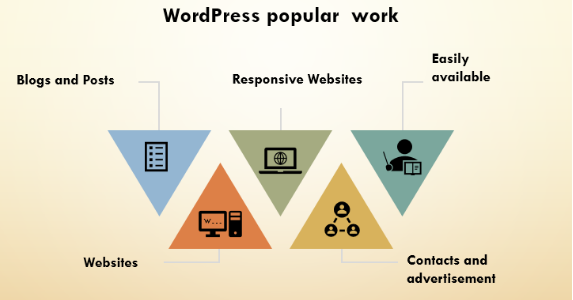
WordPress works by using a combination of PHP, HTML, CSS, and JavaScript to create dynamic web pages. When you create a page or post in WordPress, it is stored in a database along with all of the other content on your site. When a visitor comes to your site, WordPress retrieves the relevant information from the database and assembles it into a web page on the fly.
The Dashboard
The WordPress dashboard is where you will spend most of your time when using the platform. It is the central hub where you can create new pages and posts, customize your site’s appearance, and manage user accounts and settings. The dashboard is highly customizable, so you can arrange and organize it in a way that works best for you.
Themes
One of the most powerful features of WordPress is its theme system. A theme is a collection of files that control the appearance and functionality of your site. There are thousands of free and premium themes available for WordPress, so you can easily find one that fits your needs. For example, the popular Astra theme is great for bloggers, while the Divi theme is perfect for e-commerce sites.
Plugins
Another great feature of WordPress is its plugin system. Plugins are small pieces of software that can be installed on your site to add new features and functionality. There are thousands of free and premium plugins available for WordPress, so you can easily extend the core functionality of your site. For example, the WPForms plugin is great for creating contact forms, while the MonsterInsights plugin is perfect for tracking your site’s analytics.
Conclusion
In conclusion, WordPress is a powerful and versatile CMS that can be used to create and manage websites of all types. It works by using a combination of PHP, HTML, CSS, and JavaScript to create dynamic web pages. With its customizable dashboard, theme system, and plugin architecture, WordPress is the perfect platform for anyone who wants to create a website without any coding knowledge. So what are you waiting for? Start your own website or blog with WordPress today!

[…] What is WordPress and how does it work? […]