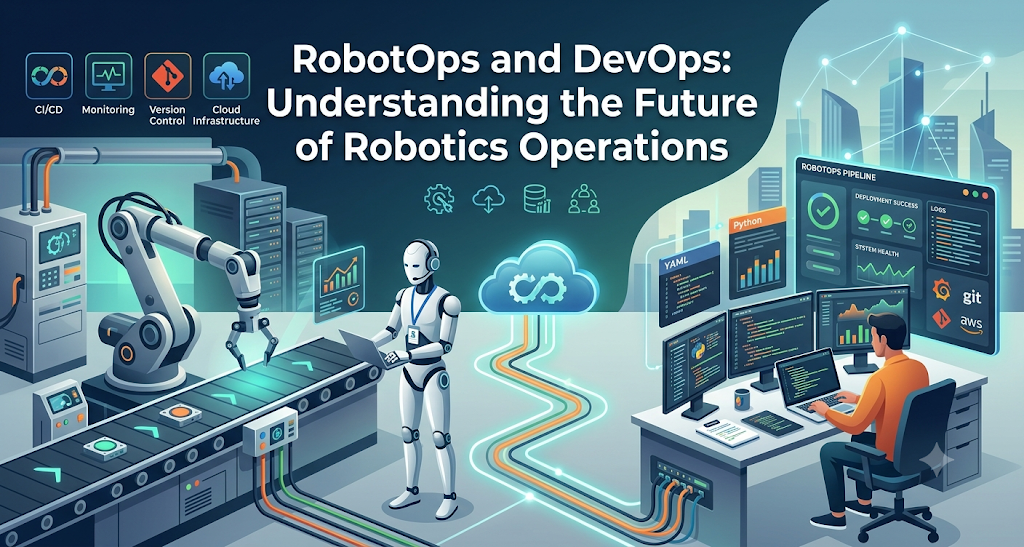
Introduction to RobotOps
Building a robot is hard. Operating a fleet of robots every day is even harder.
For many years, robotics teams focused mainly on mechanical engineering and research prototypes. Software was written for a single machine. Engineers connected cables directly to test algorithms. When something failed, a person walked over to fix it.
That model breaks down when companies deploy dozens or hundreds of robots across active sites. A robot is not a web server sitting in a climate-controlled data center. It is a physical machine with motors, wheels, microcontrollers, and cameras. It works around dust, obstacles, and people. When a robot software bug happens, the robot does not just return an error code; it physically stops moving.
This reality has driven the rise of RobotOps, also known as Robotics Operations.
RobotOps applies software operations, DevOps practices, automated testing, and fleet management principles to robotics. It spans the entire operational lifecycle: testing code in simulation, deploying updates over unstable networks, collecting sensor health signals, and resolving physical incidents.
Whether you manage Autonomous Mobile Robots in a distribution warehouse or robotic arms on a factory floor, reliable operations make the difference between an expensive experiment and a dependable production system.
Why Robotics Needs Modern Operations
The Gap Between Building a Robot and Running a Fleet
Most robotics projects begin in an isolated laboratory. Engineers build a single mobile platform or arm. The Wi-Fi is fast and reliable. The floor is smooth and clean. The battery is always charged. Under these conditions, robotics software works well.
Once you put ten robots into a commercial facility, everything changes:
- Networks drop randomly between metal storage racks.
- Robot wheels wear down, altering distance measurements.
- Facility lighting shifts, confusing optical vision systems.
- Batteries drain at different rates depending on payload weights.
- Operators block paths, triggering safety stops.
Scaling from one robot to a fleet requires more than navigation algorithms. It requires operations infrastructure.
[Development & Code]
        │
        ▼
[Virtual Simulation Testing]
        │
        ▼
[Staged Field Deployment]
        │
        ▼
[Edge Execution on Robots] ──(Telemetry)──► [Robotics Operations Center]
        │                                              │
        └──────────────(Field Updates & Triage)────────┘
Without structured processes, field engineers spend their entire day troubleshooting single robots manually.
Hardware Constraints in the Physical World
Standard software engineering relies on identical virtual servers. If a cloud server crashes, an orchestrator destroys it and starts a new one in seconds.
Robots cannot be treated as disposable computing instances. They exist in physical reality. A hardware failure—such as a blown motor fuse, a cracked sensor lens, or a worn bearing—cannot be patched with a software script.
Robotics operations must bridge the gap between digital code and physical mechanics. Teams must monitor the health of computing boards while also tracking mechanical wear, battery chemistry, and physical environments.
How RobotOps Compares to Traditional DevOps
DevOps transformed how cloud applications run by uniting software development with IT operations. RobotOps borrows key ideas from DevOps, such as continuous integration, automated testing, monitoring, and fast feedback loops.
However, robotic systems introduce physical variables that traditional DevOps never has to handle.
| Operational Area | Traditional Cloud DevOps | RobotOps (Robotics Operations) |
| Execution Environment | Centralized cloud servers or static data centers | Dynamic physical environments (warehouses, factories, roads) |
| Network Reliability | High-bandwidth, low-latency, redundant fiber | Intermittent Wi-Fi, cellular (4G/5G), dead zones |
| Failure Impact | HTTP 500 error, service restart, dropped request | Physical stoppage, task blockage, physical damage risk |
| Compute Hardware | Homogeneous virtual machines, standardized containers | Heterogeneous edge compute, microcontrollers, real-time boards |
| Rollback Mechanism | Instantaneous traffic routing back to old containers | Safe staging; cannot instantly revert mid-motion without safety risk |
| Source of Truth | Server logs, distributed traces, system metrics | Sensor streams, point clouds, wheel odometry, motor temperatures |
In the cloud, an update can be deployed to all servers at once. In robotics, pushing an update to an active machine while it carries a heavy payload near people creates safety hazards. RobotOps requires location-aware, state-aware, and safety-verified deployment strategies.
Core Pillars of Robotics Operations
A functional RobotOps framework rests on five primary pillars.
1. Telemetry and Robot Observability
Observability allows operators to understand the internal state of a robot by analyzing its external outputs. In robotics, these outputs are called telemetry.
Telemetry is data sent from the robot back to a central management system. Because robots generate massive volumes of sensor data, teams cannot upload every raw camera feed or laser scan over mobile networks. Instead, a good observability framework filters and aggregates data at the edge.
Key operational metrics include:
- Hardware Health: CPU temperatures, battery voltage, motor currents, and memory usage.
- Localization Quality: Confidence scores indicating how well the robot knows its real-world position.
- Safety Signals: Emergency stop (E-stop) activations, obstacle detection warnings, and protective field breaches.
- Mission Metrics: Tasks completed, distance traveled, idle time, and docking success rates.
When an error happens, engineers review synchronized logs and event traces to pinpoint whether the issue came from software logic, sensor degradation, or an unexpected physical obstacle.
2. Fleet Management and Device Provisioning
Robot Fleet Management is the centralized control layer for coordinating multiple robots across one or more facilities.
When a new robot arrives on site, it must be provisioned. Provisioning assigns the robot a secure cryptographic identity, links it to site maps, installs required software packages, and registers it with the central platform.
Fleet management platforms perform several critical functions:
- Centralized Status Tracking: Showing where all robots are located and their operational state (idle, active, charging, or error).
- Work Order Allocation: Assigning tasks to the most suitable robot based on proximity, battery state, and equipment type.
- Traffic Coordination: Preventing bottlenecks at narrow doorways, charging hubs, and intersections.
- State of Charge Monitoring: Scheduling recharge cycles automatically so robots never run out of battery mid-task.
       ┌──────────────────────────────┐
       │   Central Fleet Manager      │
       │  (Traffic / Tasks / State)   │
       └──────────────┬───────────────┘
                      │
       ┌──────────────┴──────────────┐
       │                             │
       ▼                             ▼
┌──────────────┐              ┌──────────────┐
│ Robot 01     │              │ Robot 02     │
│ AMR Carrier  │              │ AMR Carrier  │
└──────────────┘              └──────────────┘
3. Remote Operations and Triage
Robots will eventually encounter situations they cannot resolve autonomously. A pallet might be placed outside standard boundaries, or light reflecting off a puddle may blind an optical sensor.
Remote operations tools allow remote operators to assess problems without physical travel.
If a robot encounters a path block, an operator can view low-bandwidth camera snapshots and sensor maps. The operator can clear a false obstacle alert, assign a detour waypoint, or manually teleoperate the machine using safe, rate-limited controls.
Remote triage keeps fleet productivity high while minimizing on-site maintenance labor.
4. Secure Software Deployment and Updates
Updating robotics software requires strict controls. A failed software update on an autonomous vehicle or heavy arm can damage property or cause injury.
Modern RobotOps relies on over-the-air (OTA) updates using phased rollouts:
- Canary Deployments: Update a single robot first.
- Monitoring Period: Observe its telemetry for anomalies over several shifts.
- Batch Rollout: Deploy the update to 10% of the fleet, then 50%, and finally 100%.
- Automated Rollback: If the software crashes or throws unexpected safety faults, revert immediately to the previous stable operating system image.
Updates must only execute when the robot is safely docked, physically stationary, connected to power, and disengaged from active tasks.
5. Maintenance and Incident Management
Robots experience mechanical wear and tear. Belts loosen, wheels lose tread, and cooling fans gather dust.
RobotOps links telemetry directly to predictive maintenance schedules. By tracking total operating hours, drive-motor current draw, and vibration profiles, systems can flag components before they fail physically.
When an incident occurs, automated rules capture diagnostic snapshots, generate an issue ticket, and safely re-route remaining fleet units around the disabled machine.
Software Architecture in Modern RobotOps
Robotics software is distributed by design. A single robot runs multiple independent processes that must talk to one another in real time.
┌───────────────────────────────────────────────────────────┐
│ Robot Compute Edge                                        │
│                                                           │
│  [ROS 2 Node: Perception] ──(DDS)──► [ROS 2 Node: Nav2]   │
│              ▲                               │            │
│              │                               │ (Commands) │
│              │                               ▼            │
│  [Sensor Driver: LiDAR]             [Motor Controller]    │
│                                                           │
│  [RobotOps Telemetry Daemon] ──(Secure MQTT / HTTPS)──┐   │
└───────────────────────────────────────────────────────┼───┘
                                                        │
                                                        ▼
                                          [Central Cloud Platform]
The Role of Robot Operating System 2 (ROS 2)
Robot Operating System 2 (ROS 2) is a popular open-source software framework used across modern robotics development.
ROS 2 is not a traditional computer operating system like Linux or Windows. Instead, it is a robotics middleware layer that provides communication libraries, device drivers, and package management tools.
ROS 2 organizes software into modular processes called nodes:
- Nodes: Single-purpose programs (for example, one node reads a laser sensor, while another controls motor speed).
- Topics: Named data buses where nodes publish and subscribe to messages asynchronously (such as sensor data streams).
- Services: Synchronous request-and-reply communication channels for quick commands.
- Actions: Long-running, goal-oriented communication channels that provide progress feedback and can be canceled (for example, navigating to a goal coordinate).
ROS 2 uses the Data Distribution Service (DDS) standard for inter-process communication. In a RobotOps pipeline, engineers build, package, containerize, and deploy ROS 2 nodes using structured container workflows.
Edge Computing vs. Cloud Coordination
A successful robotics platform balances edge and cloud responsibilities carefully.
Computations critical to safety and millisecond control loops must run locally on the robot edge computer. If network connectivity drops, the robot must still stop for people, keep its balance, and control its motors.
Computations related to fleet scheduling, global path planning, deep analytical processing, and fleet-wide health aggregation run in centralized cloud or on-premise servers.
RobotOps systems manage this boundary, ensuring robots continue their tasks safely even when disconnected from central infrastructure.
The Role of Robot Simulation in Production Lifecycles
In conventional software development, engineers run unit and integration tests on virtual machines. In robotics, testing code on a physical robot is slow, costly, and potentially dangerous.
Robot Simulation allows engineers to test robotics software inside digital environments before pushing code to physical hardware.
Simulation engines mimic:
- Kinematics and Dynamics: Mass, friction, inertia, wheel slippage, and gravity.
- Sensors: Virtual LiDAR rays, depth cameras, ultrasonic sensors, and inertial measurement units (IMUs).
- Environments: Warehouse shelving, factory production lines, human pedestrians, and variable lighting.
By integrating simulation into Continuous Integration and Continuous Deployment (CI/CD) pipelines, teams can run thousands of automated tests on every code change. A simulated AMR can navigate a virtual maze to verify that a software patch does not introduce collision regressions.
However, simulation has limitations. Real-world friction changes, lens distortions, and sensor noise are difficult to model with complete fidelity. This discrepancy is known as the “sim-to-real gap.”
Simulation minimizes code bugs, but controlled physical validation remains necessary.
Practical Applications: From Warehouses to Factories
Autonomous Mobile Robots (AMRs) in Logistics
Warehouses rely heavily on Autonomous Mobile Robots to move boxes, totes, and pallets.
In these environments, AMRs use Simultaneous Localization and Mapping (SLAM) to build floor plans and track their coordinates. An AMR uses safety-rated laser scanners to measure distances to walls and obstacles.
RobotOps platforms track AMR traffic flow across high-density facilities. If five AMRs arrive at the same narrow aisle, the fleet manager coordinates passage orders to prevent deadlocks.
When an AMR reports a depleted battery, the system schedules it for a charging dock while dispatching another unit to take over its work order.
Industrial Robotics on Manufacturing Floors
Industrial robotics typically involves articulated robotic arms mounted in fixed cells. These arms carry out welding, painting, assembly, and pick-and-place tasks.
While fixed arms do not navigate floors like AMRs, their operational requirements are equally demanding:
- Safety Interlocks: Physical light curtains and safety mats halt arm movements whenever humans enter the workspace.
- Cycle-Time Monitoring: Millisecond delays in trajectory execution reduce overall factory output.
- Predictive Joint Health: Motor temperatures and backlash measurements indicate when gearboxes require lubrication or replacement.
RobotOps tools aggregate cycle metrics from industrial robot controllers. Plant managers can identify which robot arm is falling behind target cycle rates before it causes a line shutdown.
Understanding the Robotics Operations Center (ROC)
As robotic fleets grow, organizations often establish a dedicated operational hub known as a Robotics Operations Center (ROC).
Similar to a Network Operations Center (NOC) in IT or a Security Operations Center (SOC) in cybersecurity, the ROC serves as the primary nerve center for human operators and reliability engineers.
A typical ROC setup incorporates:
- Global Fleet Dashboards: High-level heat maps displaying robot statuses across multiple regional facilities.
- Alert Prioritization Systems: Smart filters that surface high-severity alerts (such as repeated safety halts) while suppressing benign notifications.
- Teleoperation Consoles: Specialized stations with low-latency communication links for remote assistance.
- Deployment Tracking: Visibility into current software and firmware versions active on every machine.
The ROC unifies field technicians, software engineers, and site managers into one coherent operational loop.
Practical Incident Response Workflow for Fleets
When a robot reports a failure in production, teams need a standardized incident response procedure. Relying on ad-hoc triage leads to prolonged site delays and repeat failures.
Here is a practical, step-by-step incident response workflow:
[ Step 1: Automated Detection ]
              │
              ▼
[ Step 2: Impact Containment ]
              │
              ▼
[ Step 3: Remote Investigation ]
              │
              ▼
[ Step 4: Resolution / Dispatch ]
              │
              ▼
[ Step 5: Root-Cause Review ]
- Detection: Central monitoring detects an anomaly via edge telemetry. The system triggers an alert (for example, a motor over-temperature warning or an unexpected navigation timeout).
- Containment: The fleet platform automatically halts the robot safely or commands it to exit active traffic lanes. Adjacent robots are re-routed to prevent congestion.
- Investigation: An operator inspects error codes, sensor health states, and recent operational logs. The operator checks external cameras to see if the robot is physically blocked.
- Resolution: If the issue is minor, the operator issues a remote reset command or clears a virtual map obstruction. If the issue is physical, the system assigns a maintenance ticket to an on-site technician.
- Post-Mortem Analysis: Engineers review recorded system data to determine why the issue occurred. If it points to a software edge case, the scenario is recreated in simulation to build and test a patch.
Operational Challenges and Practical Limitations
Deploying a RobotOps framework is an ongoing engineering commitment, not an instant fix. Teams face real-world challenges during implementation:
- Network Dead Zones: Industrial facilities are full of thick concrete, steel beams, and radio-frequency noise. Robots must be designed to operate safely during temporary network disconnects without erratic behavior.
- Bandwidth Costs: Streaming high-resolution sensor logs from hundreds of machines is cost-prohibitive. Teams must build efficient edge-filtering policies to upload only compressed diagnostic summaries.
- Environmental Degradation: Dust layers coat camera lenses, floor markings wear away, and warehouse layouts change overnight. Operations teams must regularly recalibrate sensors and update maps.
- Safety and Compliance Regulations: Unlike pure software apps, industrial robotic deployments are governed by strict safety standards (such as ISO 3691-4 for driverless trucks and ISO 10218 for industrial robots). Software updates must never bypass certified hardware safety relays.
Understanding these operational boundaries enables teams to construct resilient, practical robotics workflows that succeed in everyday production.
FAQ Section
What does RobotOps stand for?
RobotOps stands for Robotics Operations. It refers to the practice of applying modern software engineering, DevOps principles, automated deployment, monitoring, and fleet management to physical robotic systems throughout their operating lifecycle.
How does RobotOps differ from traditional DevOps?
DevOps manages virtual servers and cloud software. RobotOps manages physical machines that navigate physical spaces, rely on sensors, consume battery power, and face intermittent network connectivity, requiring strict physical safety controls.
What is the role of ROS 2 in RobotOps?
ROS 2 serves as a modular software middleware framework. It organizes robot software into discrete nodes communicating via topics, services, and actions, making it easier to build, test, containerize, and deploy robotics code.
What is robot telemetry?
Robot telemetry is health and performance data transmitted from a robot to a central monitoring system. This data includes battery charge, motor temperatures, sensor status, geographic position, task status, and operational error codes.
Can software updates be safely applied to robots over the air?
Yes, provided strict safety criteria are met. Over-the-air updates should only run when a robot is stationary, safely docked, fully charged, and in an idle state, supported by canary rollouts and automated rollback mechanisms.
What is a Robotics Operations Center (ROC)?
A Robotics Operations Center is a centralized facility or team dedicated to monitoring robot fleets, analyzing telemetry, coordinating remote interventions, managing deployments, and coordinating maintenance responses across active deployment sites.
Why is robot simulation important for operations?
Simulation allows engineers to test software algorithms, sensor integrations, and edge cases inside virtual worlds before releasing code to physical hardware, preventing costly accidents and speeding up release verification.
What is the sim-to-real gap?
The sim-to-real gap describes the performance differences between a robot running in a virtual simulation and a robot operating in the physical world, caused by unmodeled physics, material friction, sensor noise, and environmental changes.
Do all robots require continuous internet connectivity to operate?
No. Safe autonomous mobile systems run critical path planning and obstacle avoidance locally on edge hardware. If network connectivity drops, the robot can safely stop or finish its immediate path segment without external guidance.
Conclusion
RobotOps represents a major evolution in how robotic systems are managed. Developing advanced autonomous machines is an important achievement, but keeping them running reliably across busy production facilities is what generates lasting value.
By uniting software development workflows with physical device operations, RobotsOps.com provides the infrastructure needed to scale robot deployments safely. Centralized fleet management, continuous telemetry, automated simulation testing, and structured incident response turn unpredictable hardware into dependable tools.
As automation expands across manufacturing plants, logistics warehouses, and public spaces, robust robotics operations practices will become the foundation of every successful robotics initiative.
