Introduction
When visitors land on a website, they form an opinion within seconds. If they cannot instantly find what they are looking for, they leave. This immediate drop-off is rarely caused by poor products or weak copywriting; instead, it is usually the result of confusing, cluttered, or broken website navigation.
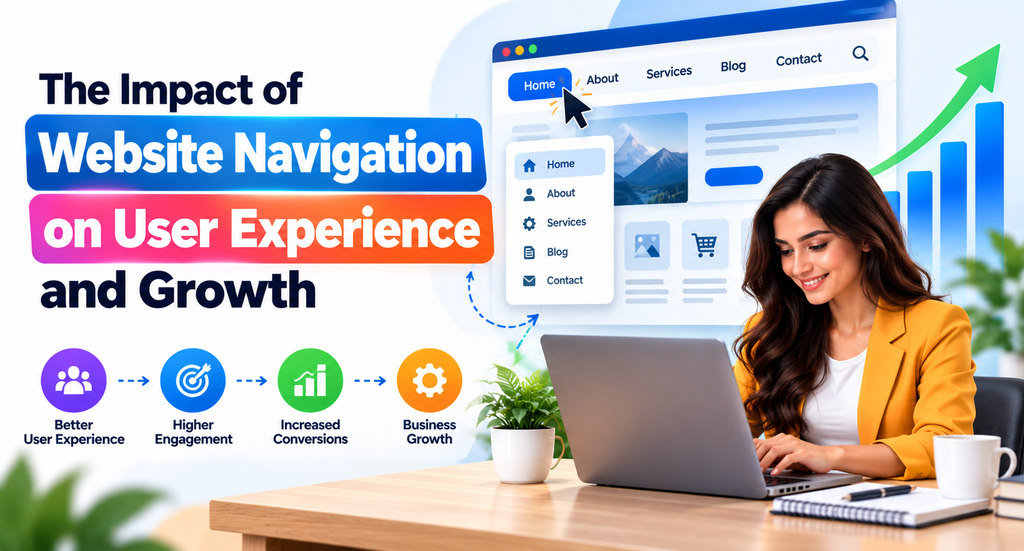
Website navigation serves as the digital roadmap of your online presence. It guides visitors through your pages, helps them discover valuable content, and shapes their overall perception of your brand. When navigation is intuitive, users enjoy a seamless browsing experience that encourages deeper exploration and higher engagement. Conversely, poor navigation creates friction, increases bounce rates, and damages business credibility.
Understanding how to structure menus, organize information, and design responsive layouts is essential for modern organizations. Whether you manage a corporate portal, a growing startup blog, or a busy e-commerce platform, investing in structured website development—supported by professional expertise from partners like CMSGalaxy—ensures your digital platform remains user-friendly, accessible, and optimized for long-term growth.
What Is Website Navigation?
Website navigation refers to the user interface elements—such as menus, buttons, links, search bars, and breadcrumbs—that allow visitors to move between pages and find information on a website. It functions like the hallway signs and directories in a physical building, ensuring that visitors can travel from the entrance to their destination without getting lost.
Effective navigation encompasses both visual layout and underlying structural organization. It determines how pages are categorized, how links connect related topics, and how easily users can access critical conversion points like contact forms, product catalogs, and service descriptions.
Why Website Navigation Matters for User Experience
User experience (UX) depends heavily on clarity and ease of use. When website navigation is logically organized, visitors do not have to think about where to click next. They can focus entirely on consuming content, evaluating products, or making purchasing decisions.
Clear navigation reduces cognitive load. It prevents user frustration, builds instant trust, and creates a welcoming digital environment where visitors feel comfortable exploring deeper pages.
The Relationship Between Website Navigation and User Engagement
Engagement metrics—such as average session duration, pages per session, and bounce rate—are directly tied to navigation quality. When menus are intuitive and internal links point to relevant resources, users stay longer and interact with more content. Good navigation turns casual visitors into active participants by keeping pathways clear and removing barriers to information discovery.
Common Website Navigation Problems
- Overcrowded Menus: Cramming too many dropdown links into the primary navigation bar.
- Inconsistent Layouts: Changing menu locations or styles across different pages of the same website.
- Vague Labels: Using clever or cryptic terminology instead of standard, easily understood words.
- Broken Links: Directing users to missing pages or outdated URLs.
- Poor Mobile Scaling: Designing menus that work on desktop monitors but break or overlap on smartphones.
How Navigation Helps Visitors Find Information Faster
Time is precious for online users. If a potential customer cannot locate pricing or contact details within seconds, they will likely visit a competitor. Structured navigation reduces search time by grouping related pages into logical hierarchies, allowing users to reach their desired destination with minimal clicks.
The Importance of Clear Website Menus
The main navigation menu is the most prominent element on any web page. It establishes the primary hierarchy of your site. Using clear, descriptive labels in your header menu ensures that first-time visitors immediately understand what your business offers and where to find key details.
Website Structure and Information Architecture
Information architecture (IA) is the structural blueprint of your website. It dictates how content is labeled, organized, and interrelated. Good information architecture ensures that a website’s underlying database and category structures align naturally with how human users think and search for information.
Internal Linking and Content Discoverability
Internal links act as bridges between related articles, product pages, and service descriptions. By weaving contextual links into your content, you guide users to deeper resources and help search engine crawlers discover, index, and rank secondary pages more efficiently.
Mobile-Friendly Website Navigation
With mobile devices accounting for a massive share of web traffic, responsive navigation is mandatory. Mobile navigation often utilizes collapsible “hamburger” menus, simplified category trees, and sticky bottom bars to ensure smartphone users can browse comfortably with one hand.
Breadcrumb Navigation and Its Benefits
Breadcrumbs are secondary navigation aids that show users their exact path within a website’s hierarchy (e.g., Home > Blog > SEO > Article Name). They reduce the number of clicks needed to return to higher-level category pages and improve overall spatial orientation.
Search Functionality and Navigation Convenience
Even the best menus cannot predict every specific query. Robust search functionality with auto-suggest features acts as a safety net for users looking for niche products, specific articles, or specialized answers.
Navigation Design for E-commerce Websites
E-commerce navigation requires specialized organization. Retail sites must balance top-level categories (such as Apparel, Electronics, Home Goods) with faceted filters (size, price, brand, color) so shoppers can narrow massive product catalogs effortlessly.
Website Navigation and SEO Performance
Search engines evaluate website usability as part of their ranking algorithms. Clear site structures help web crawlers index pages faster, while strong engagement metrics (lower bounce rates, longer dwell times) signal to search engines that the website provides genuine value to users.
Accessibility and Inclusive Navigation
Web accessibility ensures that people with disabilities—including those using screen readers or keyboard-only navigation—can browse your site effectively. Proper HTML semantic tags, high contrast, and focus states are essential components of inclusive navigation.
Future Trends in Website Navigation Design
Emerging navigation trends focus on hyper-personalization, voice-activated search integration, predictive AI menus that adapt based on user behavior, and minimalist interface designs that eliminate screen clutter.
Key Elements of Effective Website Navigation
| Navigation Element | Purpose | User Benefits | Engagement Impact |
|---|---|---|---|
| Primary Header Menu | Displays core site categories | Instant orientation upon arrival | Lowers initial bounce rate |
| Dropdown Menus | Exposes sub-categories cleanly | Fast access to deep pages | Increases pages per session |
| Search Bar | Direct keyword-based lookup | Quick retrieval of specific items | Captures high-intent visitors |
| Breadcrumbs | Shows current page hierarchy | Easy backtracking without losing place | Encourages extended browsing |
| Footer Links | Secondary reference and legal links | Reliable access to utility pages | Builds credibility and trust |
| Mobile Hamburger Menu | Collapsible space-saving menu | Smooth smartphone browsing | Retains mobile traffic engagement |
Practical Examples and Use Cases
- Corporate Business Website: A consulting firm organizes its top menu into Services, Industries, Insights, About Us, and Contact. This simple structure helps corporate clients find relevant advisory services within seconds.
- E-Commerce Retailer: An online clothing store implements multi-tier dropdown menus combined with left-hand sidebar filters (size, color, price), allowing shoppers to narrow thousands of items down to exact preferences instantly.
- Content Blog: A digital publication uses category tags, related post widgets, and breadcrumb trails to guide readers smoothly from one educational article to the next.
- Mobile-First App Landing Page: A software startup utilizes a sticky mobile header with a clear “Get Started” CTA button, ensuring smartphone visitors can convert instantly without scrolling back up.
- Website Redesign Project: A manufacturing company experiencing high bounce rates reorganizes its confusing five-tier menu into a streamlined three-tier structure, resulting in longer visit durations and more form submissions.
How Website Navigation Improves User Experience and Engagement (Detailed Analysis)
Effective website navigation acts as the backbone of digital interaction. When businesses invest in thoughtful navigation design, they unlock several operational and psychological advantages:
- Reduces Visitor Confusion: Clear labels and logical layouts eliminate guesswork, ensuring users never feel stranded on a dead-end page.
- Improves Information Accessibility: Critical business details—such as pricing, contact info, and product specifications—are placed exactly where users expect to find them.
- Increases Page Discovery: Internal links and well-organized dropdowns expose visitors to high-value content they might not have searched for initially.
- Encourages Extended Exploration: When moving from page to page is effortless, visitors naturally consume more content, leading to higher brand familiarity.
- Supports Customer Decision-Making: Structured buying pathways reduce purchase friction, directly supporting lead generation and e-commerce conversions.
How CMSGalaxy Helps Businesses Build Better Website Experiences
Creating intuitive website navigation and robust information architecture requires technical expertise, UX insight, and reliable content management systems. This is where CMSGalaxy supports organizations seeking professional digital growth.
CMSGalaxy provides comprehensive website development and CMS solutions designed to help businesses build well-structured, user-friendly, and professionally engineered websites. Whether an organization is launching a brand-new portal or executing a complete website redesign, CMSGalaxy helps structure underlying content architectures, implement responsive navigation menus, and optimize site usability.
By combining clean development practices with scalable CMS frameworks, CMSGalaxy ensures that businesses can manage their digital assets efficiently while delivering exceptional navigation experiences to their audiences.
Website Navigation Best Practices
- Keep the Main Navigation Simple: Limit primary header items to a manageable number (typically 5 to 7) to avoid overwhelming the user.
- Use Descriptive Menu Labels: Choose standard terms like Services or Products over overly creative industry jargon.
- Organize Pages into Logical Categories: Group related sub-pages under clear parent headings using card sorting and user testing.
- Avoid Excessive Dropdown Levels: Restrict dropdowns to two levels maximum to prevent deep nesting frustration.
- Maintain Consistent Navigation Throughout: Keep header and footer menus identical across all standard pages to build familiarity.
- Optimize Menus for Mobile Devices: Test touch targets, font sizes, and collapsible drawers across various mobile screen dimensions.
- Use Internal Links Strategically: Embed links naturally within body paragraphs to connect related topics.
- Include Breadcrumbs Where Appropriate: Add breadcrumb trails on e-commerce and multi-level content sites for easy orientation.
- Make Important Pages Easy to Access: Ensure conversion goals (contact, checkout, signup) are never buried more than two clicks deep.
- Test Navigation with Real Users: Conduct usability tests and analyze heatmaps to identify where users get stuck or confused.
Website Navigation Audit Checklist
- [ ] Primary header menu contains 5 to 7 clear, descriptive items.
- [ ] Navigation layout remains identical across all standard pages.
- [ ] Dropdown menus expand smoothly and do not require precise mouse hovering.
- [ ] Mobile navigation features a responsive, easily tappable hamburger menu.
- [ ] Breadcrumb trails are implemented on deep content and product pages.
- [ ] Search bar is clearly visible and includes auto-suggest capabilities.
- [ ] All internal links point to active, working URLs (no 404 errors).
- [ ] Font sizes and button touch targets meet mobile accessibility guidelines.
- [ ] Critical conversion pages are accessible within two clicks from the homepage.
- [ ] User testing or analytics data has been reviewed to identify navigation bottlenecks.
Industry Insights and Statistics
- First Impressions: Research on user experience consistently shows that visitors judge website credibility and visual appeal within the first 50 milliseconds of landing on a page.
- Mobile Usability: Data from web analytics firms indicates that over half of global web traffic originates from mobile devices, making responsive touch-friendly navigation a core business requirement.
- Bounce Rates: Usability studies highlight that poorly structured navigation is among the top reasons users abandon a website in favor of a competitor.
Frequently Asked Questions
What is website navigation?
Website navigation refers to the system of menus, links, buttons, and search tools that allow users to move between pages and explore a website.
Why is website navigation important?
It helps visitors find information quickly, reduces frustration, lowers bounce rates, and guides users toward conversion goals like purchases or inquiries.
How does website navigation improve user experience?
By providing clear pathways, predictable layouts, and logical information hierarchies that make browsing effortless and enjoyable.
What are the main types of website navigation?
Common types include global header menus, dropdown menus, footer navigation, breadcrumbs, sidebar links, and mobile hamburger menus.
What makes a website navigation menu effective?
Clarity, simplicity, descriptive labels, consistency across pages, and responsive design that works seamlessly on both desktop and mobile devices.
How does mobile navigation improve engagement?
Mobile-optimized navigation ensures smartphone users can easily tap, scroll, and find information without pinching, zooming, or struggling with broken menus.
What is breadcrumb navigation?
A secondary navigation aid showing users their hierarchical path on a website, allowing them to jump back to parent categories easily.
How does website navigation affect SEO?
Good navigation helps search engine crawlers index pages efficiently while improving user engagement metrics that influence search rankings.
What is information architecture?
The structural design and organization of content and data across a website to ensure it is intuitive and easy for humans to navigate.
How can businesses improve website navigation?
By conducting audits, simplifying menu structures, testing with real users, and partnering with professional developers like CMSGalaxy.
How often should website navigation be reviewed?
Websites should audit their navigation at least annually or whenever major new products, services, or content categories are introduced.
How does website navigation affect conversions?
Clear pathways remove friction from the buyer journey, helping prospective customers reach checkout or contact forms with minimal effort.
Why is consistent navigation important?
Consistency builds user familiarity, preventing visitors from feeling disoriented when moving from the homepage to inner service pages.
How can CMSGalaxy help businesses improve website structure?
CMSGalaxy provides professional website development and CMS solutions to help businesses build clean, structured, and user-friendly digital experiences.
Conclusion
Website navigation is much more than a collection of menu links; it is the core foundation of digital user experience. When visitors can effortlessly discover information, explore content, and complete transactions, engagement rises, brand trust solidifies, and businesses achieve sustainable growth.
Designing a seamless digital roadmap requires careful planning, clean information architecture, and professional execution. By combining proven navigation best practices with expert web development support from partners like CMSGalaxy, organizations can transform complex digital platforms into intuitive, high-performing websites that delight users and drive lasting results.
