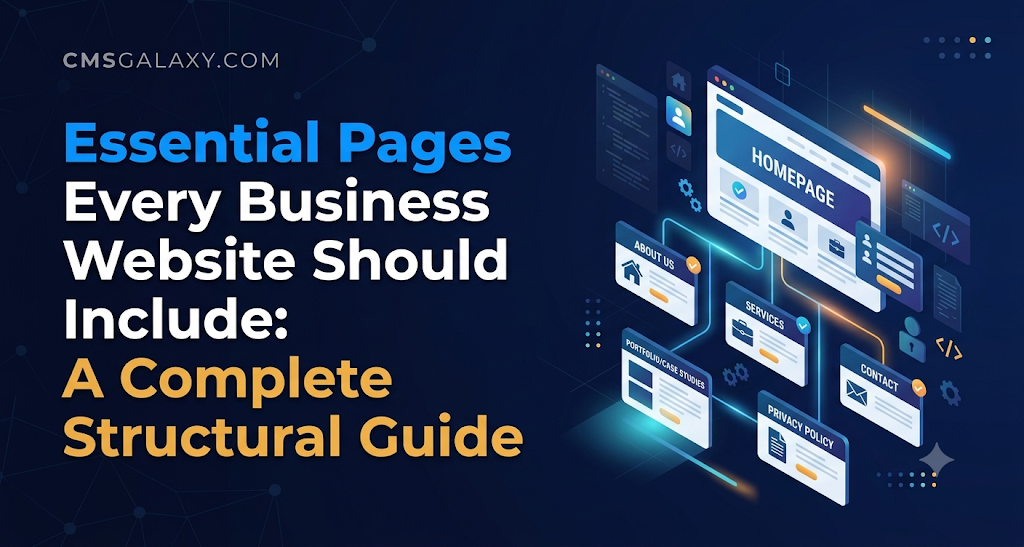
Introduction
An effective business website is far more than an attractive visual design. While a modern homepage catches attention, a website works as a complete functional system. Each page guides visitors, answers specific questions, establishes credibility, and directs users toward a clear decision.
When visitors arrive on your website, they bring specific questions: Who are you? What do you offer? Can I trust you? How much does it cost? How do I get in touch? If your site does not answer these questions through an organized page hierarchy, potential clients leave for competitors whose sites are easier to navigate.
Understanding the essential pages every business website should include helps companies build a logical structure before writing code or commissioning design work. Whether launching a new startup website or auditing an established company portal, structuring pages around user intent and search architecture sets your digital presence up for long-term success.
Why Website Structure Matters for Businesses
A collection of disconnected pages does not make a functional website. The structure—how pages relate to one another and how users navigate between them—directly shapes business performance and search visibility.
                              [ Homepage ]
                                    |
     +--------------+---------------+---------------+--------------+
     |              |                               |              |
[ About Us ]   [ Services / Products ]         [ Resources ]   [ Contact Us ]
                    |                               |
          +---------+---------+           +---------+---------+
          |                   |           |                   |
    [ Service A ]       [ Service B ]   [ Blog ]            [ FAQs ]
1. User Experience and Navigation
Clear site architecture lowers cognitive load. Visitors can locate pricing, contact information, or service details within two to three clicks. When navigation labels are intuitive, bounce rates drop and average session durations improve.
2. Brand Credibility and Trust
Online trust is built through clarity and transparency. Standard informational pages—such as an informative About page, genuine case studies, and transparent contact details—assure visitors that a business is legitimate, operational, and accountable.
3. Search Engine Crawling and Indexing
Search engines like Google rely on internal links and sitemaps to discover, crawl, and evaluate content. A logical page hierarchy distributes link equity across your domain. It helps search engines identify which pages are primary topic pillars and which serve as supporting subtopics. Simply creating more pages does not improve search rankings; every page must serve a clear purpose and contain useful, original information.
4. Lead Generation and Conversions
Every visitor enters your website at a different point in their buying journey. Some are researching broad solutions, while others are ready to hire a provider. Dedicated pages tailored to each stage let you place relevant calls to action (CTAs) that match user intent.
5. Mobile Usability and Accessibility
A streamlined structure simplifies navigation on smaller screens. Clean menus prevent mobile clutter, while properly structured headings (H1, H2, H3) allow screen readers used by visually impaired individuals to navigate content efficiently.
Essential Pages Every Business Website Should Include
Not every company needs an identical site map, but most successful business websites rely on a core set of standard pages. Below is an in-depth breakdown of these essential pages, their functional requirements, and common pitfalls to avoid.
1. Homepage
Purpose
The homepage acts as your digital front door. It must communicate what your business does, who you serve, and why your solution matters within seconds of arrival. It directs visitors to deeper, specialized sections of the site.
Essential Content
- A clear headline stating your primary value proposition.
- An introductory subheadline clarifying target audiences and outcomes.
- Summaries of core products or services with direct internal links.
- Prominent, high-contrast calls to action (e.g., “Schedule a Call,” “Request a Quote”).
- Verified trust elements, such as recognized client logos, certifications, or review summaries.
- A scannable footer with essential business links, hours, and addresses.
SEO Considerations
Target broad, brand-level keywords and your primary business category (e.g., “Industrial Machinery Manufacturer in Chicago”). Ensure the page uses a single <h1> tag that encapsulates your core business identity.
Common Mistakes
- Cluttering the viewport with auto-playing video sliders that slow page load times.
- Using vague slogans (e.g., “Empowering Tomorrow’s Vision”) that fail to explain actual services.
- Omitting clear navigation paths to detailed service pages.
Practical Example
A commercial HVAC company features a hero headline: “Commercial HVAC Installation & Preventative Maintenance in Dallas–Fort Worth.” Below the headline, two buttons guide users: “Emergency Repairs” and “Request Maintenance Bid.”
2. About Us Page
Purpose
The About Us page establishes authority, operational history, and human credibility. Prospective clients use this page to determine whether a business possesses the track record and stability required for a reliable partnership.
+------------------------------------------------------------------+
|                         ABOUT OUR COMPANY                        |
+------------------------------------------------------------------+
|  [ Company Story & Mission ]                                     |
|  Why the company was founded, core industry values, experience.  |
+------------------------------------------------------------------+
|  [ Leadership & Technical Team ]                                 |
|  Headshots, bios, verified credentials, subject specializations. |
+------------------------------------------------------------------+
|  [ Operational Standards & Compliance ]                          |
|  Certifications, industry affiliations, physical headquarters.   |
+------------------------------------------------------------------+
Essential Content
- A concise company narrative explaining origins, operational values, and experience.
- Profiles or biographies of key executives and technical leaders.
- Verified business credentials, industry associations, and safety certifications.
- High-quality, authentic photographs of your facility, office, or team rather than generic stock imagery.
SEO Considerations
Optimize for branded queries and organizational leadership searches (e.g., “[Company Name] leadership team”). Use schema markup (AboutPage and Organization) to help search engines understand organizational entities.
Common Mistakes
- Writing a dry, generic corporate mission statement packed with buzzwords like “synergy” and “disruption.”
- Using anonymous stock photos for leadership profiles.
- Omitting the company’s physical location or operating history.
3. Products or Services Overview Page
Purpose
The primary products or services page acts as a catalog or category hub. It outlines the scope of your commercial capabilities and routes prospective buyers to granular, standalone pages for specific offerings.
Essential Content
- A scannable grid or list summarizing each core product line or service discipline.
- Concise descriptions focusing on client outcomes and technical capabilities.
- Clear internal links pointing directly to individual product or service landing pages.
- Direct calls to action for pricing inquiries, sales consultations, or spec sheets.
SEO Considerations
Target parent-level industry keywords (e.g., “Commercial Construction Services”). Use internal anchor text that accurately describes the destination child pages rather than generic labels like “Read More.”
Common Mistakes
- Cramming comprehensive technical documentation for every service onto a single, endless page.
- Failing to categorize services logically for companies with diverse offerings.
4. Individual Service or Product Pages
Purpose
Dedicated service or product pages target buyers looking for specific solutions. Creating distinct pages allows you to address distinct customer personas, detail technical specifications, and align content with targeted search intent.
Essential Content
- A specific explanation of the individual service or product.
- Detailed breakdowns of deliverables, processes, specifications, and timelines.
- Target customer profiles (who this service is designed for).
- Common customer problems solved by the offering.
- Dedicated testimonials, case studies, or performance metrics relevant to that specific service.
- A direct, focused call to action tailored to the specific offering.
SEO Considerations
Target high-intent long-tail keywords (e.g., “Cold Storage Warehouse Construction”). Use descriptive subheadings (<h2>, <h3>), technical specifications tables, and FAQs marked up with structured data where appropriate.
Common Mistakes
- Publishing thin pages with duplicate copy where only the service title is swapped.
- Leaving out key technical details, forcing prospective buyers to contact competitors for basic information.
5. Contact Us Page
Purpose
The Contact page facilitates direct, low-friction communication between prospective buyers and your team. A missing, broken, or confusing contact page directly reduces inbound inquiries.
+-----------------------------------+------------------------------+
| INQUIRY FORM                      | DIRECT CONTACT DETAILS       |
| Name:    [___________________]    | Phone:   +1 (555) 019-2831   |
| Email:   [___________________]    | Email:   inquiry@company.com |
| Service: [ Select dropdown v ]    | Hours:   Mon-Fri: 8am - 5pm  |
| Message: [                   ]    |                              |
|          [ Submit Inquiry    ]    | Office:  100 Industrial Pkwy |
+-----------------------------------+------------------------------+
Essential Content
- Multiple direct contact methods: email address, telephone numbers, and an inquiry form.
- Physical business address with an embedded interactive map for physical locations.
- Standard operating hours and expected response times for digital inquiries.
- Departmental routing options (e.g., Sales, Billing, Technical Support) for multi-department organizations.
SEO Considerations
This page is vital for local SEO. Ensure your Name, Address, and Phone number (NAP) matches your Google Business Profile and local directory listings exactly. Add ContactPage and LocalBusiness schema markup.
Common Mistakes
- Using long, complex forms with too many mandatory fields that deter prospects.
- Failing to display direct email addresses or phone numbers for users who prefer not to use web forms.
- Omitting confirmation messages or automated confirmation emails upon submission.
6. Testimonials, Reviews, or Case Studies Page
Purpose
Prospective clients look for proof that your business delivers on its promises. Case studies and genuine client feedback provide social proof that mitigates perceived risk during the buying process.
Essential Content
- In-depth case studies detailing the client’s initial challenge, the implemented solution, and verifiable results.
- Attributed client testimonials including name, title, and organization where permitted.
- Links to third-party review platforms (e.g., Trustpilot, Google Business, G2) for unvarnished feedback.
- Before-and-after imagery or data visualizations demonstrating project outcomes.
SEO Considerations
Target evaluation-stage queries, such as “[Company Name] reviews” or “[Industry] case studies.” Implement Review or Article structured data where compliant with search engine guidelines.
Common Mistakes
- Publishing anonymous, unattributed quotes (e.g., “Great service! – John D.”) that read like fabricated testimonials.
- Describing case studies in vague terms without sharing measurable outcomes, methodology, or project scope.
7. Frequently Asked Questions (FAQ) Page
Purpose
An FAQ page addresses common pre-sales objections, clarifies operational policies, and reduces repetitive inquiries sent to your sales and support teams.
Essential Content
- Categorized questions covering pricing, project timelines, onboarding, warranties, and technical support.
- Direct, concise answers written in plain language.
- Internal links to relevant service pages, documentation, or legal policies for readers who need more detail.
SEO Considerations
Structure the page using question-and-answer pairs matching real search queries. Implement FAQPage schema markup where supported to help search engines display rich snippets in search results.
Common Mistakes
- Writing self-serving promotional questions rather than addressing genuine buyer hesitations and technical hurdles.
- Presenting an unorganized wall of text without categories or search functionality.
8. Blog or Resources Page
Purpose
A blog or educational resource center attracts organic search traffic, establishes subject-matter authority, and guides top-of-funnel visitors through complex purchasing decisions.
Essential Content
- In-depth industry guides, tutorials, trend analyses, and technical deep-dives.
- Clear author bylines detailing professional experience and subject-matter credentials.
- Clean topic categories or tags for intuitive content discovery.
- Related reading suggestions and contextual calls to action embedded within each article.
SEO Considerations
Target informational search queries that match your target audience’s early-stage research. Build internal links from informational blog posts directly to commercial service pages to pass authority and direct interested prospects to relevant solutions.
Common Mistakes
- Publishing short, superficial content that fails to provide practical answers.
- Publishing articles sporadically without an editorial strategy or regular updates.
9. Privacy Policy Page
Purpose
A Privacy Policy details how your website collects, processes, stores, shares, and protects visitors’ personal data. This page is required by data privacy frameworks in various jurisdictions, such as the General Data Protection Regulation (GDPR) in Europe and the California Consumer Privacy Act (CCPA).
Essential Content
- Types of personal information collected (e.g., IP addresses, form submissions, analytics cookies).
- Legal bases and commercial purposes for data collection and processing.
- Third-party data sharing practices (e.g., analytics services, advertising networks, payment processors).
- Data retention policies and security precautions.
- Instructions on how users can request data access, correction, or deletion.
- Official contact details for privacy inquiries or your Data Protection Officer (DPO).
SEO Considerations
Set the page meta robots tag to index, follow or noindex, follow depending on technical site preferences, but keep the page linked in your primary footer to satisfy transparency standards and algorithmic trust signals.
Common Mistakes
- Copying and pasting an unedited policy template from another website without aligning it with your actual technical tools and tracking scripts.
- Failing to update the policy when adding new marketing pixels, trackers, or data processing tools.
10. Terms and Conditions Page
Purpose
The Terms and Conditions (or Terms of Service) page sets the legal rules governing website usage, content ownership, commercial transactions, and dispute resolution.
Essential Content
- Acceptable use guidelines for website visitors and account holders.
- Intellectual property notices covering website text, logos, software, and media.
- Disclaimers of warranties and limitations of legal liability.
- Governing law and jurisdiction for legal disputes.
- Payment terms, cancellation rules, and refund policies for commercial websites.
SEO Considerations
Typically linked in global footer menus. It provides crawlers with clear documentation of your website’s operational rules.
Common Mistakes
- Using dense legal jargon that obscures straightforward operational policies, such as refund terms or cancellation windows.
- Neglecting to update terms when expanding into new international markets with distinct legal requirements.
11. Cookie Notice or Cookie Preferences Interface
Purpose
Depending on your operational jurisdiction and visitor location, a dedicated Cookie Notice or interactive consent banner explains how tracking cookies work on your site and gives users control over their data preferences.
Essential Content
- Clear explanations of cookie types: strictly necessary, analytical/performance, functional, and advertising.
- Granular options allowing visitors to opt in or opt out of non-essential tracking scripts.
- A complete inventory of active cookies, including their provider, purpose, and expiration timeline.
Technical Considerations
Consent management platforms should integrate with your tag manager to ensure tracking scripts are blocked until visitors give affirmative consent where required by local regulations.
12. Portfolio or Case Studies Page for Service Businesses
Purpose
For agencies, development firms, architects, and specialty contractors, a dedicated portfolio visually demonstrates craft, technical execution, and project diversity.
Essential Content
- High-resolution, authentic imagery or technical diagrams of completed work.
- Concise project briefs: the client’s industry, the scope of work, technical platforms used, and project duration.
- Specific outcomes, user feedback, or performance improvements resulting from the project.
SEO Considerations
Use descriptive, project-specific URLs (e.g., /portfolio/industrial-warehouse-redesign) and ensure all project screenshots have descriptive alt text.
13. Pricing Page
Purpose
A pricing page provides clear cost structures, package tiers, or consultation parameters. Transparency helps pre-qualify inbound leads, filtering out budget-mismatched prospects before they reach your sales team.
Essential Content
- Clear package breakdowns, tiered feature comparison matrices, and starting price points.
- Plain-language descriptions of what is included—and what is excluded—in each tier.
- Clear guidance for custom enterprise needs (e.g., “Request a Custom Proposal”).
- Billing frequencies, renewal terms, and cancellation policies.
SEO Considerations
Target high-intent transactional search queries (e.g., “[Service Category] cost” or “[Software Name] pricing”). Use clean semantic HTML comparison tables for readability.
Common Mistakes
- Hiding basic pricing information behind aggressive sales barriers when your market expects price transparency.
- Presenting complex, confusing pricing formulas that frustrate visitors.
14. Careers Page
Purpose
For growing organizations, a dedicated careers page attracts qualified talent, highlights company culture, and streamlines hiring workflows.
Essential Content
- An overview of company culture, operational values, and workplace perks.
- Comprehensive lists of employee benefits (e.g., health coverage, retirement programs, remote work flexibility).
- An up-to-date listing of active job openings with comprehensive role responsibilities and qualifications.
- A clear application process or embedded applicant tracking system (ATS) portal.
SEO Considerations
Implement JobPosting schema markup on individual job listings so open roles appear directly within Google for Jobs search features.
15. Support or Help Center Page
Purpose
A customer support portal or technical knowledge base helps existing clients troubleshoot issues independently, reducing support tickets and improving user satisfaction.
Essential Content
- Searchable technical documentation, setup guides, and troubleshooting steps.
- Categorized guides for common account or maintenance workflows.
- Direct support escalation paths (e.g., ticketing system, support email, live assistance).
- System status updates or links to live server monitoring dashboards where relevant.
16. Custom 404 Error Page
Purpose
When a visitor mistypes a URL or clicks a broken link, a custom 404 error page prevents them from leaving your site by helping them find what they were looking for.
+------------------------------------------------------------------+
|                    PAGE NOT FOUND (ERROR 404)                    |
+------------------------------------------------------------------+
| The page you are looking for has been moved or no longer exists. |
|                                                                  |
| [ Search our website...                              ] [ Search ]|
|                                                                  |
| Helpful Links:                                                   |
| * Return to Homepage                                             |
| * View Our Services                                              |
| * Contact Support                                                |
+------------------------------------------------------------------+
Essential Content
- A polite, plain-language notification explaining that the requested page is unavailable.
- An embedded search bar allowing visitors to search your entire site.
- Direct links to high-priority destinations: Homepage, Services, and Contact Us.
Technical Considerations
Ensure the web server returns a genuine HTTP 404 Not Found status code rather than a soft-404 (200 OK) to keep search engine crawlers from indexing missing URLs.
17. Thank-You and Confirmation Pages
Purpose
Confirmation pages load immediately after a visitor completes a key action, such as submitting an inquiry, scheduling a meeting, or downloading a resource.
Essential Content
- Clear confirmation that the submission was received successfully.
- Explicit next steps and realistic turnaround times (e.g., “Our technical team will review your specs and respond within 24 business hours”).
- Recommended next steps, such as relevant case studies or links to join an industry newsletter.
Tracking Considerations
Use confirmation page URLs (e.g., /thank-you-inquiry) to track conversion events in tools like Google Analytics without risking double-counted form submissions. Set these pages to noindex to keep them from appearing in organic search results.
Important Website Pages by Business Model
Different business models serve distinct customer journeys. A local trades company needs straightforward local signals, while a SaaS platform requires deep product documentation and security certifications.
| Business Type | Priority Pages | Secondary Pages | Structural Focus |
| Local Businesses (e.g., Plumbers, Clinics) | Homepage, Services, Contact Us, About Us, Reviews | FAQ, Privacy Policy, Simple Blog | Prominent phone numbers, service territories, local reviews, and NAP consistency. |
| B2B Service Providers (e.g., IT, Engineering) | Homepage, Individual Services, Case Studies, Contact, About Us | Pricing/Packages, FAQ, Resources, Careers | Case studies, team credentials, technical workflows, and inquiry forms. |
| E-Commerce Stores | Homepage, Product Categories, Product Pages, Cart/Checkout | Shipping & Returns Policy, Privacy Policy, Terms, Reviews | Fast search, secure payment gateways, clear return terms, and reviews. |
| SaaS & Tech Companies | Homepage, Product Tour, Pricing, Documentation/API, About Us | Careers, Security/Compliance, Blog, Status Page | Product feature breakdowns, interactive pricing tables, and security standards. |
| Consultants & Freelancers | Homepage, Services, Portfolio/Work, About, Contact | Client Testimonials, Articles/Insights, FAQ | Personal authority, client outcomes, transparent service scope, and scheduling tools. |
| Startups | Homepage, Product Vision, About/Team, Contact | Careers, Early Access Form, Blog/Updates, Privacy Policy | Clear value proposition, team background, waitlists, and investor signals. |
| Enterprise Organizations | Corporate Home, Solution Matrix, Leadership, Investors/Press | Governance, ESG/Compliance, Global Locations, Careers | Multi-tiered navigation, compliance documentation, and regional selectors. |
Essential Pages vs. Optional Pages
When building a website, distinguish between pages required at launch and secondary pages that can be added over time.
+------------------------------------------------------------------+
| PHASE 1: CORE LAUNCH FOUNDATION (Essential)                      |
| Homepage | Services Overview | About Us | Contact Us | Privacy   |
+------------------------------------------------------------------+
                                 |
                                 v
+------------------------------------------------------------------+
| PHASE 2: CONVERSION & VALIDATION (Early Growth)                  |
| Individual Service Pages | Case Studies / Portfolio | FAQ Page   |
+------------------------------------------------------------------+
                                 |
                                 v
+------------------------------------------------------------------+
| PHASE 3: AUTHORITY & EXPANSION (Mature Site)                     |
| Educational Blog | Careers Portal | Knowledge Base | Status Page |
+------------------------------------------------------------------+
Essential Pages (Launch Foundation)
Almost every company needs these pages live on day one:
- Homepage: Establishes commercial identity.
- Core Service or Product Page: Outlines what the company sells.
- About Us Page: Verifies company ownership and background.
- Contact Us Page: Gives prospects a direct way to communicate.
- Privacy Policy: Fulfills basic legal compliance for web traffic.
Optional Pages (Added as Needs Expand)
These pages can be phased in as your team, offerings, and resources grow:
- Granular Sub-Service Pages: Added as you build out dedicated marketing campaigns for individual offerings.
- Dedicated Careers Portal: Built out when you have regular hiring needs that justify more than a simple job listing on the About page.
- Help Center / Knowledge Base: Introduced as your customer base expands and requires self-service documentation.
- Pricing Calculator: Built once pricing tiers and service packages are standardized.
What Every Important Website Page Must Contain
Regardless of a page’s specific topic, every professional web page should include consistent core elements to support usability, accessibility, and search indexing:
- Clear Content Hierarchy: A logical heading structure (one
<h1>, followed by descending<h2>and<h3>tags) to keep content scannable. - Intuitive Navigation: Global header and footer links that make it easy to move between primary sections of the site.
- Mobile-Responsive Layout: Clean, readable typography and touch-friendly buttons that adapt to all screen sizes.
- Focused Calls to Action: A visible next step on every page so visitors never reach a dead end.
- Fast Page Speed: Compressed assets and clean code to prevent visitor drop-off from slow load times.
- Accessible Media: Descriptive
alttext for images and high-contrast color choices that meet WCAG accessibility standards. - Verifiable Trust Signals: Physical addresses, real employee names, security badges, or relevant certifications.
How to Organize Website Pages for Better SEO
A well-planned page structure helps search engine crawlers understand how your content fits together, which supports organic search visibility.
                              [ Homepage ]
                                    |
                        /services/ (Category Hub)
                                    |
          +-------------------------+-------------------------+
          |                                                   |
/services/custom-software/                 /services/cloud-migration/
          |                                                   |
  (Internal Link)                                     (Internal Link)
          ^                                                   ^
          +----------- [ Blog Post: Cloud Architecture ] -----+
1. Maintain a Logical URL Hierarchy
Structure your URLs like a clean directory tree. Use descriptive words and avoid unnecessary parameters:
- Recommended:
[example.com/services/commercial-roofing](https://example.com/services/commercial-roofing) - Avoid:
[example.com/page?id=492&cat=services](https://example.com/page?id=492&cat=services)
2. Implement Strategic Internal Linking
Link related pages together naturally within the body copy. When an educational blog post mentions a service, link to that specific service page using descriptive anchor text. This passes context and authority between related topics.
3. Match Pages to Search Intent
Avoid mixing different types of search intent on the same page. A buyer searching for “industrial valve supplier” wants product specifications and quotation forms, not a 3,000-word historical essay. Keep commercial pages focused on conversions, and use educational resource pages for informational queries.
4. Provide a Valid XML Sitemap
Generate an automated XML sitemap listing your canonical, public pages. Submit this sitemap to Google Search Console and Bing Webmaster Tools to help search engines discover new and updated content. Exclude utility pages like thank-you pages, administrative logins, and search result filters from your sitemap.
Common Website Page Mistakes to Avoid
- Publishing Thin, Incomplete Pages: Launching pages with “Coming Soon” banners or a single generic paragraph creates a poor impression and offers little value to visitors or search engines.
- Burying Contact Information: Forcing visitors to hunt through dense footers or multi-step menus just to find an email address or phone number creates needless friction.
- Using Duplicate Content Across Locations: Creating dozens of nearly identical city landing pages where only the municipality name is swapped can lead search engines to filter out those pages as low-quality doorway content.
- Using Generic Stock Photos for Teams: Using generic stock photography to represent staff or facilities damages credibility when prospective clients look for authentic verification.
- Letting Broken Links Accumulate: Outdated internal links that lead to missing pages frustrate visitors and waste search engine crawl efficiency.
- Neglecting Legal Page Updates: Failing to review privacy policies and cookie notices as tracking technologies or regional regulations evolve creates compliance exposure.
- Overusing Disruptive Pop-Ups: Covering screens with intrusive newsletter overlays, discount wheels, and chat prompts makes sites difficult to read, especially on mobile devices.
A Step-by-Step Process for Planning Your Website Pages
Planning your website structure before designing or coding saves time and prevents costly structural overhauls down the road.
Step 1: Define Business Goals & Primary Inbound Conversions
  │
Step 2: Profile Buyer Personas & Core Informational Questions
  │
Step 3: Audit Product & Service Offerings (Categorization)
  │
Step 4: Map User Questions to Dedicated Page Topics
  │
Step 5: Prioritize Phase 1 Essential Pages vs. Phase 2 Expansions
  │
Step 6: Build Visual Sitemap & Information Architecture
  │
Step 7: Draft Original, Structured Copy for Every Page
  │
Step 8: Implement On-Page Technical SEO & Accessibility Standards
  │
Step 9: Test Contact Forms, Error Handling & Navigation Flows
  │
Step 10: Launch, Monitor User Analytics, and Refine Content
- Define Core Business Goals: Clarify what the website needs to achieve—whether that is booking consultations, selling products, or qualifying corporate RFP opportunities.
- Identify Target Audiences: Outline the distinct buyer personas who will visit your site, noting their key challenges and technical background.
- Catalog Products and Services: Group your commercial offerings into logical primary categories and secondary subcategories.
- Map Questions to Pages: Assign specific visitor questions to dedicated pages (e.g., pricing questions to a pricing or FAQ page; technical details to service pages).
- Prioritize Launch Pages: Separate your essential Phase 1 pages from secondary additions planned for future iterations.
- Map Navigation and Hierarchy: Build a clear sitemap outlining global navigation, dropdown menus, and footer categories.
- Draft Original Content: Write clear, informative copy for every page before designing layouts, ensuring designs accommodate real content.
- Apply SEO and Accessibility Best Practices: Format copy with logical heading tags, add image alt text, write descriptive meta titles, and create clean URLs.
- Test Technical Workflows: Verify that all forms route to the right inboxes, test 404 error pages, and confirm analytics tracking scripts fire properly.
- Monitor and Refine Post-Launch: Use analytics to track how visitors move through your pages, identifying and addressing drop-off points over time.
How CMSGALAXY.COM Can Fit Into Business Website Planning
Building, updating, and managing a multi-page business website requires an understanding of underlying content management systems, site architecture, and web maintenance workflows. CMSGALAXY.COM provides educational resources, technical tutorials, and practical insights focused on website development, content management systems, and web technologies.
Organizations planning a website overhaul can use CMSGALAXY.COM’s technical articles to evaluate platform requirements, review web development best practices, and understand the technical steps behind responsive page layouts, site security, and content organization. Exploring these resources can help teams plan their development workflows more effectively and maintain a clean, well-structured digital presence.
Business Website Page Checklist
Use this checklist to review your pages before launch or during a site audit:
- [ ] Homepage: Clearly explains the business, core offerings, and target audience within seconds.
- [ ] About Us: Details company background, authentic leadership details, and verified credentials.
- [ ] Services / Products: Lists all primary offerings with clear links to detailed child pages.
- [ ] Individual Service Pages: Outlines specific deliverables, target clients, and distinct calls to action.
- [ ] Contact Us: Features working inquiry forms, a direct phone number, an email address, and operating hours.
- [ ] Social Proof: Displays authentic case studies, attributed reviews, or client logos.
- [ ] FAQ Page: Answers real customer pre-sales questions clearly and concisely.
- [ ] Legal Disclosures: Contains an accurate Privacy Policy, Terms of Service, and appropriate cookie notices.
- [ ] Navigation & Usability: Header and footer menus are uncluttered and intuitive on both mobile and desktop screens.
- [ ] Technical Error Handling: Custom 404 page provides helpful recovery links and returns a proper 404 server response.
- [ ] Confirmation Flow: Forms route to a dedicated thank-you page with clear expectations for follow-up.
- [ ] Search Foundations: Every page has a unique
<h1>, descriptive meta title, meta description, and clean URL.
Frequently Asked Questions
What pages should every business website have?
At minimum, most business websites need five core pages: a Homepage, an About Us page, a Products or Services page, a Contact Us page, and a Privacy Policy. These pages introduce your business, explain what you offer, provide clear contact methods, and meet basic legal requirements.
Is a homepage enough for a small business?
A single-page website can work for very simple, single-service businesses or temporary launch pages. However, multi-page websites perform better for growing businesses. Distinct pages allow you to target specific search queries, showcase detailed case studies, and organize offerings without overwhelming visitors.
Does every business need an About Us page?
Yes. The About Us page is one of the most frequently visited pages on business websites. Prospective clients, partners, and job candidates check this page to evaluate company stability, operational history, leadership experience, and brand credibility before reaching out.
Should each service have its own page?
If your services serve different audiences, solve distinct problems, or target specific search queries, they should have dedicated pages. Standalone pages let you detail specific deliverables, share relevant case studies, and target specific long-tail keywords more effectively than a generic overview list.
Is a pricing page necessary?
A pricing page is helpful whenever your business uses standardized rates, product tiers, or service packages. If you handle custom enterprise solutions, a dedicated pricing page can still outline starting ranges, project minimums, and the variables that influence a custom quote.
Does every website need a blog?
Not every business needs an active blog to operate, but an educational resource section helps build organic search visibility. It lets you answer common client questions, demonstrate subject-matter expertise, and capture early-stage search traffic that can be routed to your commercial service pages.
Why does a business website need a privacy policy?
A Privacy Policy is required by law in many jurisdictions (including GDPR, CCPA, and similar frameworks) if your website collects personal data—such as IP addresses, cookies, names, or email submissions. It explains how you collect, use, and protect visitor information.
Are terms and conditions necessary for every website?
While not strictly required for purely informational websites in every region, Terms and Conditions are strongly recommended. They set acceptable use guidelines, protect your intellectual property, limit legal liability, and define dispute terms for commercial transactions.
Which pages help most with SEO?
Every indexed page can contribute to search visibility, but dedicated service pages, comprehensive product pages, and educational blog posts typically target the widest range of high-intent search queries. Category pages and well-structured homepages help establish broader authority.
Conclusion
A well-structured business website is built around user needs, clear information architecture, and steady technical execution. By prioritizing essential pages—such as a clear Homepage, an authentic About page, focused Service pages, a low-friction Contact page, and required legal disclosures—businesses can build credibility, guide prospective clients, and improve long-term search visibility.
Rather than building pages arbitrarily, organize your site around your primary business goals and the specific questions your customers ask. As your organization expands, you can systematically introduce case studies, technical documentation, and educational resources to support that growth.
For teams looking to learn more about content management systems, page architecture, and web development fundamentals, exploring technical tutorials and industry resources on CMSGALAXY.COM can provide helpful guidance as you plan, launch, and maintain your digital presence.
