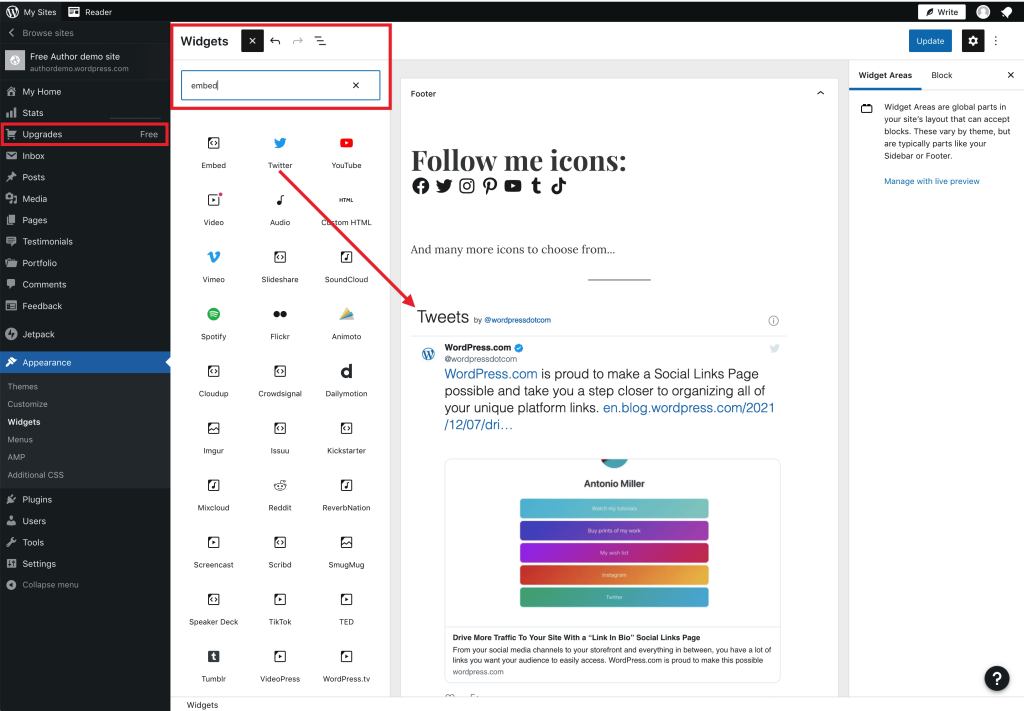
Are you looking for ways to increase your website’s traffic and engagement? If so, integrating your social media platforms with your WordPress website is a great way to do so. In this article, we’ll cover the steps you need to take to integrate your social media accounts with your WordPress site.
Why Integrate Social Media Platforms with a WordPress Website?
Integrating your social media platforms with your WordPress website has many benefits. Not only does it increase your website’s traffic and engagement, but it also helps you build your brand and reach a wider audience. By making it easy for visitors to share your content on social media, you can increase your reach and attract new visitors to your site.
Step 1: Install Social Media Plugins
The first step to integrating your social media platforms with your WordPress website is to install social media plugins. There are many plugins available that can help you integrate your social media accounts with your WordPress site. Some of the most popular ones include Jetpack, Yoast SEO, and Shareaholic.
Step 2: Connect Your Social Media Accounts
Once you have installed the social media plugins, the next step is to connect your social media accounts. To do this, you will need to go to the settings page of each plugin and enter your social media account information. Make sure to follow the instructions carefully to ensure that your accounts are properly connected.
Step 3: Add Social Media Buttons to Your Website
After you have connected your social media accounts, the next step is to add social media buttons to your website. Social media buttons make it easy for visitors to share your content on social media. You can add social media buttons to your website using the plugins you installed in step 1.
Step 4: Create Shareable Content
Now that you have integrated your social media accounts with your WordPress website and added social media buttons to your site, the next step is to create shareable content. Shareable content is content that is interesting, informative, and engaging. By creating shareable content, you can increase your website’s traffic and engagement.
Step 5: Engage with Your Audience
Finally, it’s important to engage with your audience on social media. Respond to comments and messages, share other people’s content, and participate in conversations. By engaging with your audience on social media, you can build relationships and increase your website’s visibility.
In conclusion, integrating your social media platforms with your WordPress website is a great way to increase your website’s traffic and engagement. By installing social media plugins, connecting your social media accounts, adding social media buttons to your site, creating shareable content, and engaging with your audience, you can build your brand and reach a wider audience. So what are you waiting for? Start integrating your social media platforms with your WordPress website today!
