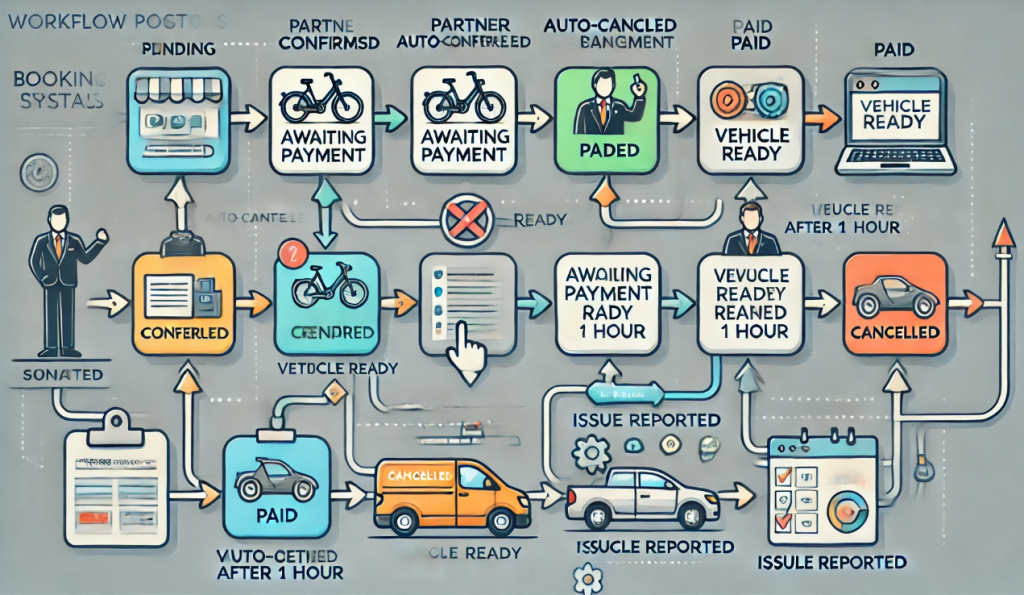
Certainly! Adding an automatic cancellation mechanism for scenarios where the Partner doesn’t confirm a booking within a set time or the Renter fails to pay on time makes the workflow more robust and user-friendly. Here’s the updated Booking State Workflow:
Updated Booking States Workflow
| State | Description |
|---|---|
| Pending | Booking created but awaiting Partner confirmation. |
| Auto-Cancelled | Booking automatically cancelled due to Partner’s inaction within 1 hour. |
| Confirmed | Partner has confirmed the booking. |
| Awaiting Payment | Renter has not completed payment within 1 hour of confirmation. Booking may auto-cancel. |
| Paid | Renter has completed payment. THE MOMENT PARTNER make ORDER as PAID, Vehicle Ready |
| Vehicle Ready | Partner has prepared the vehicle for pick-up/delivery. |
| In Progress | Vehicle has been handed over to the Renter.When Partner click on Picked up , then imm it would get into In In Progress |
| Completed | Booking successfully completed and vehicle returned. When Partner click on Returned , then imm it would get into In In Progress. Vehicle would ready automatically |
| Cancelled | Booking cancelled manually by Renter or Partner. |
| Refunded | NA |
| Issue Reported | NA |
State Transitions with Auto-Cancellation
| Current State | Trigger/Action | Next State | Time Constraint | Description |
|---|---|---|---|---|
| Pending | Partner confirms booking | Confirmed | Within 1 hour of creation | Partner must confirm booking within 1 hour. |
| Pending | System checks timeout | Auto-Cancelled | Exceeds 1 hour | Booking is auto-cancelled if not confirmed. |
| Confirmed | Renter completes payment | Paid | Within 1 hour of confirmation | Renter must pay within 1 hour of confirmation. |
| Confirmed | System checks timeout | Auto-Cancelled | Exceeds 1 hour | Booking is auto-cancelled if payment isn’t made. |
| Paid | Partner marks vehicle ready | Vehicle Ready | N/A | Vehicle is prepared for handover. |
| Vehicle Ready | Renter picks up the vehicle | In Progress | N/A | The vehicle is handed over to the Renter. |
| In Progress | Renter returns the vehicle | Completed | N/A | Booking is finalized after vehicle return and inspection. |
| Any State | Manual cancellation by Renter or Partner | Cancelled | N/A | Booking is cancelled manually. |
| Cancelled | System processes refund | Refunded | N/A | Refund initiated for eligible cancellations. |
| In Progress | Renter or Partner reports an issue | Issue Reported | N/A | A damage, delay, or other issue is flagged for resolution. |
| Issue Reported | Issue is resolved | Completed | N/A | Booking finalized after issue resolution. |
Updated Workflow with Auto-Cancellation
Step 1: Booking Creation
- State:
Pending - Trigger: Renter creates a booking.
- Time Constraint: If Partner does not confirm within 1 hour, the booking transitions to
Auto-Cancelled.
Step 2: Booking Confirmation
- State:
Confirmed - Trigger: Partner confirms the booking.
- Time Constraint: If Renter does not pay within 1 hour, the booking transitions to
Auto-Cancelled.
Step 3: Payment
- State:
Paid - Trigger: Renter completes payment.
- Transition: The booking progresses to
Vehicle Readyonce the Partner prepares the vehicle.
Step 4: Auto-Cancellation Conditions
- Pending to Auto-Cancelled: No confirmation from the Partner within 1 hour.
- Confirmed to Auto-Cancelled: No payment from the Renter within 1 hour.
Implementation Details
Database Changes
Add a column to track auto-cancellation deadlines:
ALTER TABLE bookings ADD COLUMN auto_cancel_at TIMESTAMP NULL;
Auto-Cancellation Logic
Schedule a background task (e.g., Laravel Scheduler) to handle time-based state transitions.
Example Code for Auto-Cancellation Job:
namespace App\Jobs;

use App\Models\Booking;
use Illuminate\Support\Facades\Log;

class AutoCancelBookings extends Job
{
    public function handle()
    {
        // Fetch bookings eligible for auto-cancellation
        $now = now();
        $bookings = Booking::whereIn('status', ['Pending', 'Confirmed'])
            ->where('auto_cancel_at', '<=', $now)
            ->get();

        foreach ($bookings as $booking) {
            if ($booking->status === 'Pending') {
                $booking->update(['status' => 'Auto-Cancelled']);
                Log::info("Booking {$booking->id} auto-cancelled due to no Partner confirmation.");
            }

            if ($booking->status === 'Confirmed' && $booking->payment_status !== 'Paid') {
                $booking->update(['status' => 'Auto-Cancelled']);
                Log::info("Booking {$booking->id} auto-cancelled due to no Renter payment.");
            }
        }
    }
}
Schedule the Job in app/Console/Kernel.php:
protected function schedule(Schedule $schedule)
{
    $schedule->job(new AutoCancelBookings)->everyMinute();
}
Frontend Updates
For Renter Dashboard:
- Display Time Remaining:
- Show a countdown for payment time if the booking is in
Confirmedstate. - Example: “Pay within 59 minutes to confirm your booking.”
- Show a countdown for payment time if the booking is in
- Auto-Cancellation Notification:
- Notify the Renter if the booking is auto-cancelled.
For Partner Dashboard:
- Display Time Remaining:
- Show a countdown for confirmation if the booking is in
Pendingstate. - Example: “Confirm this booking within 30 minutes.”
- Show a countdown for confirmation if the booking is in
Notifications
For Renter:
- Pending → Auto-Cancelled: “Your booking was cancelled because the Partner did not confirm within 1 hour.”
- Confirmed → Auto-Cancelled: “Your booking was cancelled because payment was not completed on time.”
For Partner:
- Pending → Auto-Cancelled: “The booking request was cancelled as you did not confirm within 1 hour.”
Example State Transition Flow
Case 1: Renter Creates Booking
- Initial State:
Pending. - Partner Confirms in 40 Minutes: Transition to
Confirmed. - Renter Pays in 20 Minutes: Transition to
Paid.
Case 2: No Partner Confirmation
- Initial State:
Pending. - Timeout (1 Hour): Transition to
Auto-Cancelled.
Case 3: No Renter Payment
- Initial State:
Pending→Confirmed. - Timeout (1 Hour): Transition to
Auto-Cancelled.
This updated workflow ensures that bookings are not left in limbo, providing a better experience for both Renters and Partners while maintaining operational efficiency for MotoShare.in. Let me know if you’d like further customization!
To implement a workflow feature like the one described in Laravel, the best approach is to design a state machine that tracks the booking’s state transitions. Here’s how you can implement it step-by-step:
1. State Machine Design in Laravel
A state machine is a programming paradigm that defines states, transitions, and the rules for moving between states. In Laravel, this can be implemented efficiently using:
- State Pattern: Build your custom state machine classes.
- State Machine Packages: Use a Laravel package for managing workflows, such as:
2. Database Design for State Management
Add a status column and a auto_cancel_at column in your bookings table to track the booking state and cancellation deadlines.
Example Migration:
Schema::table('bookings', function (Blueprint $table) {
    $table->enum('status', [
        'Pending',
        'Auto-Cancelled',
        'Confirmed',
        'Awaiting Payment',
        'Paid',
        'Vehicle Ready',
        'In Progress',
        'Completed',
        'Cancelled',
        'Refunded',
        'Issue Reported',
    ])->default('Pending');

    $table->timestamp('auto_cancel_at')->nullable();
});
3. State Machine Implementation
Option A: Using Laravel State Machine Package
- Install Laravel State Machine:
composer require wix-incubator/laravel-state-machine - Define Booking States and Transitions: Create a
BookingStateMachine
namespace App\StateMachines;

use Asantibanez\LaravelEloquentStateMachines\StateMachines\StateMachine;

class BookingStateMachine extends StateMachine
{
    public function transitions(): array
    {
        return [
            'Pending' => ['Confirmed', 'Auto-Cancelled'],
            'Confirmed' => ['Paid', 'Auto-Cancelled'],
            'Paid' => ['Vehicle Ready'],
            'Vehicle Ready' => ['In Progress'],
            'In Progress' => ['Completed', 'Issue Reported'],
            'Cancelled' => ['Refunded'],
        ];
    }

    public function defaultState(): ?string
    {
        return 'Pending';
    }
}
- Attach State Machine to Booking Model:
namespace App\Models;

use Asantibanez\LaravelEloquentStateMachines\Traits\HasStateMachines;
use Illuminate\Database\Eloquent\Model;

class Booking extends Model
{
    use HasStateMachines;

    public $stateMachines = [
        'status' => BookingStateMachine::class,
    ];
}
- Use Transitions in Code:
$booking = Booking::find(1);

if ($booking->canTransitionTo('Confirmed')) {
    $booking->transitionTo('Confirmed');
}

if ($booking->status === 'Confirmed' && now()->greaterThan($booking->auto_cancel_at)) {
    $booking->transitionTo('Auto-Cancelled');
}
Option B: Custom State Machine Without a Package
- Create a State Machine Service: Create a service class to handle state transitions.
namespace App\Services;

use App\Models\Booking;

class BookingStateMachine
{
    private $transitions = [
        'Pending' => ['Confirmed', 'Auto-Cancelled'],
        'Confirmed' => ['Paid', 'Auto-Cancelled'],
        'Paid' => ['Vehicle Ready'],
        'Vehicle Ready' => ['In Progress'],
        'In Progress' => ['Completed', 'Issue Reported'],
        'Cancelled' => ['Refunded'],
    ];

    public function canTransition(Booking $booking, string $newState): bool
    {
        $currentState = $booking->status;

        return in_array($newState, $this->transitions[$currentState] ?? []);
    }

    public function transition(Booking $booking, string $newState)
    {
        if (!$this->canTransition($booking, $newState)) {
            throw new \Exception("Cannot transition from {$booking->status} to {$newState}");
        }

        $booking->status = $newState;
        $booking->save();
    }
}
- Use the State Machine Service:
$stateMachine = new \App\Services\BookingStateMachine();

$booking = Booking::find(1);

if ($stateMachine->canTransition($booking, 'Confirmed')) {
    $stateMachine->transition($booking, 'Confirmed');
}
4. Implementing Auto-Cancellation
Step 1: Add Logic to Handle Timeouts
Use a Laravel Scheduled Job to periodically check and auto-cancel bookings.
Create Job:
namespace App\Jobs;

use App\Models\Booking;

class AutoCancelBookings extends Job
{
    public function handle()
    {
        // Auto-cancel Pending bookings not confirmed in time
        Booking::where('status', 'Pending')
            ->where('auto_cancel_at', '<=', now())
            ->update(['status' => 'Auto-Cancelled']);

        // Auto-cancel Confirmed bookings not paid in time
        Booking::where('status', 'Confirmed')
            ->where('auto_cancel_at', '<=', now())
            ->update(['status' => 'Auto-Cancelled']);
    }
}
Schedule Job: Add the job to app/Console/Kernel.php:
protected function schedule(Schedule $schedule)
{
    $schedule->job(new AutoCancelBookings)->everyMinute();
}
Step 2: Set Auto-Cancellation Deadline
Set the auto_cancel_at timestamp when the booking enters Pending or Confirmed state.
Example:
$booking = Booking::create([
    'status' => 'Pending',
    'auto_cancel_at' => now()->addHour(),
]);

// If Partner confirms:
$booking->update([
    'status' => 'Confirmed',
    'auto_cancel_at' => now()->addHour(),
]);
5. Notifications
Use Laravel Notifications for real-time updates to Renters and Partners.
- Create Notifications:
php artisan make:notification BookingStatusChanged - Send Notifications:
Notification::send($booking->renter, new BookingStatusChanged($booking));
Notification::send($booking->partner, new BookingStatusChanged($booking));
6. Frontend Representation
Display the Current State:
Use badges or a progress bar to show the booking state:
<div>
    <span class="badge bg-primary">{{ $booking->status }}</span>
</div>
Show Countdown Timer:
For time-sensitive states like Pending or Awaiting Payment:
<div>
    <p>Time remaining: <span id="countdown"></span></p>
</div>

<script>
    const deadline = new Date("{{ $booking->auto_cancel_at }}").getTime();
    const countdownElement = document.getElementById("countdown");

    setInterval(() => {
        const now = new Date().getTime();
        const distance = deadline - now;

        if (distance <= 0) {
            countdownElement.innerText = "Expired";
        } else {
            const minutes = Math.floor((distance % (1000 * 60 * 60)) / (1000 * 60));
            const seconds = Math.floor((distance % (1000 * 60)) / 1000);
            countdownElement.innerText = `${minutes}m ${seconds}s`;
        }
    }, 1000);
</script>
This approach provides a clean, extensible, and maintainable way to manage workflows in Laravel, ensuring automatic cancellations and real-time updates for MotoShare.in. Let me know if you’d like further elaboration or assistance!
Here’s a professional concept you can use to create the Booking Workflow Diagram in a tool like Lucidchart, Draw.io, or PowerPoint:
Steps to Create the Diagram
- Diagram Tool: Open a diagramming tool such as Lucidchart, Draw.io, or Microsoft PowerPoint.
- Nodes (States): Add rounded rectangles for each state. Use the colors listed earlier for distinction.
- Transitions: Draw directional arrows between the states with labels explaining the trigger.
Text Representation to Guide Your Diagram
State Layout
- Top Layer:
Pending→ (to the right)ConfirmedPending→ (down)Auto-Cancelled
- Middle Layer:
Confirmed→ (to the right)PaidConfirmed→ (down)Auto-Cancelled
- Lower Layers:
Paid→Vehicle Ready→In Progress→CompletedIn Progress→ (down)Issue ReportedIssue Reported→ (back up)Completed- Any State →
Cancelled→Refunded
Workflow States (Diagram Elements)
| State Name | Color | Position | Connected To |
|---|---|---|---|
| Pending | Grey | Top center | Confirmed, Auto-Cancelled |
| Auto-Cancelled | Yellow | Below Pending | Trigger: No confirmation within 1 hour |
| Confirmed | Blue | Right of Pending | Paid, Auto-Cancelled |
| Awaiting Payment | Orange | Below Confirmed | Trigger: Awaiting payment (optional; before Paid) |
| Paid | Green | Right of Confirmed | Vehicle Ready |
| Vehicle Ready | Purple | Right of Paid | In Progress |
| In Progress | Cyan | Right of Vehicle Ready | Completed, Issue Reported |
| Completed | Dark Green | Right of In Progress | Final State |
| Cancelled | Red | Bottom center | Trigger: Manual cancellation |
| Refunded | Light Blue | Below Cancelled | Trigger: Refund after cancellation |
| Issue Reported | Orange-Red | Below In Progress | Trigger: Any issues (damage, delay) |
Example Triggers for Arrows
- Pending → Confirmed: “Partner Confirms Booking.”
- Pending → Auto-Cancelled: “No confirmation within 1 hour.”
- Confirmed → Paid: “Payment Completed.”
- Confirmed → Auto-Cancelled: “No payment within 1 hour.”
- In Progress → Issue Reported: “Issue Raised by Renter/Partner.”
- Issue Reported → Completed: “Issue Resolved.”
Final Touches
- Include a Legend for color-coding (e.g., Completed = Green, Auto-Cancelled = Yellow).
- Add a Title: “Booking Workflow for MotoShare.in.”
- Annotate arrows for clarity.
Let me know if you need more assistance or adjustments!
