INTRODUCTION
Selecting the correct website architecture is one of the most critical foundational decisions a business can make. Over the past two decades, web development has shifted dramatically from collections of fixed HTML files to sophisticated, dynamic platforms powered by Content Management Systems (CMS). Yet, as businesses plan a new digital presence or consider a website redesign, founders and marketing managers frequently face a difficult crossroads: should they build a lightning-fast static website or invest in a flexible CMS-driven platform?
This choice is rarely straightforward. It depends heavily on content update frequency, internal technical capabilities, long-term marketing goals, security requirements, and budget constraints. This article examines the core mechanics, advantages, limitations, and operational costs of both approaches. By the end of this guide, you will have a clear framework to determine which website structure aligns best with your business model.
WHAT IS A STATIC WEBSITE?
A static website consists of fixed files—primarily HTML, CSS, and JavaScript—that are stored on a web server and delivered directly to a user’s browser exactly as they are written, without requiring real-time database processing or server-side scripting languages like PHP or Python.
Basic Architecture and Delivery
When a user visits a static web page, the web server sends the pre-rendered file straight to the browser. Because no database queries or server-side rendering scripts execute during the request, the page loads exceptionally fast. Historically, updating a static site required manual code edits and re-uploading files via FTP. Today, modern static site generators (SSGs) combine template files with markdown content to build static files automatically, bridging part of the gap between convenience and traditional static performance.
Typical Business Use Cases
- Small brochure websites
- Corporate landing pages
- Single-page portfolios
- Informational sites with infrequent text or layout changes
WHAT IS A CMS WEBSITE?
A Content Management System (CMS) is software that allows users to build, manage, and modify digital content on a website without requiring advanced technical or coding knowledge.
Core Components of a CMS
Unlike static pages, a CMS website is database-driven. When a user requests a page, the server executes backend scripts (such as PHP), queries a database (like MySQL) to fetch text, images, and configuration settings, assembles the page dynamically, and delivers it to the browser.
Key elements include:
- Themes and Templates: Control the visual presentation and layout.
- Plugins and Extensions: Add specialized functionality such as contact forms, SEO tools, or security shields.
- User Roles and Permissions: Allow administrators, editors, and authors to collaborate securely.
- WYSIWYG Editors: Enable non-technical team members to publish blogs, product listings, and landing pages effortlessly.
STATIC WEBSITE VS CMS WEBSITE: KEY DIFFERENCES
| Feature | Static Website | CMS Website |
| Content Updates | Requires code changes or developer support | Managed easily via user-friendly dashboard |
| Development | Requires HTML/CSS/JS expertise | Built using platform setups, themes, and plugins |
| Performance | Exceptionally fast; minimal server overhead | Dependent on hosting, database speed, and caching |
| SEO Management | Manual meta tag and code optimization | Automated via plugins, modules, and built-in tools |
| Scalability | Challenging for large, expanding content libraries | Highly scalable for extensive pages and blogs |
| Security | Smaller attack surface; highly secure by default | Requires regular core, theme, and plugin updates |
| Maintenance | Minimal; infrequent updates needed | Ongoing; regular patching and backup routines required |
| Cost | Low initial and hosting overhead | Variable; hosting, premium plugins, and support add up |
| Blogging | Difficult; requires manual page creation per post | Built-in native blogging system |
| E-commerce | Limited; requires third-party widgets (e.g., Snipcart) | Robust integration via native systems or extensions |
| Best For | Simple portfolios, landing pages, brochure sites | Dynamic business sites, blogs, e-commerce stores |
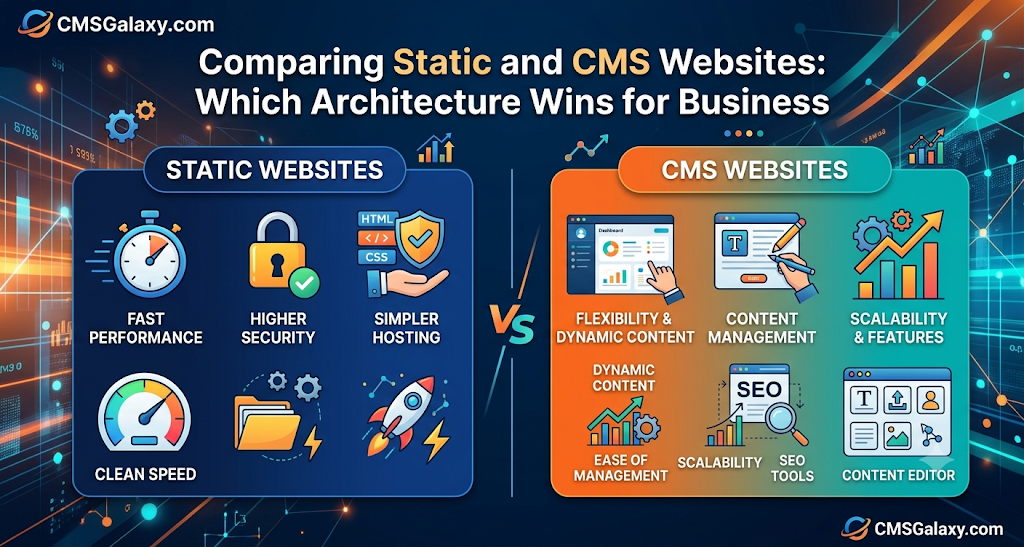
ADVANTAGES OF STATIC WEBSITES
Static architectures offer distinct engineering benefits that appeal to performance-focused organizations:
- Fast Loading Speeds: Pre-built files eliminate database lag, ensuring instant page rendering.
- Simpler Architecture: Fewer moving parts mean fewer points of failure.
- Lower Server-Side Complexity: They do not execute backend application logic per visitor request.
- Reduced Hosting Requirements: Static assets can be hosted economically on high-speed Content Delivery Networks (CDNs).
- Smaller Attack Surface: Without active databases or login portals, vulnerabilities are drastically minimized.
- Predictable Performance: Traffic surges rarely impact server stability because files are cached globally.
LIMITATIONS OF STATIC WEBSITES
Despite their speed and security, static sites present administrative friction:
- Manual Content Updates: Everyday text modifications or adding team members often requires a web developer.
- Limited Built-In Content Management: No native dashboard exists for non-technical content creators.
- Scaling Complexity: Managing hundreds of dynamically cross-referenced pages manually becomes inefficient.
- Interactive Limitations: Implementing user accounts, comment sections, or complex portals requires integrating third-party APIs.
ADVANTAGES OF CMS WEBSITES
CMS platforms dominate the web landscape because they empower business users:
- Easy Content Management: Non-technical staff can publish text, imagery, and landing pages in minutes.
- Faster Publishing Workflows: Built-in scheduling and draft states streamline content marketing operations.
- Multiple User Roles: Granular permissions protect site integrity while enabling team collaboration.
- Native Blogging Capabilities: Built-in RSS feeds, categories, and tagging simplify content organization.
- Extensible Ecosystem: Thousands of plugins and modules add functionality without custom coding.
- Easier Scalability: Adding thousands of product pages or articles is handled natively by the underlying database structure.
LIMITATIONS OF CMS WEBSITES
CMS platforms require proactive management to avoid common pitfalls:
- Maintenance Overhead: Core software, themes, and plugins demand continuous security updates.
- Security Exposure: Popular CMS targets attract automated bot attacks, requiring robust hardening.
- Performance Dependency: Poorly coded plugins, bloated themes, or unoptimized databases can slow page loads.
- Hosting Requirements: Dynamic requests require capable server environments with sufficient RAM and processing power.
STATIC VS CMS: BUSINESS USE CASES
Static Website May Be Suitable For:
- Small corporate brochure websites
- Event registration or product launch landing pages
- Creative portfolios and photography sites
- Simple company identity profiles
- Static documentation or manual pages
CMS Website May Be Suitable For:
- Growing business websites requiring weekly content updates
- Active company blogs and digital magazines
- Content-heavy service businesses
- E-commerce stores with shifting inventories
- Membership sites and client portals
- Organizations with dedicated marketing teams publishing regularly
STATIC WEBSITE VS CMS WEBSITE FOR SEO
Static Website vs CMS Website for SEO
Search engine optimization depends heavily on technical execution, content relevance, user experience, and domain authority rather than website architecture alone. However, both options approach SEO differently:
- On-Page SEO: Both static sites and CMS platforms can achieve perfect on-page optimization. Static sites rely on manual meta tags, header tags, and schema markup embedded directly into HTML files. CMS platforms achieve this through dedicated SEO plugins that simplify title tags, XML sitemaps, and Open Graph data for marketers.
- Content Publishing & Scaling: A CMS excels in environments where content expands rapidly. Publishing weekly blog posts or hundreds of localized landing pages is streamlined through database structures. Doing the same on a static site requires generating new HTML files repeatedly.
- Technical Performance: Static sites often have an inherent advantage in Core Web Vitals and page speed due to lightweight code delivery. However, a well-optimized CMS hosted on high-performance infrastructure with aggressive caching can match these speeds entirely.
PERFORMANCE COMPARISON
Performance is dictated by execution, not just architecture.
- Static Websites: Naturally fast because files are pre-compiled and served directly from edge servers or CDNs.
- CMS Websites: Performance relies on hosting quality, database indexing, caching layers, and clean theme code. A bloated CMS loaded with conflicting plugins will crawl, whereas a lean, optimized CMS setup delivers blazing-fast experiences.
| Performance Metric | Optimized Static Site | Optimized CMS Site | Unoptimized CMS Site |
| Time to First Byte (TTFB) | Instant (CDN edge) | Fast (Server cache enabled) | Slow (Database bottlenecks) |
| Core Web Vitals | Excellent | Excellent | Poor (Plugin bloat) |
| Scalability under load | High (Static caching) | High (Requires robust CDN/Caching) | Low (Server crashes under traffic spikes) |
SECURITY COMPARISON
Static Websites
Because static sites lack server-side code execution, active databases, and admin login pages, they present an exceptionally small attack surface. Hackers cannot exploit database injection flaws if no database exists.
CMS Websites
CMS platforms power a vast portion of the web, making them frequent targets for automated malware scans. Security relies on proactive maintenance: enforcing strong passwords, restricting login attempts, updating plugins promptly, and maintaining secure hosting environments.
COST COMPARISON
| Cost Category | Static Website | CMS Website |
| Initial Development | Lower (Requires front-end code) | Moderate to Higher (Setup, theme configuration, database) |
| Hosting | Minimal (Free or low-cost static hosting tiers) | Moderate (Requires dynamic server resources) |
| Ongoing Maintenance | Minimal (Occasional code updates) | Regular (Plugin updates, security patches, backups) |
| Content Update Costs | Higher (Requires developer intervention) | Low (Handled internally via dashboard) |
| Licensing / Premium Add-ons | Minimal | Variable (Paid themes, plugins, and subscriptions) |
STATIC WEBSITE VS CMS WEBSITE FOR DIFFERENT BUSINESS SIZES
| Business Type | Static Website | CMS Website | Recommended Consideration |
| Startup | High initial speed and low hosting cost | Good if rapid content updates are planned | Static if informational; CMS if product validation requires rapid landing page iterations. |
| Small Business | Simple to maintain if content rarely changes | Enables easy blogging and local SEO updates | CMS is usually preferred for publishing service updates and managing client testimonials. |
| Growing Business | Can become difficult to manage as pages multiply | Essential for marketing agility and team collaboration | CMS provides the necessary infrastructure for aggressive content marketing. |
| Enterprise | Limited unless restricted to micro-sites | Highly appropriate for governance and multi-user access | CMS or Headless CMS solutions are necessary to handle complex multi-department workflows. |
PRACTICAL EXAMPLES
Local Service Business
A local landscaping contractor needs a 5-page informational site showcasing services, contact details, and project galleries. Because content changes perhaps once or twice a year, a clean static website provides maximum speed and zero maintenance overhead.
Growing Professional Services Company
A financial advisory firm publishes weekly tax guides, market updates, and client case studies to attract organic traffic. A CMS platform is essential here so internal marketing staff can publish articles and manage SEO metadata without developer assistance.
Content-Driven Business
An online educational publisher releasing dozens of daily articles and managing multiple author profiles requires a robust CMS architecture with granular user permissions and structured taxonomies.
Enterprise Website
A multinational corporation with localized sites across twelve countries requires strict brand governance, multilingual management, and enterprise API integrations—making an enterprise CMS or headless architecture mandatory.
DECISION-MAKING FRAMEWORK
How to Choose Between a Static Website and a CMS Website
- Define the website’s purpose: Is it a brand billboard or an active marketing engine?
- Estimate content change frequency: Will pages update daily, weekly, or once a year?
- Determine who manages content: Will non-technical marketers update text, or will developers handle changes?
- Evaluate SEO and blogging requirements: Does your growth strategy depend on scaling content marketing?
- Assess scalability needs: Will your page count grow from 10 to 1,000 over the next two years?
- Consider integrations: Do you require user accounts, e-commerce checkouts, or CRM connections?
- Evaluate security and maintenance bandwidth: Do you have resources for routine software patches?
- Compare total cost of ownership: Balance initial build savings against long-term content update expenses.
QUICK DECISION GUIDE
| If Your Business Needs… | Consider |
| Simple informational pages | Static Website |
| Frequent content updates | CMS |
| Regular blogging and publishing | CMS |
| Minimal text changes over time | Static Website |
| Multiple content editors and user roles | CMS |
| Complex integrations and databases | CMS or Custom Application |
| Maximum speed and simplicity | Static Website |
| Long-term content scalability | CMS |
HOW CMSGALAXY HELPS BUSINESSES CHOOSE AND BUILD THE RIGHT WEBSITE
Navigating the complexities of website architecture requires strategic technical vision. CMSGALAXY.COM offers comprehensive website design, development, and digital consulting services tailored to diverse business models.
Whether an organization requires a high-performance custom static landing page or a robust, SEO-friendly Content Management System implementation (such as WordPress, Shopify, Joomla, Magento, or Drupal), CMSGalaxy provides end-to-end guidance. From initial architecture planning and user experience design to responsive development, custom feature integration, ongoing website maintenance, and search engine optimization, CMSGalaxy helps businesses establish a secure, scalable digital presence that delivers measurable returns on investment.
WHY PROFESSIONAL WEBSITE DEVELOPMENT MATTERS
Attempting to build or migrate a business website without professional oversight often leads to structural bottlenecks, security vulnerabilities, and poor search visibility. Professional developers ensure that your chosen architecture supports optimal user experience, fast rendering speeds, clean responsive layouts, and robust security protocols. Partnering with experienced digital consultants like CMSGalaxy ensures your website is engineered to adapt seamlessly to future business growth.
WEBSITE PLANNING CHECKLIST
- [ ] Define primary business objectives and target audience
- [ ] Estimate total content volume at launch and in two years
- [ ] Determine update frequency and content editors
- [ ] Outline SEO and keyword targeting requirements
- [ ] Assess security and compliance obligations
- [ ] Evaluate scalability and integration needs
- [ ] Plan maintenance routines and backup schedules
- [ ] Select the appropriate website architecture (Static vs. CMS)
FUTURE OF WEBSITE DEVELOPMENT
Web development continues to evolve beyond binary choices. Modern approaches like Jamstack, static site generators, headless CMS architectures, and server-side rendering combine the performance of static files with the content management convenience of databases. Furthermore, AI-assisted content tools and API-driven web applications are transforming how businesses deliver personalized digital experiences. Selecting a flexible foundation ensures your business can adapt as web technologies advance.
DATA AND INDUSTRY INSIGHTS
Recent web performance and digital marketing studies consistently highlight that user retention is directly tied to page load speed and mobile responsiveness. Industry data shows that conversion rates drop significantly with every additional second of page load delay. Choosing an architecture that supports top-tier performance—whether through static caching or optimized CMS configuration—is essential for capturing modern digital audiences.
FREQUENCY ASKED QUESTIONS
- What is a static website?A static website consists of fixed HTML, CSS, and JavaScript files delivered directly to users without server-side database processing.
- What is a CMS website?A CMS website is a database-driven platform that allows users to manage, edit, and publish digital content through an administrative dashboard.
- What is the difference between static and CMS websites?Static sites require manual code edits for changes and offer superior raw speed, while CMS sites use databases and dashboards for easy content updates.
- Which is better for SEO?Both can rank equally well. CMS platforms simplify on-page SEO management via plugins, while static sites offer inherent speed advantages.
- Which is faster?Static websites load faster out of the box, but a well-optimized CMS with proper caching and CDN integration can achieve comparable speeds.
- Which is more secure?Static websites have a smaller attack surface and fewer vulnerabilities, whereas CMS sites require active patch management and security hardening.
- Which is cheaper?Static sites often have lower hosting and maintenance overhead, while CMS sites save money on long-term content updates.
- Which is easier to maintain?Static sites require minimal ongoing maintenance, whereas CMS platforms demand regular software and plugin updates.
- Is a CMS better for blogging?Yes. CMS platforms include native blogging systems, author profiles, and automated tagging by default.
- Is a static website suitable for small businesses?It is ideal for simple brochure sites that rarely change, but limiting for businesses that need to publish regular updates.
- When should a business choose a CMS?Choose a CMS when you plan to publish regular blog posts, manage product inventories, or allow multiple team members to edit content.
- Can a static website be upgraded later?Yes, a static site can be migrated to a CMS or connected to a headless backend as business requirements expand.
- Can CMS websites be fast?Yes, through lightweight themes, efficient database indexing, high-performance hosting, and robust caching plugins.
- How should businesses choose between static and CMS websites?Base your decision on content update frequency, internal technical resources, budget, and long-term marketing goals.
- How can CMSGalaxy help with website development?CMSGalaxy offers expert guidance in website planning, custom CMS implementation, design, SEO, and ongoing technical maintenance.
CONCLUSION
The debate between static websites and CMS platforms is not about finding a universal winner, but about matching technological architecture to your specific business model. Static websites deliver unmatched speed, simplicity, and security for fixed informational content. CMS platforms provide the flexibility, scalability, and editorial control necessary for active marketing, blogging, and e-commerce operations.
By carefully evaluating your content frequency, growth trajectory, and internal resources, you can select the right foundation for your brand. To turn your digital strategy into a secure, high-performing reality, consider partnering with professional experts like CMSGalaxy.com to design and develop a website tailored to your exact business objectives.
