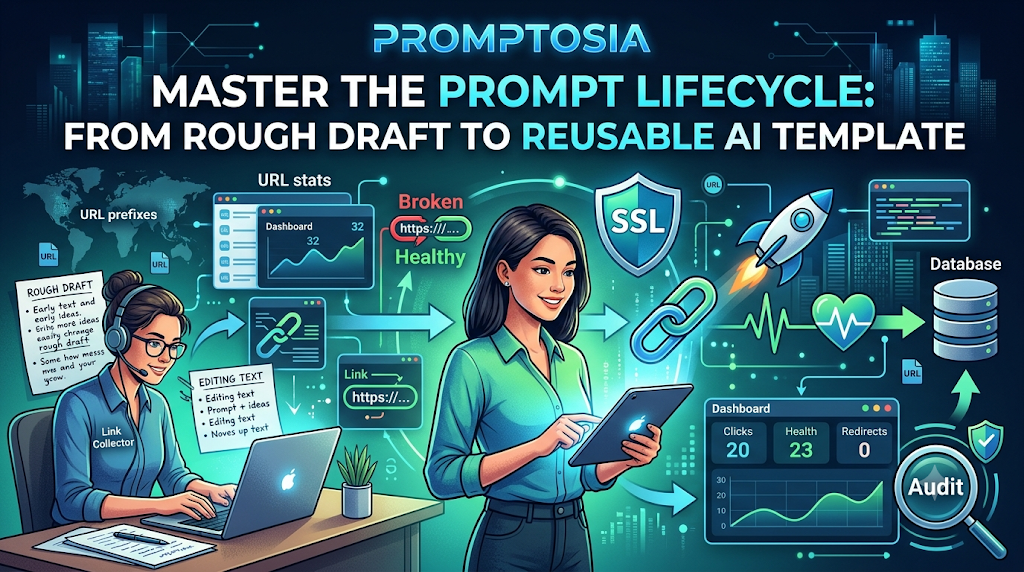
Introduction: Understanding Promptosia and AI Prompt Management
If you have used artificial intelligence tools over the last few years, you have probably experienced a common frustration: finding a fantastic instruction that gave you a perfect answer, only to lose it a few days later. As AI becomes an everyday part of writing, coding, research, and business operations, the instructions we write—commonly called prompts—have become genuinely valuable digital assets.
That is where Promptosia comes in. Created as a modern, all-in-one AI prompt management tool, Promptosia was built to help everyday users, creators, and teams move away from messy notes and lost chat logs. Instead of constantly starting from scratch, Promptosia gives you a dedicated space to save, structure, refine, and share your best instructions. Whether you are an individual freelancer trying to speed up daily writing or a growing company looking to standardize AI workflows across departments, having a centralized platform ensures your best ideas are never lost. By treating your prompts as reusable tools rather than temporary chat messages, Promptosia turns raw AI interactions into organized, high-value productivity systems.
What Is an AI Prompt Management Tool?
At its simplest, an AI prompt is the instruction or question you give to an artificial intelligence model to get a specific response. When you first start using AI, writing a prompt seems easy—you just type a sentence and hit enter. However, as your tasks become more complex, your prompts naturally grow longer and more precise. You might add background details, tone guidelines, formatting rules, and step-by-step instructions.
An AI prompt management tool is a specialized workspace designed to store, clean up, and track these detailed instructions. When people rely heavily on AI, they end up creating dozens or even hundreds of prompts for different projects. Without a dedicated system, these prompts get scattered across browser bookmarks, sticky notes, Google Docs, and private chat histories. A dedicated management platform brings order to that chaos. It provides a structured home where you can keep your instructions safe, refine them when they do not perform well, and pull them up instantly whenever a new task begins.
Why Building an AI Prompt Library Is Important
Imagine a software developer writing thousands of lines of code without ever saving their function libraries, or a designer throwing away their custom templates after every client project. That is exactly what happens when you use AI without a central repository.
Building a dedicated AI prompt library transforms how efficiently you work. Here is why maintaining a prompt collection matters:
- No More Lost Genius: You never have to spend 20 minutes trying to remember the exact wording of a prompt that generated a perfect piece of copy three weeks ago.
- Instant Accessibility: Storing successful instructions in one place means you can retrieve and deploy them in seconds.
- Consistent Quality: When you reuse a tested prompt, you get predictable, high-quality AI outputs every single time, rather than unpredictable results from quick, off-the-cuff prompts.
- Compounding Value: Over time, your library becomes an invaluable knowledge base tailored specifically to your personal or business needs.
How Promptosia Works as a Prompt Engineering Platform
Prompt engineering sounds like a complicated technical discipline reserved for software engineers, but in reality, it simply means crafting clear, effective instructions that guide an AI model toward the exact output you want.
Promptosia functions as a complete prompt engineering platform, guiding you through every step of the prompt lifecycle:
[ Idea Generation ] ➔ [ Organization ] ➔ [ Optimization ] ➔ [ Testing & Analysis ] ➔ [ Reusable Template ]
Instead of treating prompt creation as a one-time guess, a complete platform gives you the tools to analyze why a prompt works, fix sections that confuse the AI, keep track of changes, and publish the final result for yourself or your team. By handling everything from initial draft to final deployment, it streamlines the entire AI workflow into a simple, predictable routine.
Organizing Prompts With AI Prompt Organizer
When your collection grows past twenty or thirty prompts, finding the right instruction can quickly become frustrating. Promptosia solves this issue by acting as an intelligent AI prompt organizer.
Instead of dumping everything into a flat list, you can group your instructions into logical categories such as Marketing, Code Review, Academic Research, or Customer Support. To make searching even faster, you can attach custom tags and define dynamic variables (like [Topic], [Target Audience], or [Word Count]). This allows you to filter through hundreds of entries within seconds, ensuring that the exact prompt you need for a specific task is always right at your fingertips.
Improving Instructions With AI Prompt Optimizer
We do not always write the best instructions on our first try. Often, our initial prompts are vague, missing key background context, or lacking clear formatting directions.
This is where an AI prompt optimizer becomes essential. When you feed a basic instruction into an optimization tool, it analyzes the core intent and automatically restructures it. It adds necessary context, specifies the ideal persona, defines clear constraints, and requests an structured output format. As a result, a simple request like “Write a blog about shoes” transforms into a precise, multi-step instruction that produces a well-structured, engaging article on the first try.
Understanding Prompts With AI Prompt Analyzer
To write better prompts, you need to understand what makes them effective or weak in the first place. An AI prompt analyzer inspects your written text behind the scenes to uncover hidden issues before you even send it to an AI model.
The analyzer checks several key structural elements:
- Goal Clarity: Does the prompt clearly state what the final deliverable should be?
- Variable Placement: Are placeholders clearly marked so you can swap out terms easily?
- Tone & Style Rules: Does the prompt specify the exact voice (e.g., professional, casual, persuasive) required?
- Formatting Directives: Did you instruct the AI how to structure its answer (such as bullet points, Markdown, or tables)?
By highlighting missing components, the analyzer helps you catch vague phrasing and fill in missing context upfront.
Checking Prompt Quality Before Use
Running a prompt without evaluating it first often leads to wasted time and generic AI responses. Utilizing a dedicated prompt quality checker gives your instructions a quick audit before deployment.
Quality checking evaluates your prompt against proven criteria: structural clarity, safety, constraint completeness, and usability. It assigns a clear quality score and offers practical tips for improvement. If your prompt is too open-ended or likely to cause hallucinated answers, the quality checker flags those areas so you can fix them before running your query.
Managing Prompt Improvements With Version Control
Prompts evolve. As you tweak phrasing, add guidelines, or adjust outputs, your instructions naturally change over time. However, an edit that improves one aspect of an answer might accidentally break another. Without a historical record, returning to a previous draft is nearly impossible.
Using a dedicated prompt version control tool keeps a full timeline of every adjustment you make. You can view older versions, compare changes side-by-side, understand why a specific edit was made, and instantly restore an earlier draft if a new variation fails to deliver. This historical safety net lets you experiment boldly with your instructions without the fear of losing what already worked.
Testing Different Prompt Results
Two prompts that look almost identical on paper can produce strikingly different results from an AI model. Knowing which version works best requires direct, side-by-side comparison.
An AI prompt testing tool allows you to execute different versions of a prompt against the same input variables simultaneously. By comparing the generated outputs next to each other, you can evaluate which phrasing delivers the most accurate, natural, and helpful response. This empirical testing process removes guesswork from prompt engineering, allowing you to build reliable AI workflows backed by real performance.
Reusing Successful Prompts With Templates
Once you have crafted, optimized, and tested a prompt, you should never have to build it from scratch again. Turning high-performing instructions into reusable AI prompt templates is the key to scaling your daily productivity.
A reusable template replaces hardcoded details with flexible variables. For instance, a single social media post template can include variables for [Product Name], [Key Benefit], and [Platform]. Whenever you need new content, you simply fill in those short fields, run the template, and receive a tailored result instantly. This saves immense time and keeps work consistent across your entire organization.
Promptosia Features Comparison Table
Here is a quick breakdown of how Promptosia’s built-in tools help you manage every stage of your prompt journey:
| Feature | What It Does | Benefit |
| AI Prompt Library | Stores useful prompts in one central, secure place | Ensures easy access and quick reuse |
| Prompt Organizer | Categorizes prompts using custom tags, folders, and variables | Keeps your growing workspace neat and searchable |
| Prompt Optimizer | Automatically refines and expands simple instructions | Delivers significantly better AI responses |
| Prompt Analyzer | Reviews prompt structure, tone, and formatting rules | Uncovers missing context and improvement areas |
| Quality Checker | Evaluates overall prompt effectiveness and score | Helps you build stronger, more reliable prompts |
| Version Control | Saves a full historical record of prompt edits | Keeps successful earlier versions safe |
| Prompt Testing | Compares outputs from different prompt drafts side-by-side | Helps you choose the best performing variation |
| Templates | Saves variables within reusable prompt structures | Accelerates repetitive daily workflows |
Who Can Use Promptosia?
Promptosia is designed to be versatile and accessible, offering distinct advantages for various roles:
Content Creators
Bloggers, copywriters, video creators, and social media managers can build an extensive repository of tone guidelines, outline generators, and editing prompts. Instead of wrestling with writer’s block, creators can launch pre-tested creative workflows in seconds.
Developers
Software engineers and technical writers can save complex coding prompts, debugging routines, documentation builders, and unit test generators. Having standardized technical prompts ensures clean, consistent code explanations across various programming languages.
Marketers
Marketing professionals can organize client-specific brand guidelines, campaign strategy frameworks, ad copy generators, and email sequence templates. Reusable prompts keep messaging aligned with brand standards while drastically speeding up campaign production.
Businesses and Teams
Companies can build shared prompt repositories so that every employee uses approved, high-performing AI processes. Teams can easily share effective prompt structures, maintain brand voice consistency, and onboard new staff smoothly.
Students and Researchers
Academics, students, and research analysts can keep track of custom summarization prompts, literature review frameworks, data extraction templates, and citation checkers, turning AI into an organized study assistant.
Benefits of Using Promptosia
Adopting a dedicated prompt management system brings immediate, practical advantages to your daily work:
- Saves time: Stop wasting minutes digging through chat histories or trying to remember past phrasing.
- Keeps prompts organized: Store every instruction neatly using intuitive folders, tags, and search filters.
- Improves AI output quality: Built-in optimization and analysis tools help you craft clearer, more effective prompts.
- Helps teamwork: Share proven instructions seamlessly with colleagues to raise output standards across your team.
- Makes successful prompts reusable: Turn one-time chat instructions into permanent, dynamic templates.
- Reduces repeated work: Eliminate the need to re-type background details, formatting rules, and tone instructions over and over.
- Creates better AI workflows: Build predictable, multi-step systems that turn raw AI outputs into polished assets.
Common Problems Without Prompt Management
Attempting to manage AI instructions without a structured system almost always leads to a few common friction points:
- Losing Valuable Prompts: Brilliant instructions often get buried deep inside old chat histories, never to be found again.
- Creating the Same Instructions Repeatedly: You waste time writing essentially the same prompt over and over because you did not save the original.
- Not Tracking Improvements: You edit a working prompt, realize the new output is worse, and discover you cannot restore the previous text.
- Getting Inconsistent AI Results: Vague, off-the-cuff prompts yield unpredictable answers, forcing you to generate responses multiple times.
- Difficulty Sharing Prompts With Teams: Copy-pasting long instructions into messaging apps or chaotic documents makes collaborating messy and inefficient.
An organized prompt management system eliminates these roadblocks completely, transforming fragmented chat attempts into a reliable, streamlined process.
Frequently Asked Questions (FAQs)
What is an AI prompt management tool?
An AI prompt management tool is a dedicated software platform designed to store, organize, refine, test, and share the instructions (prompts) you give to artificial intelligence models. It keeps your prompts organized in one accessible location rather than scattered across temporary notes or old chat histories.
Why do users need an AI prompt library?
A prompt library acts as a central knowledge repository for your best AI instructions. Storing proven prompts allows you to access them instantly, maintain consistent output quality, save significant time, and avoid rewriting complex instructions from scratch.
How does Promptosia help organize prompts?
Promptosia lets you structure prompts using folders, custom categories, tags, and dynamic variables. It includes powerful search and filtering features, making it effortless to find the exact instruction you need out of hundreds of saved entries.
What is a prompt engineering platform?
A prompt engineering platform provides an end-to-end workspace for the entire lifecycle of a prompt. It goes beyond simple storage by offering tools to write, optimize, analyze, test, version-control, and share instructions across personal or team workflows.
How does an AI prompt optimizer improve prompts?
An optimizer evaluates basic or vague instructions and automatically restructures them. It adds key context, defines clear target roles, establishes formatting expectations, and removes ambiguity, helping the AI deliver far better results on the first try.
What does an AI prompt analyzer check?
An analyzer inspects the structural health of your prompt. It checks for goal clarity, appropriate tone guidelines, variable usage, constraint definitions, and output formatting rules, pointing out missing details before you run the prompt.
Why is prompt version control important?
Version control keeps a full historical record of every change made to a prompt. If a new edit produces poor results, you can easily review past variations, compare differences, and restore a working version with a single click.
How do reusable AI prompt templates save time?
Templates replace static text with flexible variables (such as topic, audience, or length). Instead of writing a new prompt every time you start a task, you simply plug new details into your template fields to generate tailored outputs immediately.
Final Thoughts: Building Better AI Workflows With Organized Prompts
As artificial intelligence becomes deeply integrated into our daily work routines, the quality of your output will always depend on the quality of your input. Crafting thoughtful, detailed prompts is no longer just a clever trick—it is a core digital skill. However, relying on memory or scattered text notes to manage those prompts quickly creates clutter and lost productivity.
By bringing structure to your instructions, you treat your best ideas as valuable, long-term tools. Organizing, refining, and saving successful prompts allows you to save hours of repetitive work, improve the quality of your AI responses, and collaborate effortlessly with others. Whether you are an individual working on creative projects or a business looking to standardize operations, taking control of your prompts with Promptosia is the smartest step toward building faster, cleaner, and more productive AI workflows.
