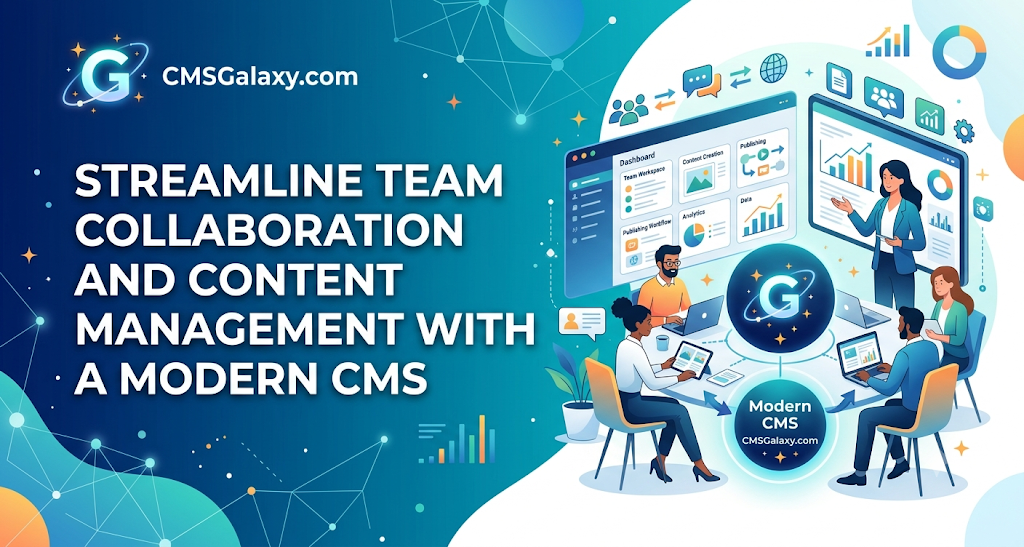
INTRODUCTION
A growing mid-sized marketing team prepares to launch a major product update. The copywriters have finished the blog posts, the designers have polished the hero banners, and the SEO specialist has finalized the metadata. However, before a single word goes live, the team hits a familiar bottleneck: they have to submit a ticket to the IT department just to get the text updated on the staging server. Days pass, momentum stalls, and collaborative energy fades.
For many businesses, managing website content through traditional, hard-coded files creates unnecessary friction. As organizations expand, keeping digital assets fresh, accurate, and aligned across multiple departments requires more than occasional developer support. It requires an architecture built for collaboration.
This article examines how Content Management System (CMS) websites transform digital operations. You will learn how modern CMS platforms streamline content workflows, empower non-technical teams, improve cross-departmental collaboration, and make website management significantly more efficient.
WHAT IS A CMS WEBSITE?
A Content Management System (CMS) is software that allows users to create, manage, modify, and publish digital content on a website without requiring advanced technical knowledge or direct interaction with source code.
How CMS Websites Work
Unlike a traditionally coded website built entirely with static HTML files, a CMS website separates content from design. Text, images, and structured data are stored in a database. When a visitor requests a page, the CMS combines the database information with design templates and themes to render the page dynamically in real time.
Administrators and team members interact with a secure backend dashboard. Through user-friendly visual interfaces (WYSIWYG editors), team members can type text, upload images, arrange layouts, and hit publish without touching a single line of code.
WHY CONTENT MANAGEMENT BECOMES DIFFICULT FOR TEAMS
As businesses grow, maintaining a website manually introduces severe operational challenges:
- Heavy Technical Dependency: Marketing and content teams must rely on developers for routine text updates, creating frustrating workflow delays.
- Lack of Centralized Control: Content scattered across local drives, email threads, and disparate files makes version control nearly impossible.
- Inconsistent Publishing Processes: Without standardized guidelines or templates, different contributors publish pages with mismatched styling and broken structures.
- Bottlenecked Approvals: Without structured review stages, content often goes live without proper editorial oversight or SEO compliance.
- Maintenance Headloads: Managing security patches, link structures, and archive pages manually across a static site drains valuable IT resources.
HOW CMS WEBSITES MAKE CONTENT MANAGEMENT EASIER
Modern CMS platforms replace chaotic manual processes with structured, scalable environments that offer distinct operational advantages:
Easy Content Editing
Non-technical team members can create and update website pages, blog posts, and landing pages using intuitive editors, eliminating the need for constant developer intervention.
Centralized Content Management
Teams manage all website pages, articles, and navigation menus from a single administrative dashboard, ensuring complete visibility over digital assets.
Team Collaboration
Multiple contributors can work within the same platform simultaneously, utilizing shared drafts, comments, and revision histories.
Faster Publishing
Streamlined editorial workflows reduce the time required to take a campaign from concept to live deployment.
Content Organization
Robust taxonomies—including categories, tags, custom post types, and structured media libraries—allow teams to manage massive libraries of content efficiently.
User Roles and Permissions
Administrators can assign precise responsibilities (e.g., author, editor, SEO specialist, administrator) to protect site security and workflow integrity.
Content Approval Workflows
Teams can review, edit, approve, and schedule content in a controlled sequence before public release.
Media Management
Built-in media libraries store, organize, and optimize images, videos, and documents for rapid insertion across pages.
Consistent Branding
Pre-built templates, reusable components, and design systems enforce brand consistency across every published page.
Simplified Maintenance
Automated core updates, modular plugin management, and routine backup options keep the underlying website secure with minimal manual effort.
CMS WEBSITE VS TRADITIONAL WEBSITE MANAGEMENT
| Area | Traditional Website Management | CMS Website Management |
| Content Editing | Requires manual HTML/CSS code edits | Managed via user-friendly dashboards and visual editors |
| Technical Knowledge | High; requires front-end development skills | Low to moderate; accessible to non-technical users |
| Team Collaboration | Difficult; prone to file overwrite conflicts | Seamless; centralized dashboards and user roles |
| Publishing Speed | Slow; bottlenecked by developer availability | Fast; instant publishing and scheduled deployments |
| Content Organization | Manual folder structures on a server | Automated database taxonomies, categories, and tags |
| User Roles | Rarely supported out of the box | Granular permissions for administrators, editors, and authors |
| Media Management | Manual file uploads via FTP | Centralized media library with automated resizing and organization |
| Scalability | Challenging as page counts grow | Highly scalable via structured database queries |
| Maintenance | Manual file updates and code deployment | Centralized core, theme, and plugin update management |
| Workflow Management | External tools required (spreadsheets, emails) | Integrated editorial workflows, drafts, and reviews |
HOW CMS IMPROVES TEAM COLLABORATION
Collaboration is the heartbeat of digital marketing. A well-configured CMS acts as a digital headquarters where content writers, editors, SEO specialists, designers, developers, and business managers align their efforts.
By establishing shared workflows and user permissions, team members can operate within their specific domain of expertise. For example, a content writer drafts a post in the CMS; an editor reviews and leaves inline comments; an SEO specialist updates meta descriptions and checks keyword density; and a marketing manager approves the final schedule—all without sending a single file back and forth via email. This centralized architecture drastically reduces communication gaps and accelerates time-to-market.
CMS CONTENT WORKFLOW
- Step 1: Content Planning: The marketing team maps out topics and campaign goals inside the CMS content calendar.
- Step 2: Content Creation: A writer drafts the article using the platform’s text editor and uploads relevant graphics.
- Step 3: Editing: An editor reviews the draft for clarity, tone, and brand alignment.
- Step 4: SEO Review: An SEO specialist optimizes title tags, meta descriptions, and internal links.
- Step 5: Approval: The website manager or marketing director grants final approval.
- Step 6: Publishing: The content goes live immediately or is scheduled for optimal audience reach.
- Step 7: Performance Monitoring: Analytics integrations track engagement, traffic, and conversions.
- Step 8: Content Updating: Teams refresh older content periodically to maintain search relevance.
BENEFITS OF CMS WEBSITES FOR DIFFERENT TEAMS
Marketing Teams
Marketers benefit from rapid campaign deployment, the ability to launch landing pages without developer assistance, and streamlined promotional workflows.
Content Teams
Writers and editors enjoy distraction-free writing environments, organized media libraries, revision histories, and effortless content publishing.
SEO Teams
SEO professionals gain direct control over URLs, metadata, schema markup, XML sitemaps, and internal linking structures.
Developers
IT teams are freed from repetitive, low-impact text-update requests, allowing them to focus on core security, architecture, and custom integrations.
Business Leaders
Executives experience improved operational efficiency, faster time-to-market, reduced labor overhead, and scalable digital operations.
CMS FEATURES THAT HELP TEAMS MANAGE CONTENT
Many modern CMS platforms offer a rich ecosystem of features designed specifically to support team productivity:
- WYSIWYG Editors: Enable visual formatting without code.
- Content Dashboards: Provide clear overviews of published, pending, and scheduled items.
- Revision History: Allows teams to track changes and restore previous versions if necessary.
- Search and Filtering: Help administrators locate specific pages or media assets instantly.
- Content Scheduling: Automates publishing dates and times across global time zones.
- Third-Party Integrations: Connect seamlessly with CRM systems, email marketing tools, and analytics platforms.
CMS AND SEO
Search engine optimization is critical for digital visibility, and modern CMS platforms provide robust foundations for SEO success. Features like clean URL structures, automated XML sitemaps, customizable title tags, meta descriptions, heading hierarchies, and image alt-text fields allow teams to optimize every page effortlessly.
However, a CMS does not automatically guarantee higher search rankings. Sustainable SEO success depends on a combination of factors:
- High content quality and relevance
- Technical SEO health and site speed
- Satisfying user search intent
- Domain authority and trustworthiness
- Exceptional user experience and mobile responsiveness
CMS WEBSITES FOR GROWING BUSINESSES
As businesses expand, their digital footprint grows rapidly. A small brochure site evolves into an expansive platform featuring hundreds of service pages, active blogs, customer portals, and localized landing pages.
Moving from a rigid static site to a structured CMS enables growing organizations to scale their content operations effortlessly. Multiple departments can contribute simultaneously, new sections can be deployed instantly, and marketing campaigns can expand without hitting technical roadblocks.
HOW CMSGALAXY.COM CAN HELP BUSINESSES WITH CMS WEBSITE DEVELOPMENT
Navigating the technical and strategic demands of website architecture requires experienced guidance. CMSGALAXY.COM offers comprehensive digital solutions designed to help organizations establish secure, scalable, and user-friendly web platforms.
Whether an organization is planning a brand-new digital presence or migrating from a legacy system, professional development support is essential. Core service areas typically involve:
- Strategic website planning and architecture design
- Custom CMS website development tailored to specific business models
- Responsive website design optimized for all devices
- User-friendly administrative interface configuration
- Ongoing website maintenance and technical support
By partnering with experienced professionals, businesses can ensure their digital infrastructure supports long-term operational efficiency and growth.
WHY BUSINESSES NEED A TEAM-FRIENDLY CMS
Before selecting or developing a CMS, organizations should evaluate several critical criteria to ensure the platform meets both current and future operational requirements.
CMS SELECTION CHECKLIST
- [ ] Easy content editing for non-technical users
- [ ] Multiple user roles and granular permissions
- [ ] Built-in content approval workflows
- [ ] Centralized media management library
- [ ] Comprehensive SEO functionality and metadata controls
- [ ] Mobile-responsive design templates
- [ ] Robust security controls and regular updates
- [ ] Performance optimization and caching support
- [ ] Integration support for third-party tools (CRM, Analytics)
- [ ] Scalability for future content growth
- [ ] Automated backup and recovery options
- [ ] Ongoing maintenance and technical support
PRACTICAL EXAMPLE: A TEAM USING A CMS
Hypothetical Scenario: Consider a growing B2B software company whose team includes two content writers, one editor, one SEO specialist, one marketing manager, and one developer.
Using a collaborative CMS platform, the team streamlines their entire publishing operation:
- The marketing manager outlines quarterly content goals in the CMS content calendar.
- The content writers draft articles directly inside the secure backend.
- The editor reviews drafts, leaves feedback in comment threads, and approves changes.
- The SEO specialist optimizes headings, meta tags, and internal links.
- The marketing manager grants final approval and schedules publication.
- The developer focuses entirely on platform security and API integrations rather than handling text updates.
This structured workflow eliminates administrative friction and empowers every team member to focus on their core expertise.
CMS VS WEBSITE BUILDERS VS CUSTOM DEVELOPMENT
| Factor | CMS Website | Website Builder | Custom Development |
| Ease of Content Management | High; intuitive dashboards and editing tools | High; drag-and-drop visual interfaces | Low to moderate; often requires developer support |
| Customization | High; extensive themes, plugins, and code access | Moderate; restricted to platform ecosystem | Unlimited; tailored to exact business needs |
| Technical Knowledge | Low to moderate | Very low | High; requires advanced programming expertise |
| Team Collaboration | Excellent; robust user roles and workflows | Moderate; basic multi-user access | Variable; depends on custom backend build |
| Scalability | High; handles large content volumes easily | Moderate; can face performance limits at scale | Extremely high; engineered for enterprise loads |
| Development Effort | Moderate; setup, configuration, and styling | Low; quick out-of-the-box deployment | High; requires extensive coding and testing |
| Maintenance | Ongoing core/plugin updates | Managed by platform provider | Handled internally or via retainer |
| Best For | Growing businesses, blogs, dynamic sites | Small portfolios, simple landing pages | Complex web applications, unique enterprise portals |
FUTURE OF CMS AND CONTENT MANAGEMENT
The digital landscape continues to evolve rapidly. Emerging trends in content management include:
- Headless CMS Architectures: Decoupling content storage from the front-end presentation layer to deliver content across multiple devices and channels via APIs.
- AI-Assisted Workflows: Utilizing integrated artificial intelligence to summarize text, suggest SEO optimizations, and streamline drafting.
- Omnichannel Publishing: Managing content once and syndicating it seamlessly to mobile apps, IoT devices, and websites simultaneously.
- Enhanced Content Governance: Advanced automated workflows and compliance tracking for enterprise teams.
FREQUENCY ASKED QUESTIONS
- What is a CMS website? A CMS website is a database-driven platform that allows users to create, manage, and publish digital content through an administrative dashboard without writing code.
- How does a CMS make content management easier? It provides intuitive visual editors, centralized media libraries, user permissions, and structured workflows that eliminate the need for manual code updates.
- Can multiple people manage a CMS website? Yes. CMS platforms support multi-user environments with customizable roles and permissions for writers, editors, and administrators.
- Can non-technical users update CMS websites? Yes. Team members without coding experience can easily publish text, upload images, and update landing pages.
- How do CMS websites help marketing teams? They accelerate campaign launches, simplify landing page creation, and streamline publishing schedules without IT bottlenecks.
- Can a CMS improve content workflows? Yes, by integrating draft states, review stages, editorial comments, and approval controls directly into the publishing process.
- Are CMS websites good for SEO? Yes. They offer built-in tools for managing URLs, metadata, schema markup, XML sitemaps, and image optimization.
- What features should teams look for in a CMS? Look for ease of use, user role management, media organization, SEO controls, scalability, and robust security features.
- Is a CMS better than a custom website? It depends on business needs. A CMS offers pre-built management tools ideal for content-heavy sites, while custom development suits unique software applications.
- How does a CMS support growing businesses? It allows businesses to scale their page count, add new contributors, and expand marketing operations smoothly.
- What role does CMSGalaxy play in CMS website development? CMSGalaxy.com provides professional website development, planning, and design solutions to help businesses establish effective digital platforms.
CONCLUSION
Managing digital content efficiently is essential for modern business success. Relying on manual, developer-dependent workflows creates unnecessary bottlenecks that stifle marketing momentum and drain technical resources.
By implementing a robust Content Management System, organizations can eliminate technical friction, empower non-technical team members, streamline editorial workflows, and maintain consistent branding across all digital channels. Whether you are a small business expanding your online presence or an established enterprise scaling your content operations, choosing the right CMS architecture transforms your website into an agile business engine.
To explore professional guidance for your next digital project, consider partnering with experienced web development experts like CMSGalaxy.com to build a secure, scalable, and team-friendly web presence tailored to your goals.
