Creating and managing instructor-led training (ILT) in Open edX involves setting up courses that include live sessions, instructor interaction, and structured learning paths. Open edX is highly customizable, so you can tailor the platform to support ILT effectively. Below is a step-by-step guide to help you create and manage instructor-led training
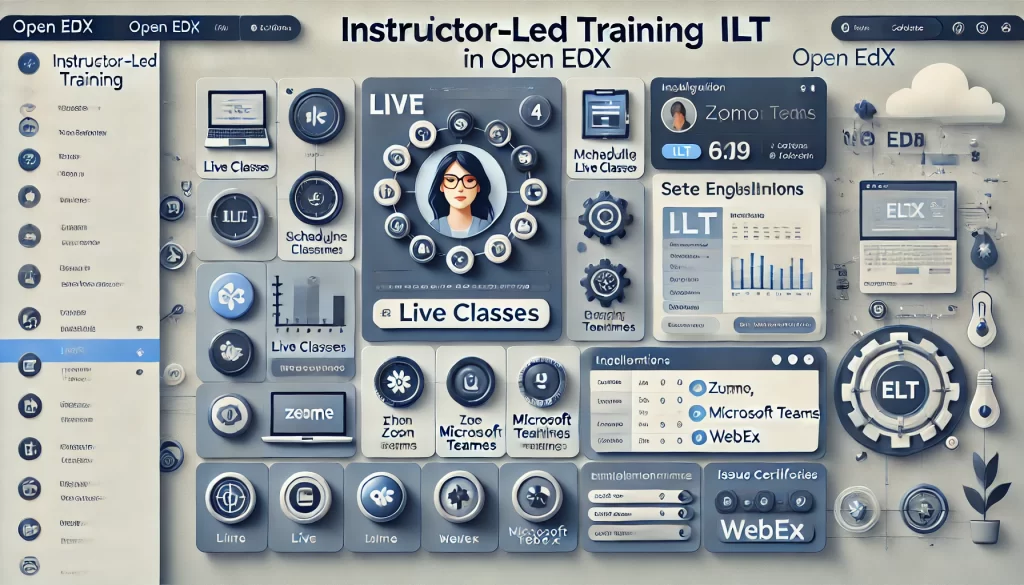
1. Plan Your Instructor-Led Training
Before setting up the course, define the structure and requirements for your ILT program:
- Course Content: Outline the topics, modules, and live sessions.
- Schedule: Plan the timing and duration of live sessions.
- Instructors: Assign instructors and teaching assistants.
- Assessment: Define how learners will be evaluated (e.g., quizzes, assignments, or participation).
2. Create a New Course
Use the Open edX Studio to create a course for your instructor-led training.
Steps:
- Log in to Studio:
- Access Open edX Studio at
{your-domain}/studio.
2. Create a Course:
- Click Create a New Course.
- Fill in the course details (e.g., name, organization, course number, and run).
3. Set Course Visibility:
- Choose whether the course is private (invitation-only) or public.
3. Add Course Content
Add content to your course, including live session details, pre-recorded materials, and assignments.
Steps:
- Add Sections and Subsections:
- Organize your course into sections (e.g., weekly modules) and subsections (e.g., topics or lessons).
2. Add Live Session Details:
- Use the HTML component to provide details about live sessions (e.g., date, time, and Zoom link).
- Alternatively, integrate a calendar tool or external platform for scheduling.
3. Upload Pre-Recorded Materials:
- Add videos, PDFs, or other resources for self-paced learning.
4. Create Assignments and Quizzes:
- Use the Problem component to add quizzes or assignments.
- Configure due dates and grading policies.
4. Schedule Live Sessions
Instructor-led training often includes live sessions. You can manage these sessions using external tools or Open edX features.
Options:
- External Tools:
- Use tools like Zoom, Microsoft Teams, or Google Meet for live sessions.
- Add links to the sessions in the course content.
2. Open edX Live Features:
- Use the Live app (if enabled) to schedule and manage live sessions directly within Open edX.
3. Calendar Integration:
- Integrate a calendar tool to help learners keep track of live session schedules.
5. Enable Instructor Interaction
Facilitate interaction between instructors and learners using Open edX features.
Steps:
- Discussion Forums:
- Enable discussion forums for each course section.
- Encourage learners to ask questions and engage with instructors.
2. Announcements:
- Use the Announcements feature to share updates and reminders about live sessions.
3. Email and Notifications:
- Configure email notifications to keep learners informed about upcoming sessions and deadlines.
6. Manage Enrollment
Set up enrollment options for your instructor-led training.
Steps:
- Enrollment Modes:
- Configure enrollment modes (e.g., audit, verified) in the Django Admin panel.
2. Invitation-Only Courses:
- For private ILT programs, restrict enrollment to invited users.
3. Payment Options:
- If the course is paid, set up payment gateways and pricing in the ecommerce service.
7. Monitor Learner Progress
Track learner participation and performance in your ILT program.
Steps:
- Instructor Dashboard:
- Use the instructor dashboard to view learner progress, grades, and participation.
2. Analytics:
- Use Open edX analytics tools to monitor engagement and identify areas for improvement.
3. Feedback:
- Collect feedback from learners using surveys or polls.
8. Evaluate and Certify Learners
Assess learners and provide certifications for completing the ILT program.
Steps:
- Grading:
- Set up grading policies for quizzes, assignments, and participation.
2. Certificates:
- Configure certificates in the LMS for learners who meet the course requirements.
3. Badges:
- Use Open edX badges to recognize learner achievements.
9. Maintain and Improve
Regularly update and improve your ILT program based on feedback and performance data.
Steps:
- Update Content:
- Refresh course materials and live session topics as needed.
2. Improve Engagement:
- Experiment with new tools or formats to enhance learner engagement.
3. Gather Feedback:
- Continuously collect feedback from learners and instructors to refine the program.
Additional Tips
- Use Cohorts: Divide learners into cohorts for better management and personalized interaction.
- Leverage Third-Party Tools: Integrate tools like Slack, Discord, or Miro for collaboration and engagement.
- Automate Workflows: Use Open edX APIs or plugins to automate tasks like enrollment and notifications.
By following these steps, you can effectively create and manage instructor-led training in Open edX.
