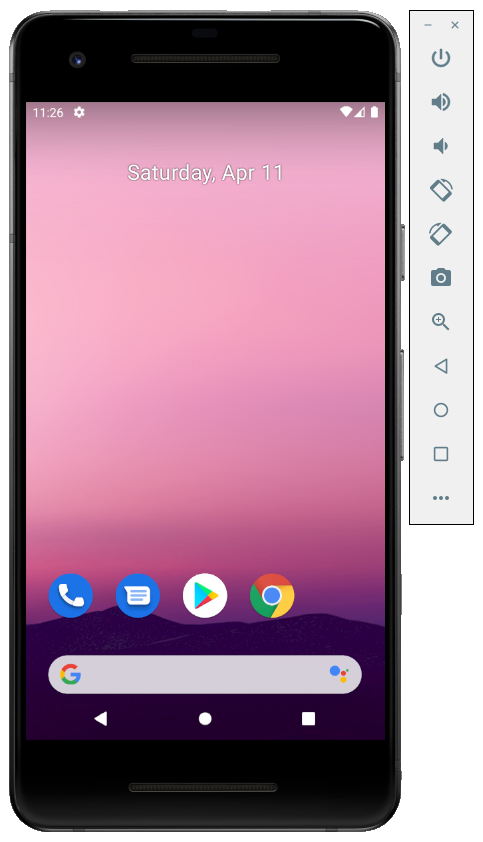
The Android SDK provides a virtual mobile device emulator that runs on a computer. An android emulator is used for executing, debugging, and testing android applications. The emulator helps the developer to run a trial product virtually without an actual hardware device. An emulator is similar to a physical hardware mobile device including all the features that an actual mobile contains except that it cannot place an actual phone call. The emulator comes with predefined configurations for various Android phones, tablets, Wear OS, and Android TV devices. Emulator represents a specific Android device that can be used as a target platform to run and test your android application on your PC.
It provides navigation control keys along with touchscreen accessibility. On a virtual device, the cursor can be used as a finger and perform all the functions such as typing, opening applications, swiping, etc. The Android Emulator runs on a full Android system stack, down to the kernel level including a set of preinstalled applications that we can access from our applications.
Android emulator enables us to choose api level and android version of your choice by configuring AVDs. While launching the emulator at runtime, we can use a variety of commands and options to control its behavior. The android emulator offers dynamic binary translation of device machine code to the OS and processor architecture of our development machine.
The emulator supports various hardware features like:
- ARMv5 CPU AMD corresponding MMU
- A 16-bit LCD Display
- Dialpad\keyboard
- Sound chip
- Flash memory
- GSM modem
- Camera
- Sensors like accelerometers
Advantages of Android Emulator
- Transfer of files is faster in virtual devices, as here a file can be transferred through drag and drop.
- Emulator enables the programmer to work with physical sensors such as accelerometers, gyroscopes, proximity, etc.
- One can play games, browse the internet, change settings, etc.
- Android emulator enables you to choose any version of your choice and accordingly, a developer can build an app.
- Developer can check all possible test cases through android emulators.
Disadvantages of Android Emulator
- Android emulator works with slow speed as compared to actual physical devices.
- Emulators cannot recognize the speed and performance of the battery, location, and hardware-related activities.
- Testing on an emulator is not accurate as you are using a virtual device not an actual device.
- One cannot identify issues related to networks or notifications on an emulator.
- The emulator crashes at launch if it does not receive enough disk space.
Below is a sample image of how an Android Emulator looks like.