$100 Website Offer

Get your personal website + domain for just $100.

Limited Time Offer!

Claim Your Website Now

what is AppBar() in flutter

In Flutter, the AppBar widget is a material design app bar that is typically placed at the top of the screen. It is used to display the title, navigation icons, and other actions related to the current screen. The AppBar can also include a variety of widgets such as icons, text, and menus.

Constructor of AppBar class:–

AppBar(
{Key key,
Widget leading,
bool automaticallyImplyLeading: true,
Widget title,
List<Widget> actions,
double elevation,
Color shadowColor,
ShapeBorder shape,
Color backgroundColor,
Brightness brightness,
IconThemeData iconTheme,
IconThemeData actionsIconTheme,
TextTheme textTheme,
...}
)

Key Properties of Appbar Widget:–

  • actions: This property takes in a list of widgets as a parameter to be displayed after the title if the AppBar is a row.
  • title: This property usually takes in the main widget as a parameter to be displayed in the AppBar.
  • backgroundColor: This property is used to add colors to the background of the Appbar.
  • elevation: This property is used to set the z-coordinate at which to place this app bar relative to its parent.
  • shape: This property is used to give shape to the Appbar and manage its shadow.

Example :–

Here’s a simple example of how to use AppBar in a Scaffold:

import 'package:flutter/material.dart';

void main() {
runApp(MyApp());
}

class MyApp extends StatelessWidget {
@override
Widget build(BuildContext context) {
return MaterialApp(
home: HomeScreen(),
);
}
}

class HomeScreen extends StatelessWidget {
@override
Widget build(BuildContext context) {
return Scaffold(
appBar: AppBar(
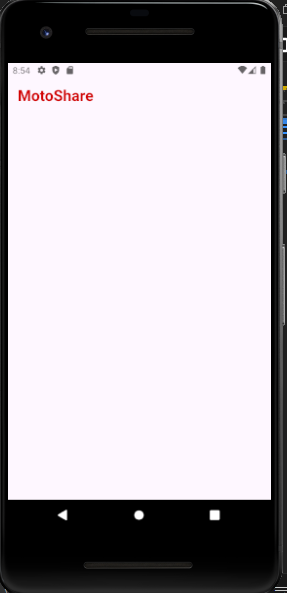
title: Text('Motoshare'),
),
);
}
}

Output:–
Related Posts

Exploring Dining Options Made Simple: How to Discover Restaurants and Connect with Venues

Introduction Deciding where to eat can sometimes feel surprisingly difficult. Whether you are looking for a quick lunch during a busy workday, planning a celebratory family dinner,…

Read More

Elevate Your Daily Research and Industry Insights With a Smart AI News Aggregator

Introduction Following the news today can feel like standing in the middle of a busy railway station while dozens of announcers shout different updates at the exact…

Read More

Website Contact Page Design: Best Practices for Usability, Trust, and Conversions

Introduction A website contact page is often the final destination before a prospect decides whether to do business with you. Potential buyers navigate through your service pages,…

Read More

Smart Travel Connectivity: How to Evaluate Data, Networks, and Roaming Plans

Introduction Stepping off an international flight without internet access creates immediate hurdles. Modern travelers depend on connected phones to hail airport rides, check digital boarding passes, navigate…

Read More

Mautic vs listmonk vs Dittofeed — Complete Self-Hosted Marketing Automation Comparison

For your requirements—automatic lead capture, centralized contacts, segmentation, Amazon SES, WhatsApp bulk campaigns, automated follow-ups, low operating costs, and complete data ownership—Mautic is my first recommendation. However,…

Read More

Global Mobile Network Identifiers: A Practical Guide to Telecom Codes and Provider Records

Introduction Every time a mobile phone connects to a cellular tower, a quiet digital handshake takes place. Whether a smartphone is roaming in a foreign airport, an…

Read More
Subscribe
Notify of
guest
0 Comments
Oldest
Newest Most Voted
0
Would love your thoughts, please comment.x
()
x