$100 Website Offer

Get your personal website + domain for just $100.

Limited Time Offer!

Claim Your Website Now

How to create a new course in Moodle?

To create a new course in Moodle, you can follow these steps:

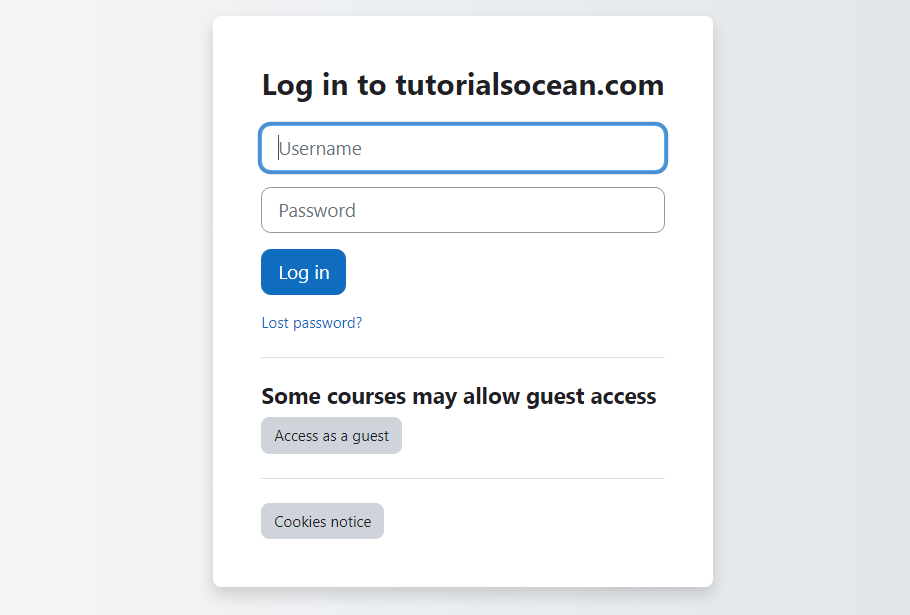
  1. Log in to Moodle: Sign in to your Moodle site using your administrator or teacher account.
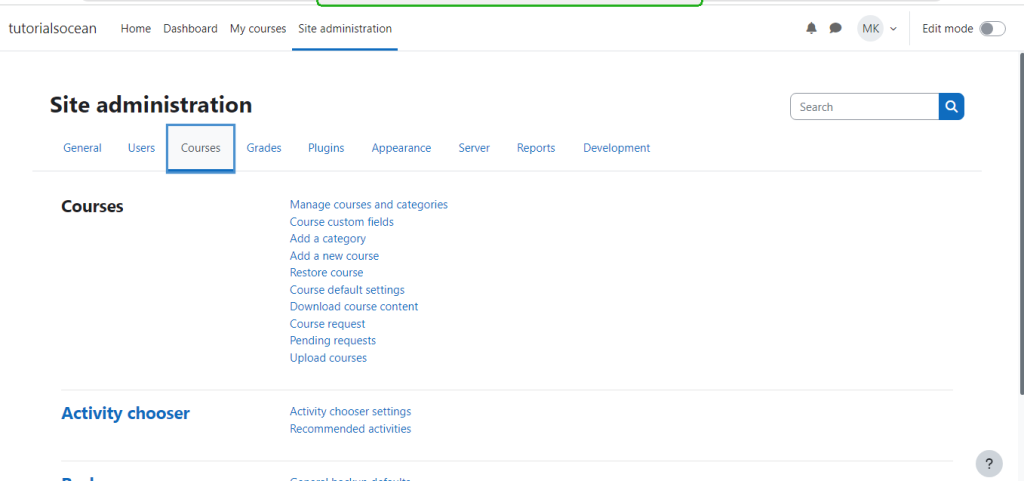
2. After logging in to Moodle, you’ll usually land on the dashboard or main page. Find the “Site administration” section on the left-hand side and click on “Courses” to access the Course Management page.
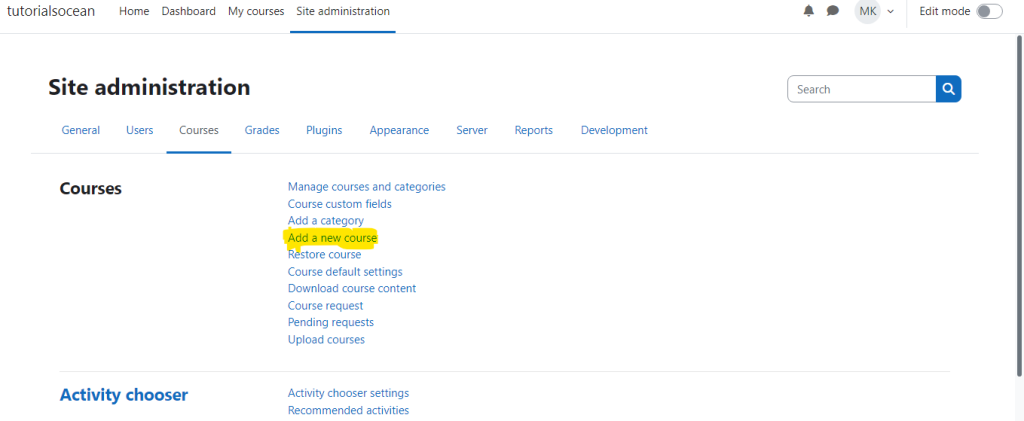
3. Next, click on the “Add a new course” button.
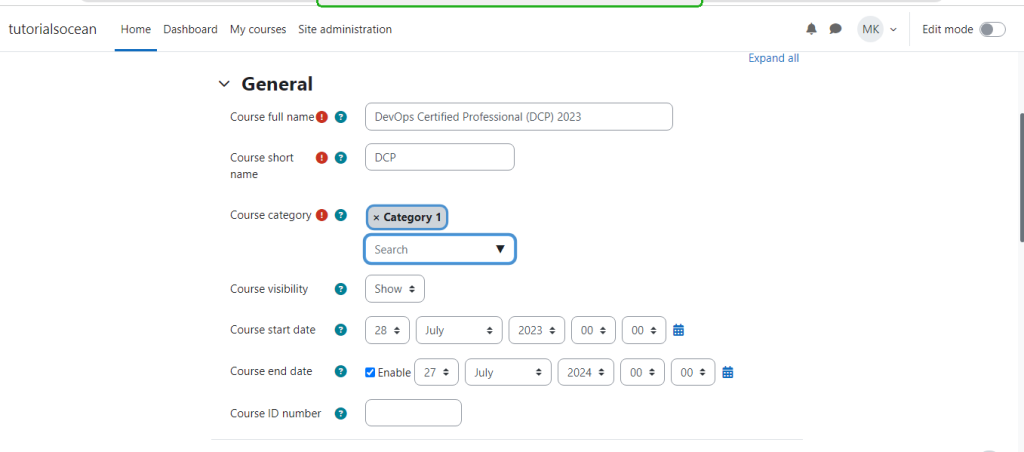
4. Fill in the required information for your new course, such as the Course name, Course category, and Course ID.
5. Customize other settings and options according to your requirements, such as Enrollment methods, Course format, and Appearance. In your course settings, choose the right options to add the necessary resources and activities to your course.
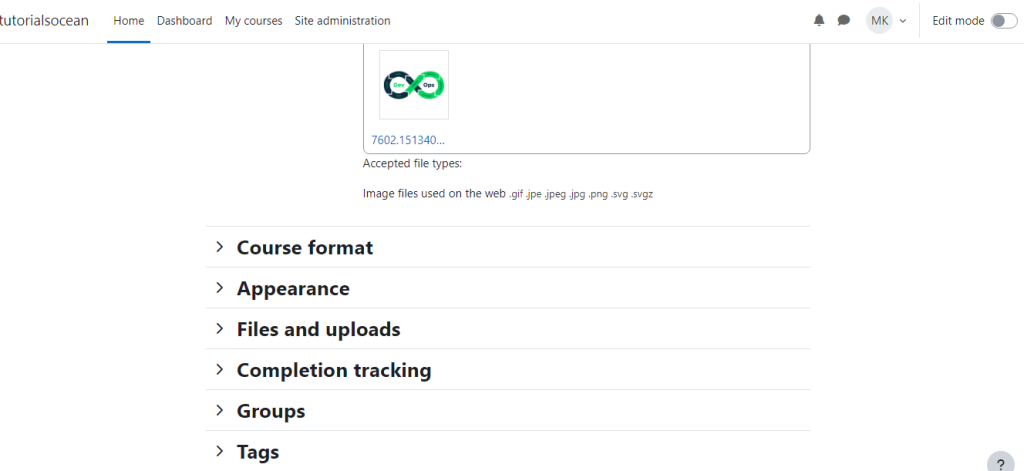
6. Save your changes by clicking the “Save and return to course” button.
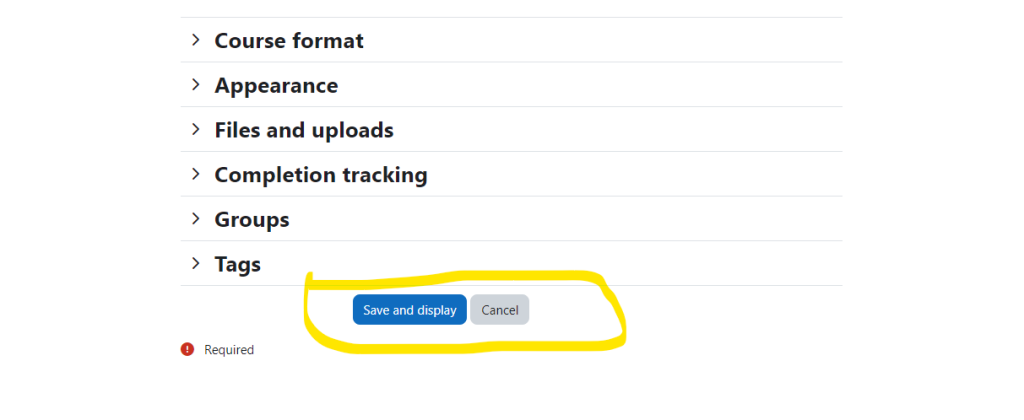
Congratulations! You have successfully created a new course in Moodle. You can now start adding content and managing the course as needed.

Related Posts

How to create and manage discussion forums in Moodle?

To create and manage discussion forums in Moodle, follow these steps: 2. Turn editing mode on by clicking on the “Turn editing on” button in the top…

Read More

How to integrate external tools and plugins with Moodle?

To integrate external tools and plugins with Moodle, you can follow these general steps: 1. Find a compatible tool or plugin: Look for tools or plugins that…

Read More

What are the different user roles in Moodle and their permissions?

In Moodle, there are different user roles with varying permissions. Here are some commonly used user roles and their corresponding permissions: Please note that the availability and…

Read More

How to set up grades and grading methods in Moodle?

To set up grades and grading methods in Moodle, you can follow these steps:

Read More
Subscribe
Notify of
guest
0 Comments
Oldest
Newest Most Voted
Inline Feedbacks
View all comments
0
Would love your thoughts, please comment.x
()
x