You can simplify your menu management across thousands of static HTML pages by using JavaScript or server-side includes. Here are a few methods:
Method 1: Use JavaScript to Load a Common Menu
You can create a separate file (menu.html) that contains your navigation menu and use JavaScript to include it in all your pages.
Steps:
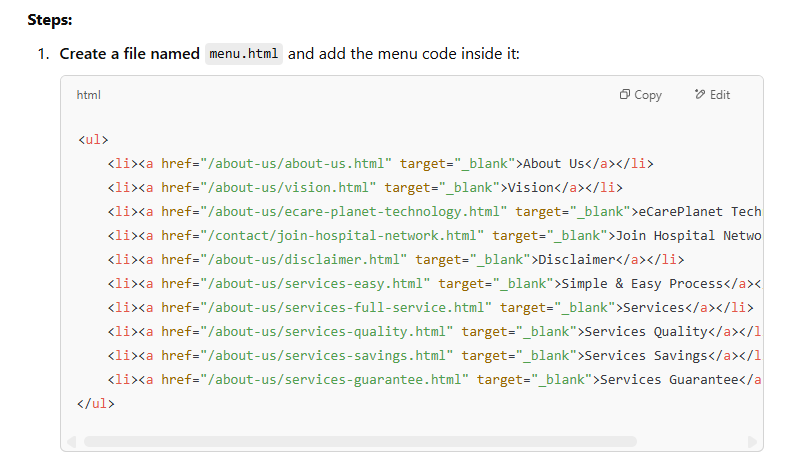
- Create a file named
menu.htmland add the menu code inside it:<ul> <li><a href="/about-us/about-us.html" target="_blank">About Us</a></li> <li><a href="/about-us/vision.html" target="_blank">Vision</a></li> <li><a href="/about-us/ecare-planet-technology.html" target="_blank">eCarePlanet Technology</a></li> <li><a href="/contact/join-hospital-network.html" target="_blank">Join Hospital Network</a></li> <li><a href="/about-us/disclaimer.html" target="_blank">Disclaimer</a></li> <li><a href="/about-us/services-easy.html" target="_blank">Simple & Easy Process</a></li> <li><a href="/about-us/services-full-service.html" target="_blank">Services</a></li> <li><a href="/about-us/services-quality.html" target="_blank">Services Quality</a></li> <li><a href="/about-us/services-savings.html" target="_blank">Services Savings</a></li> <li><a href="/about-us/services-guarantee.html" target="_blank">Services Guarantee</a></li> </ul>
- Include it in all HTML pages using JavaScript: Add this code inside the
<body>where the menu should appear:<div id="menu-placeholder"></div> <script> fetch('/menu.html') .then(response => response.text()) .then(data => document.getElementById('menu-placeholder').innerHTML = data) .catch(error => console.error('Error loading the menu:', error)); </script>
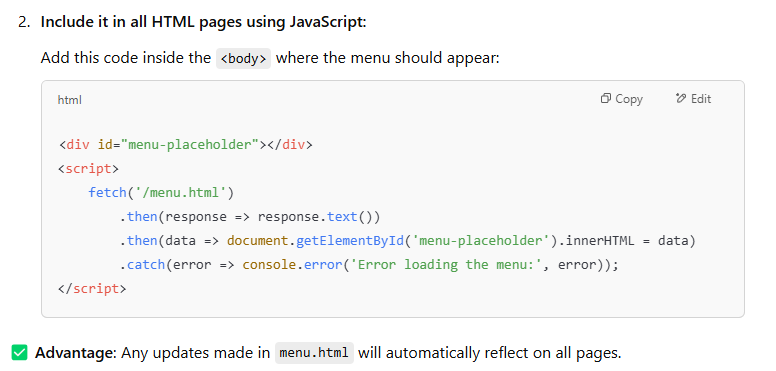
✅ Advantage: Any updates made in menu.html will automatically reflect on all pages.
To fix the href path issue when including the same menu across different directories, you should use absolute paths or base URL settings. Here are two approaches:
Solution 1: Use Absolute Paths
Instead of using relative paths, use absolute paths based on the root (/).
Example: Change your menu links like this:
<ul>
    <li><a href="/about-us/about-us.html" target="_blank">About Us</a></li>
    <li><a href="/about-us/vision.html" target="_blank">Vision</a></li>
    <li><a href="/about-us/ecare-planet-technology.html" target="_blank">eCarePlanet Technology</a></li>
    <li><a href="/contact/join-hospital-network.html" target="_blank">Join Hospital Network</a></li>
    <li><a href="/about-us/disclaimer.html" target="_blank">Disclaimer</a></li>
    <li><a href="/about-us/services-easy.html" target="_blank">Simple & Easy Process</a></li>
    <li><a href="/about-us/services-full-service.html" target="_blank">Services</a></li>
    <li><a href="/about-us/services-quality.html" target="_blank">Services Quality</a></li>
    <li><a href="/about-us/services-savings.html" target="_blank">Services Savings</a></li>
    <li><a href="/about-us/services-guarantee.html" target="_blank">Services Guarantee</a></li>
</ul>
✅ Why?
- Absolute paths (
/about-us/about-us.html) will always resolve from the root domain, no matter where the page is located.
Solution 2: Use a <base> Tag in <head>
If you prefer to use relative paths, you can define a base URL in the <head> of every page.
Steps:
- Add this in the
<head>section of your HTML files:<base href="https://www.yourwebsite.com/"> - Keep your menu links relative, but they will now always refer to the root:
<ul> <li><a href="about-us/about-us.html" target="_blank">About Us</a></li> <li><a href="about-us/vision.html" target="_blank">Vision</a></li> </ul>
✅ Why?
- The browser will automatically resolve all links based on the
<base>URL, even if you’re in a subdirectory.
Final Recommendation
- If your website is static and follows a strict folder structure, use absolute paths (
/about-us/about-us.html). - If you have a dynamic or multi-domain setup, use the
<base>tag to simplify URL management.
Either of these fixes will ensure that your navigation menu works correctly across all 1000+ pages. 🚀
