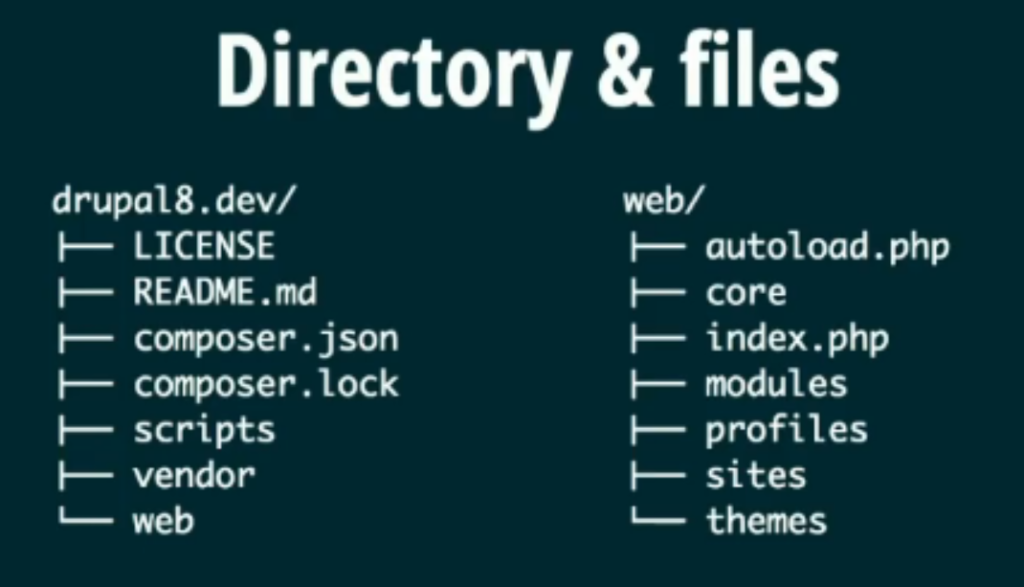
Directory Structure of Drupal 7
drupal7/
├── includes/
├── misc/
├── modules/
├── profiles/
├── scripts/
├── sites/
│   ├── all/
│   │   ├── libraries/
│   │   ├── modules/
│   │   └── themes/
│   ├── default/
│   │   ├── files/
│   │   ├── settings.php
│   │   └── default.settings.php
│   └── example.sites.php
├── themes/
├── updates/
├── web.config
├── .htaccess
├── cron.php
├── index.php
├── install.php
├── LICENSE.txt
├── MAINTAINERS.txt
├── README.txt
└── xmlrpc.php
Explanation of Installed Files and Directories
Root Directory
- index.php: The main entry point for the website. All requests are directed here, and it routes them to the appropriate handler within Drupal.
- install.php: The script that runs the installation process for Drupal.
- cron.php: A script to handle periodic tasks, such as clearing caches and running scheduled tasks.
- .htaccess: A configuration file for Apache web server settings, such as URL rewriting and access restrictions.
- web.config: A configuration file for IIS (Internet Information Services) web server settings.
- LICENSE.txt: The GNU General Public License under which Drupal is distributed.
- MAINTAINERS.txt: A list of people who maintain the Drupal codebase.
- README.txt: Basic information about the Drupal installation.
Core Directories
- includes/: Contains essential core files and libraries used by Drupal, including bootstrap files and common functions.
- misc/: Contains miscellaneous files such as JavaScript, CSS, and images used by the core system.
- modules/: Contains core modules that provide various features and functionalities out of the box. Contributed and custom modules should not be placed here.
- profiles/: Contains installation profiles, which are sets of modules and configurations for specific types of Drupal sites.
- scripts/: Contains scripts for use in managing and maintaining a Drupal site.
Sites Directory
The sites/ directory is where all site-specific files and configurations are stored.
- all/: This directory is for modules, themes, and libraries that are shared across all sites in a multisite setup.
- libraries/: Contains third-party libraries used by modules or themes.
- modules/: Contains contributed and custom modules. This is where you should place any additional modules you download or create.
- themes/: Contains contributed and custom themes. This is where you should place any additional themes you download or create.
- default/: This directory is used for the default site configuration. In a single-site setup, this is where you store site-specific files and configurations.
- files/: Stores uploaded files, such as images and documents.
- settings.php: The main configuration file for the site, including database connection details.
- default.settings.php: A template for the
settings.phpfile.
- example.sites.php: An example file showing how to set up multisite configurations.
Themes Directory
- themes/: Contains core themes that provide the visual appearance for the site. Contributed and custom themes should not be placed here; instead, they should be placed in
sites/all/themes.
Updates Directory
- updates/: Contains scripts for updating the Drupal core and contributed modules.
Common Customization and Development Locations
- sites/all/modules/: Place contributed and custom modules here.
- sites/all/themes/: Place contributed and custom themes here.
- sites/default/files/: Store uploaded files here.
