$100 Website Offer

Get your personal website + domain for just $100.

Limited Time Offer!

Claim Your Website Now

How to fix Google forms issues “This form can only be viewed by users in the owner’s organization.”

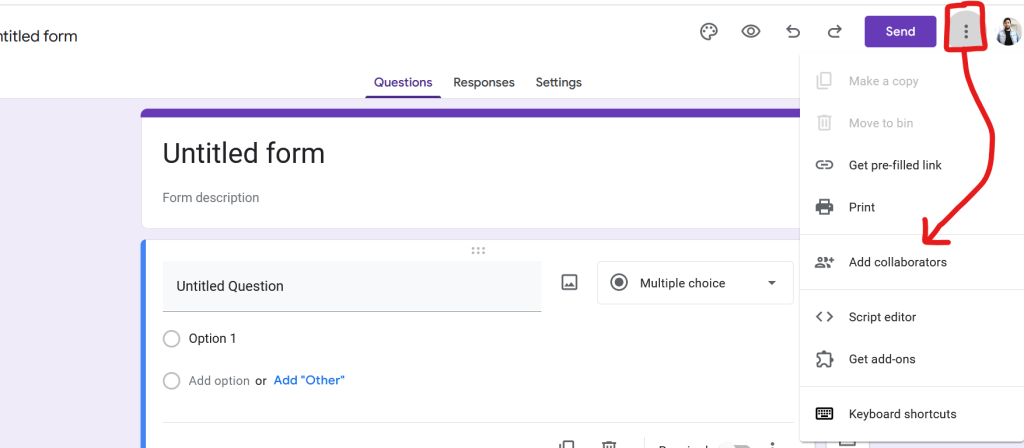
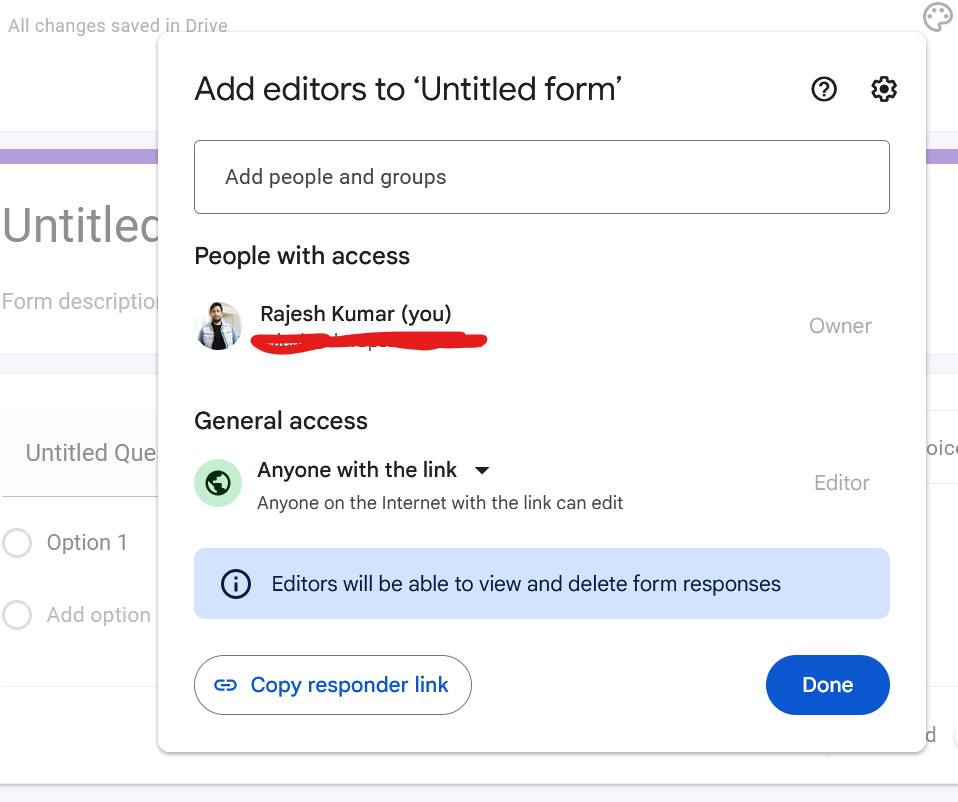
The message “This form can only be viewed by users in the owner’s organization” in Google Forms typically indicates that the form’s sharing settings are restricted to people within the creator’s organization (usually a company or a school domain). To fix this issue and make the form accessible to users outside of the organization, you need to change the form’s sharing settings. Here’s how you can do it:

  1. Open the Form:
    • Log in to your Google account and open the Google Form you are trying to share.
  2. Access the Settings:
    • In the upper right corner of the form editor, click on the settings icon (a gear-shaped icon).
  3. Adjust the General Settings:
    • In the settings menu, go to the ‘General’ tab.
    • Look for an option that says something like “Restrict to [organization’s name] users” or “Limit to users in [organization’s name] and its trusted organizations”.
    • Uncheck this option to allow users outside of your organization to access the form.
  4. Save Changes:
    • Click the ‘Save’ button to apply the changes.
  5. Reshare the Form:
    • After changing the setting, share the form again using the link. The new link should now be accessible to users outside of your organization.
Related Posts

The Ultimate Website Development Roadmap for Startups and Small Businesses

Introduction For startups and small businesses, a digital footprint is no longer a luxury—it is the foundation of market credibility. A business website serves as a 24/7…

Read More

Choosing a Reliable Website Development Partner for Sustainable Business Growth

Introduction In today’s hyper-connected economy, a company’s digital storefront is often its single most critical point of consumer interaction. A website is no longer just a digital…

Read More

WP-CLI Complete Tutorial: How to Install It, Understand It, and Use the Most Important wp Commands

If you manage WordPress sites regularly, WP-CLI can save a ridiculous amount of time. Instead of clicking through the dashboard for every plugin, theme, database, or user…

Read More

Master Troubleshooting Guide: Flarum Google Login OAuth Issue on cPanel/Apache with WordPress Root Site

1. Environment Overview This guide is based on a real troubleshooting case where: 2. Original Problem Google login was enabled for Flarum using FoF OAuth. The login…

Read More

Simplifying the Search for Trusted Professionals Near Me

Introduction We live in an era where you can manage almost your entire life from a smartphone, yet finding reliable local help often feels stuck in the…

Read More

Complete AIOps Training Guide: Tools, Use Cases, Certification & Career Path

Modern enterprise infrastructure generates far more data than human operators can realistically process. A typical cloud-native architecture experiences hundreds of thousands of ephemeral events daily, leading to…

Read More
Subscribe
Notify of
guest
0 Comments
Oldest
Newest Most Voted
Inline Feedbacks
View all comments
0
Would love your thoughts, please comment.x
()
x